






















The best ergonomic mice: vertical and trackball picks
Six vertical mice and trackballs compared, with advice on hand size, grip angle, thumb versus finger trackballs and how to adjust to a new shape.
As an Amazon Associate I earn from qualifying purchases. When you buy through links on this page, we may earn a commission at no extra cost to you. Learn more
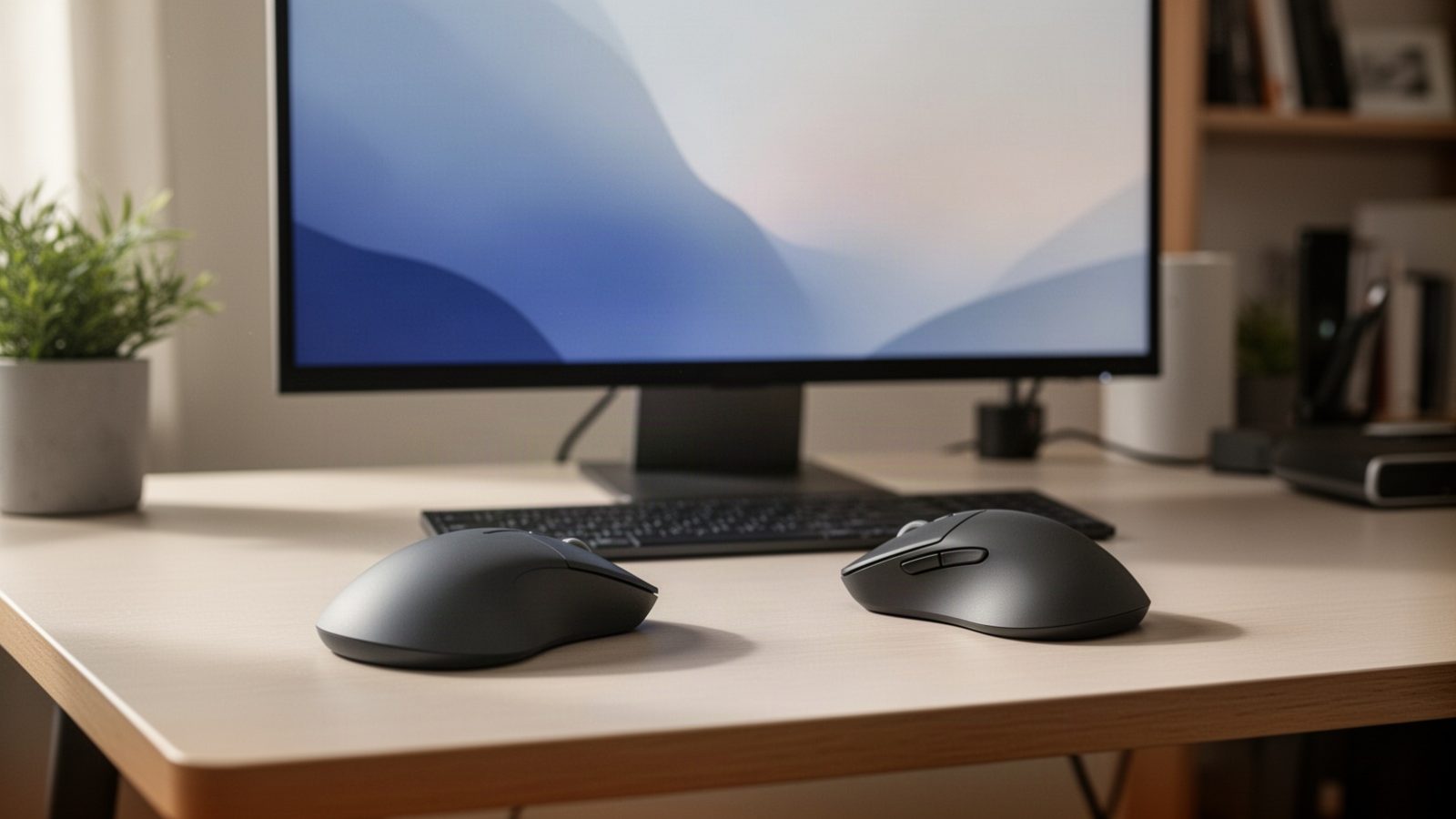
A regular mouse makes you hold your hand flat and palm-down, which twists the forearm, and many people steer it by flexing the wrist from side to side. Ergonomic mice are designed to change that. Vertical mice turn your hand toward a handshake position, while trackballs stay still on the desk and let your thumb or fingers move the cursor instead of your arm. Many people find one or the other more comfortable over a long workday.
Shape and fit matter far more here than with an ordinary mouse, and there's a short learning curve. We compared well-known vertical mice and trackballs from Logitech, Kensington and Anker on angle, hand size, connection, battery and buttons, and picked the best for different hands and budgets. These are comfort products, not treatments: if you have ongoing pain, tingling or numbness, see a doctor or occupational therapist.
Our top picks
-
1
 Illustration
Best overall
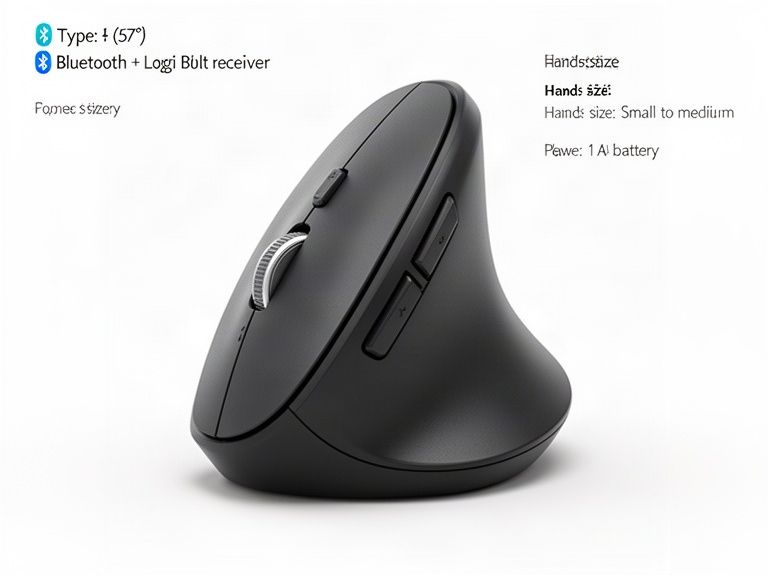
Logitech Lift Vertical Ergonomic Mouse
Small to medium hands, including left-handers
TypeVertical (57°)ConnectionBluetooth + Logi Bolt receiverPower1 AA battery -
2
 Illustration
Best for large hands
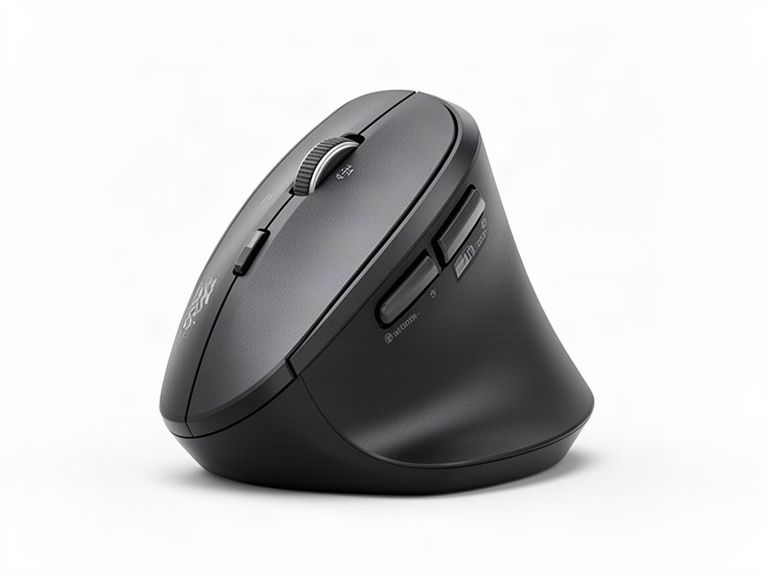
Logitech MX Vertical Ergonomic Mouse
Medium to large hands
TypeVertical (57°)ConnectionBluetooth + USB receiverPowerRechargeable (USB-C) -
3
 Illustration
Best thumb trackball
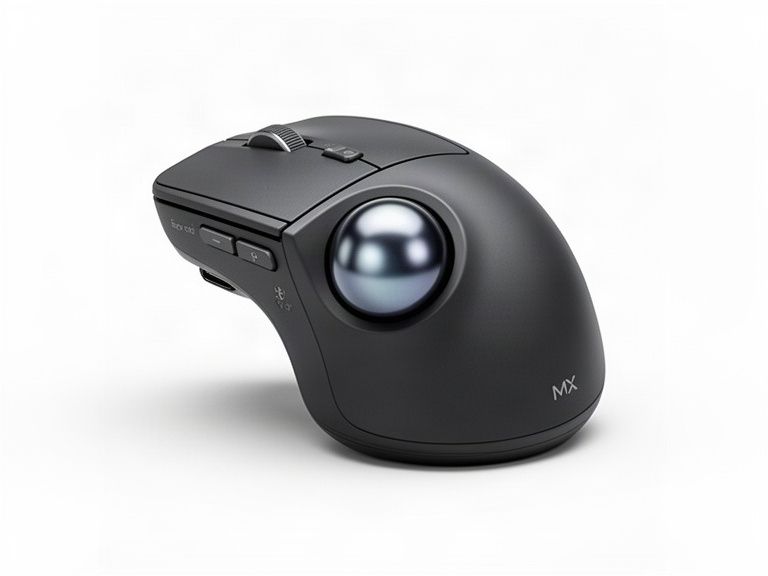
Logitech MX Ergo S Wireless Trackball
Small desks and people who want minimal arm movement
TypeThumb trackballConnectionBluetooth + Logi Bolt receiverPowerRechargeable (USB-C) -
4
 Illustration
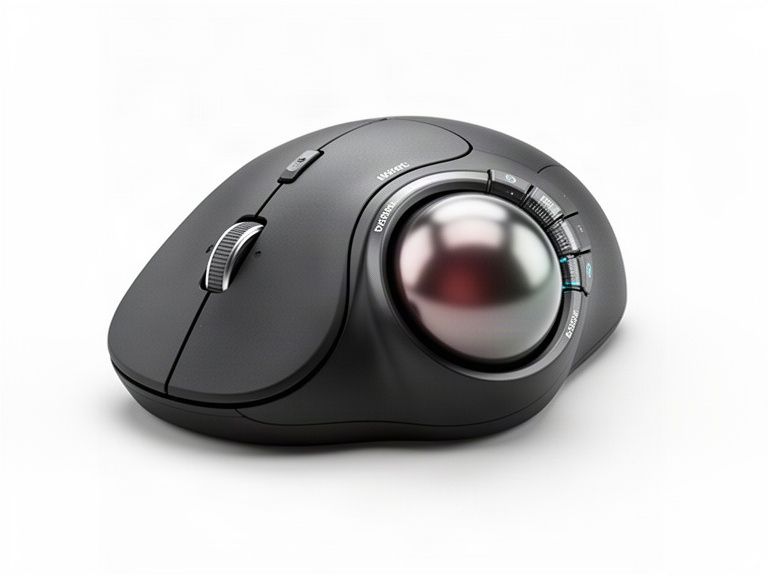
Best finger trackball
Kensington Expert Mouse Wireless Trackball
Left-handers and precision work
TypeFinger trackball with scroll ringConnectionBluetooth + 2.4GHz receiverPowerReplaceable batteries -
5
 Illustration
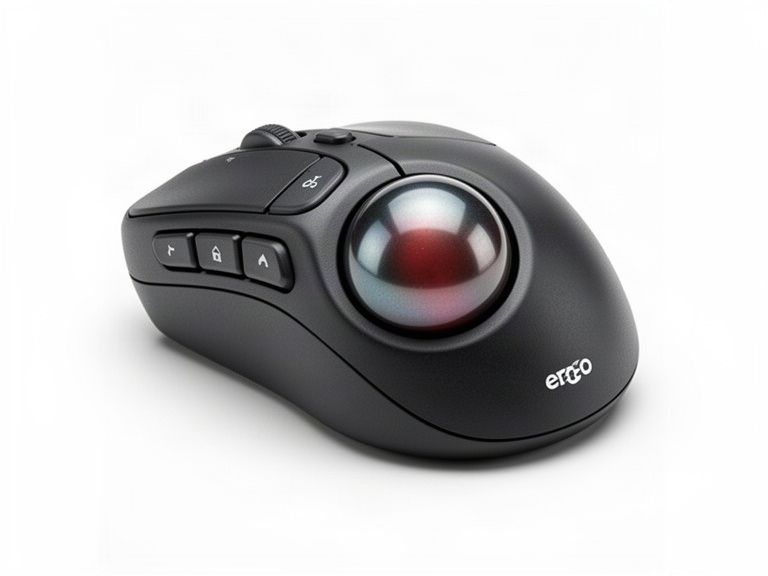
Best value trackball
Logitech Ergo M575 Wireless Trackball
Trying a thumb trackball on a budget
TypeThumb trackballConnectionBluetooth + USB receiverPower1 AA battery -
6
 Illustration
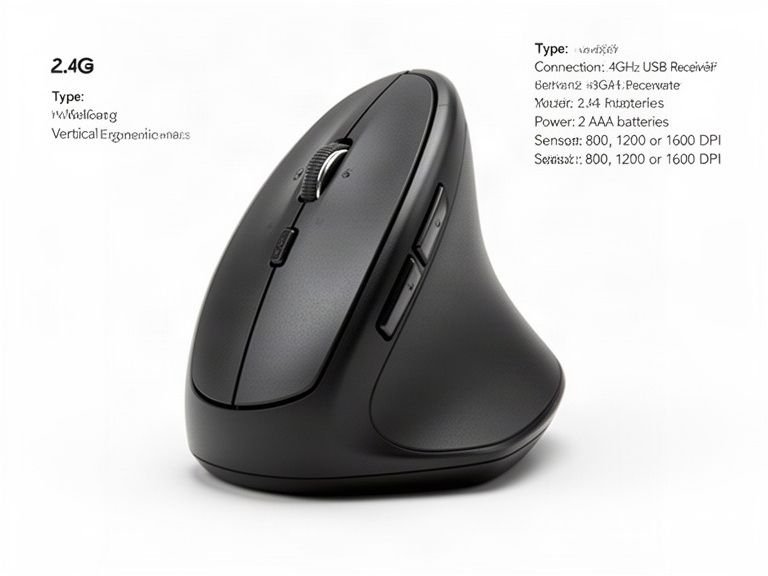
Best budget vertical
Anker 2.4G Wireless Vertical Ergonomic Mouse
Trying a vertical mouse for very little money
TypeVerticalConnection2.4GHz USB receiverPower2 AAA batteries
Logitech Lift Vertical Ergonomic Mouse
Illustration
A 57-degree vertical mouse sized for small to medium hands, with quiet clicks and right- and left-handed versions.
Best for: Small to medium hands, including left-handers- Type
- Vertical (57°)
- Connection
- Bluetooth + Logi Bolt receiver
- Power
- 1 AA battery
- Hand size
- Small to medium
- Handedness
- Right- and left-handed versions
What we like
- Handshake grip at a 57-degree angle
- Sized for small to medium hands
- Left-handed version available
- Quiet clicks and a smooth SmartWheel
Keep in mind
- Too small for large hands
- Uses an AA battery rather than recharging
- Takes a few days to adjust
Logitech Lift is the vertical mouse we'd suggest most people try first. It holds your hand at a 57-degree angle, closer to a handshake than a flat mouse, and it's sized for small to medium hands, which covers a lot of people who find vertical mice too bulky.
It's also one of the few vertical mice with a true left-handed version. Quiet clicks, a soft-touch grip and a SmartWheel that switches between precise and fast scrolling make it pleasant for long days, and it pairs with up to three devices over Bluetooth or a Logi Bolt receiver.
It runs on a single AA battery rather than recharging, which some people prefer. People with large hands should look at the MX Vertical instead. Expect a few days of adjustment before fine movements feel natural.
Bottom line: The best vertical mouse for most people with small to medium hands.
Logitech MX Vertical Ergonomic Mouse
Illustration
A larger 57-degree vertical mouse with a rechargeable battery, a high-precision sensor and multi-device switching.
Best for: Medium to large hands- Type
- Vertical (57°)
- Connection
- Bluetooth + USB receiver
- Power
- Rechargeable (USB-C)
- Hand size
- Medium to large
- Sensor
- 4,000 DPI
What we like
- Larger shape suits medium to large hands
- Rechargeable via USB-C
- Pairs with up to three computers
- Pointer-speed button for quick DPI changes
Keep in mind
- Right-handed only
- Heavy compared with standard mice
- Scroll wheel is basic compared with MX Master mice
The MX Vertical is Logitech's larger vertical mouse, designed for medium to large hands. Like the Lift, it angles your hand at 57 degrees, but its bigger body supports the whole hand, which many larger-handed users find more stable for all-day work.
It recharges over USB-C, connects over Bluetooth or a USB receiver, and switches between up to three computers. A pointer-speed button lets you change sensitivity on the fly, which helps while you adjust to the new grip.
It's right-handed only and fairly heavy, and the scroll wheel is a standard notched design rather than the fast-scrolling wheels on Logitech's MX Master line. If your hands are too big for the Lift, it's the vertical mouse to get.
Bottom line: The best vertical mouse for larger hands, with a rechargeable battery and multi-device support.
Logitech MX Ergo S Wireless Trackball
Illustration
A rechargeable thumb trackball with an adjustable tilt hinge, quiet clicks and a precision mode button.
Best for: Small desks and people who want minimal arm movement- Type
- Thumb trackball
- Connection
- Bluetooth + Logi Bolt receiver
- Power
- Rechargeable (USB-C)
- Tilt
- Adjustable, 0° or 20°
- Extras
- Quiet clicks, precision mode button
What we like
- Adjustable hinge tilts the mouse up to 20 degrees
- Stays still, so it works on cramped desks and couches
- Rechargeable over USB-C
- Precision button for fine cursor control
Keep in mind
- Thumb trackballs take time to master
- Right-handed only
- Ball needs regular cleaning
The MX Ergo S is Logitech's premium thumb trackball. You roll the ball with your thumb while the body stays still, so your arm and wrist barely move, which also makes it ideal for small desks or working from a couch. A magnetic hinged base lets you tilt it from flat to 20 degrees, angling your hand more toward a handshake position.
The S update brings USB-C charging, quieter clicks and a Logi Bolt receiver alongside Bluetooth. A precision mode button slows the cursor for detailed work, which helps a lot while you learn thumb control.
Thumb trackballs have a learning curve, and some people find the thumb tires at first. It's right-handed only, and like any trackball it needs its ball and bearings wiped clean now and then. If a vertical mouse still feels like too much arm movement, this is the upgrade.
Bottom line: The best premium thumb trackball, with adjustable tilt and modern charging.
Kensington Expert Mouse Wireless Trackball
Illustration
A symmetrical finger-operated trackball with a large ball, a scroll ring and a detachable wrist rest.
Best for: Left-handers and precision work- Type
- Finger trackball with scroll ring
- Connection
- Bluetooth + 2.4GHz receiver
- Power
- Replaceable batteries
- Ball
- Large 55mm ball
- Handedness
- Ambidextrous
What we like
- Symmetrical design works in either hand
- Large ball allows precise fingertip control
- Scroll ring around the ball is fast and intuitive
- Includes a detachable wrist rest
Keep in mind
- Large footprint for a mouse
- Learning curve for finger control
- Ball and rollers need regular cleaning
Kensington's Expert Mouse is a long-standing favorite among people who prefer finger trackballs. Its large ball sits in the center, so you move the cursor with your fingertips while your hand rests on the body and the included wrist rest. Because the design is symmetrical, it works equally well in the left or right hand.
Scrolling uses a ring around the ball that you spin with a finger, which many people find faster than a wheel for long pages. Four buttons surround the ball and can be customized in Kensington's software. The wireless version connects over Bluetooth or a 2.4GHz USB receiver.
It takes up more desk space than a mouse, and finger control takes some practice to master. For left-handed users, people who share a desk, or anyone doing precise work like design, it's an excellent choice.
Bottom line: The best finger-operated trackball, and one of the best ergonomic options for left-handers.
Logitech Ergo M575 Wireless Trackball
Illustration
A budget-friendly thumb trackball with a sculpted shape and long battery life on a single AA.
Best for: Trying a thumb trackball on a budget- Type
- Thumb trackball
- Connection
- Bluetooth + USB receiver
- Power
- 1 AA battery
- Extras
- Back and forward buttons
What we like
- Budget-friendly entry to trackballs
- Long battery life on one AA
- Comfortable sculpted shape
- Bluetooth and USB receiver options
Keep in mind
- No tilt adjustment
- Right-handed only
- No rechargeable battery
The Ergo M575 is the budget-friendly way to find out whether you like a thumb trackball. It has the same basic idea as the MX Ergo S: the mouse stays put while your thumb rolls the ball. But it skips the adjustable tilt and rechargeable battery to keep the price down.
The sculpted shape supports your hand, and back and forward buttons sit within reach. It connects over Bluetooth or a USB receiver and runs for a long time on a single AA battery. Logitech has updated it over the years, so check whether the listing includes a Logi Bolt receiver if that matters for your setup.
It's right-handed only, and the flat angle doesn't rotate your hand as much as the MX Ergo S at its 20-degree setting. As a first trackball, it's hard to beat.
Bottom line: The best budget-friendly thumb trackball for trying the style without a big outlay.
Anker 2.4G Wireless Vertical Ergonomic Mouse
Illustration
A basic, very budget-friendly vertical mouse with a USB receiver and adjustable pointer speed.
Best for: Trying a vertical mouse for very little money- Type
- Vertical
- Connection
- 2.4GHz USB receiver
- Power
- 2 AAA batteries
- Sensor
- 800, 1200 or 1600 DPI
What we like
- Very budget-friendly way to try a vertical grip
- Back and forward buttons
- Adjustable pointer speed
- Long-running, widely available model
Keep in mind
- No Bluetooth
- Basic build and plain scroll wheel
- Shape suits medium hands; right-handed only
Anker's wireless vertical mouse has been a go-to budget pick for years because it lets you try a handshake grip for very little money. It angles your hand upright, has back and forward buttons for browsing and a button to switch between three pointer speeds.
It connects with a 2.4GHz USB receiver, which means it needs a free USB-A port or an adapter on newer laptops, and it runs on two AAA batteries. There's no Bluetooth and no software for customizing buttons.
The build and scroll wheel are basic, and the shape is right-handed and best for medium hands. If you're curious whether a vertical mouse suits you before spending on a Logitech Lift or MX Vertical, it's a low-risk experiment.
Bottom line: A low-risk, budget-friendly way to find out whether a vertical mouse works for you.
Side-by-side comparison
| Product | Type | Connection | Power | Hand size | Score |
|---|---|---|---|---|---|
| Logitech Lift Vertical Ergonomic MouseBest overall | Vertical (57°) | Bluetooth + Logi Bolt receiver | 1 AA battery | Small to medium | 9.1 |
| Logitech MX Vertical Ergonomic MouseBest for large hands | Vertical (57°) | Bluetooth + USB receiver | Rechargeable (USB-C) | Medium to large | 9.0 |
| Logitech MX Ergo S Wireless TrackballBest thumb trackball | Thumb trackball | Bluetooth + Logi Bolt receiver | Rechargeable (USB-C) | — | 8.9 |
| Kensington Expert Mouse Wireless TrackballBest finger trackball | Finger trackball with scroll ring | Bluetooth + 2.4GHz receiver | Replaceable batteries | — | 8.7 |
| Logitech Ergo M575 Wireless TrackballBest value trackball | Thumb trackball | Bluetooth + USB receiver | 1 AA battery | — | 8.6 |
| Anker 2.4G Wireless Vertical Ergonomic MouseBest budget vertical | Vertical | 2.4GHz USB receiver | 2 AAA batteries | — | 8.0 |
Specifications are from manufacturer listings at the time of writing and can change between production runs.
Vertical mouse or trackball?
- Vertical mice hold your hand at a steep angle, often around 57 degrees, closer to a handshake. You still move the mouse with your arm, so most people feel at home within a few days.
- Thumb trackballs keep the mouse still while your thumb rolls the ball. They suit cramped desks and people who want to minimize arm movement, though they put more work on the thumb.
- Finger trackballs put a larger ball in the center, moved with your fingers. They're often symmetrical, so they work in either hand, and allow precise control.
Fit is everything
Vertical mice come in sizes, and the wrong one undoes the benefit. A mouse that's too large makes your fingers stretch; too small, and your hand curls and cramps. Measure from your wrist crease to the tip of your middle finger and compare it with the maker's sizing guide. Left-handed users should look for a left-handed edition or a symmetrical trackball.
Your desk setup matters as much as the mouse. Keep the mouse at the same height as your keyboard and close to the front edge of the desk, so your elbow stays bent at roughly 90 degrees and your shoulder stays relaxed rather than reaching forward or out to the side.
Buttons, scrolling and software
Look for back and forward buttons for browsing and customizable buttons in the maker's software. Trackballs handle scrolling differently: thumb trackballs keep a normal scroll wheel, while finger trackballs often use a scroll ring around the ball. A precision or DPI button helps with detailed work like photo editing.
Connection and power
Like regular wireless mice, ergonomic models connect over Bluetooth, a USB receiver or both. Rechargeable models are convenient; AA-battery models often run for many months between changes. Budget models may use a receiver only, which takes up a USB-A port.
Adjusting to a new mouse
Give yourself about a week. Start with a few hours a day, lower your pointer speed until your accuracy returns, and keep your elbow supported and close to your body. Pair the mouse with a keyboard that keeps it close: a compact layout without a number pad means less reaching.
Cleaning a trackball
Pop the ball out every few weeks and wipe the ball and the small support bearings underneath with a lint-free cloth. Skin oils and dust build up there and make the ball feel sticky or jumpy. Never use solvents on the ball unless the maker's instructions allow it.
Frequently asked questions
Is a vertical mouse or a trackball better?
Neither is better for everyone. Vertical mice are easier to adapt to because you still move the mouse with your arm. Trackballs reduce arm movement and save desk space but take longer to master. Many people try a vertical mouse first.
Can an ergonomic mouse help with carpal tunnel syndrome?
No mouse can treat or prevent a medical condition. Ergonomic mice are designed to reduce forearm twisting and wrist movement, and many people find them more comfortable. If you have symptoms such as numbness, tingling or ongoing pain, see a doctor or occupational therapist.
How long does it take to get used to a vertical mouse?
Usually a few days to a week. Fine movements feel clumsy at first because you are using different muscles. Lower the pointer speed and give it a full week before deciding.
Are there ergonomic mice for left-handed people?
Yes. Logitech sells a left-handed version of the Lift vertical mouse, and symmetrical finger trackballs such as the Kensington Expert Mouse work in either hand. Most thumb trackballs are right-handed only.
Can I use a trackball for gaming?
For slow-paced games, yes. For fast shooters, a trackball is much harder to aim with than a regular gaming mouse.
How we picked
We compared manufacturer specifications for popular vertical mice and trackballs, including grip angle, hand-size guidance, handedness, connection, battery type, buttons and scrolling, and weighed how each suits different hands, desks and learning curves. We make no health claims for any product. Our picks and scores are based on this research — we have not tested these products hands-on. Brands cannot pay to be included. Read our full method.