






















The best backup cameras for older cars, trucks and RVs
Five add-on backup cameras compared — mirror displays, cameras for aftermarket receivers, wireless kits and truck and RV systems — with honest notes on wiring.
As an Amazon Associate I earn from qualifying purchases. When you buy through links on this page, we may earn a commission at no extra cost to you. Learn more
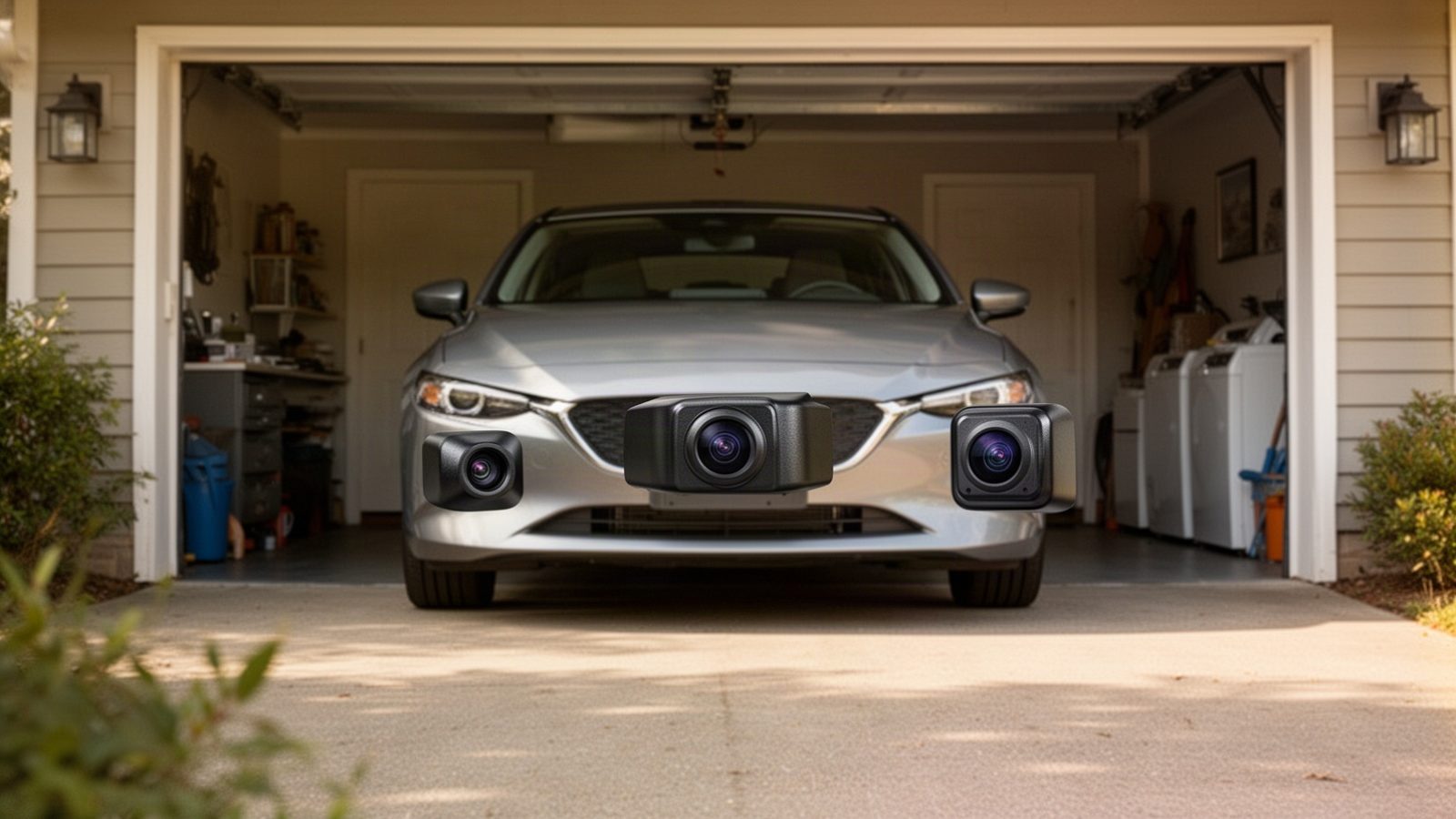
New light vehicles sold in the US have come with backup cameras for years, but millions of older cars, pickups, vans and RVs still rely on mirrors and guesswork. An add-on camera shows what is directly behind the bumper — kids’ bikes, low posts, the trailer hitch you are lining up — and makes parallel parking and tight driveways far less stressful.
The add-on market has a few distinct types. Some cameras feed an aftermarket touchscreen receiver you already have, some come with their own small monitor, some replace the view in your rear-view mirror with a screen, and some send video wirelessly to a monitor or GPS navigator. Each involves some wiring, even the “wireless” ones. We compared well-known backup cameras from established brands on display type, connection, mounting and installation needs, and picked the best option for different vehicles.
Our top picks
-
1
 Illustration
Best overall
WOLFBOX G840S 12-Inch Mirror Dash Cam with Backup Camera
Older cars that want a backup camera and dash cam in one
Display12-inch mirror touchscreenConnectionWired rear cameraMountingStraps over the existing mirror -
2
 Illustration
Best for aftermarket receivers
Pioneer ND-BC8 Universal Rear-View Camera
Cars with a touchscreen receiver that has a camera input
DisplayUses your receiver’s screenConnectionWired (RCA video)MountingCompact surface-mount bracket -
3
 Illustration
Best wireless kit
AUTO-VOX Digital Wireless Backup Camera Kit
Cars and SUVs without a screen, where cable runs are a hassle
DisplayIncluded dash monitorConnectionDigital wireless videoMountingLicense plate area -
4
 Illustration
Best for Garmin navigator owners
Garmin BC 50 Wireless Backup Camera
Drivers who already use a compatible Garmin navigator
DisplayCompatible Garmin navigator (sold separately)ConnectionWireless videoMountingLicense plate mount -
5
 Illustration
Best for trucks and RVs
Rear View Safety Backup Camera System with Monitor
Work trucks, RVs, trailers and fleet vehicles
DisplayDedicated monitor (size varies by kit)ConnectionWiredMountingHeavy-duty bracket
WOLFBOX G840S 12-Inch Mirror Dash Cam with Backup Camera
Illustration
A large mirror-mounted touchscreen that shows a rear camera feed and records front and rear video.
Best for: Older cars that want a backup camera and dash cam in one- Display
- 12-inch mirror touchscreen
- Connection
- Wired rear camera
- Mounting
- Straps over the existing mirror
- Also does
- Front and rear dash cam recording
What we like
- Backup camera and front-and-rear dash cam in one device
- Large screen gives a wide rear view
- Straps over the existing mirror without replacing it
- Can show a live rear view while driving
Keep in mind
- Rear camera cable must be routed to the back of the vehicle
- Large screen can feel bulky on small windshields
WOLFBOX’s G840S is one of the most popular mirror-style systems online, and it combines two upgrades older cars often lack. The 12-inch screen straps over your existing rear-view mirror and shows the rear camera when reversing — or all the time, if you prefer a camera-based rear view — while also recording front and rear footage like a dash cam.
That live rear view is useful in vans, SUVs packed with cargo or cars with small rear windows.
Installation still involves routing the rear camera cable to the back of the vehicle and connecting reverse-trigger power for automatic switching. Check the cable length and mounting for your make, model and year, and consider a professional install.
Bottom line: The most complete add-on for older cars: a backup camera and a dash cam in one mirror.
Pioneer ND-BC8 Universal Rear-View Camera
Illustration
A small, long-running universal camera designed to feed an aftermarket receiver’s screen.
Best for: Cars with a touchscreen receiver that has a camera input- Display
- Uses your receiver’s screen
- Connection
- Wired (RCA video)
- Mounting
- Compact surface-mount bracket
What we like
- Uses the screen you already have — no extra monitor
- Compact, discreet camera body
- Designed for Pioneer receivers and works with many camera inputs
- Long-running model with wide installer familiarity
Keep in mind
- Needs a receiver with a camera input
- Cable must be routed from the rear to the dash
If your car already has an aftermarket touchscreen receiver, a camera like Pioneer’s ND-BC8 is the cleanest way to add a backup view. It is a compact universal camera that connects to the receiver’s rear camera input, so the image appears on your existing screen when you shift into reverse.
Because it uses a standard RCA video connection, it is designed for Pioneer receivers and is widely used with other brands’ camera inputs as well. The small body can be mounted discreetly near the license plate or trunk handle.
You still need to route the video cable from the back of the car to the dash and connect the receiver’s reverse-trigger wire. Check your receiver’s manual and the mounting options for your vehicle first.
Bottom line: The neat, factory-style choice for cars with an aftermarket touchscreen.
AUTO-VOX Digital Wireless Backup Camera Kit
Illustration
A digital wireless camera and dash monitor kit that avoids running a video cable through the vehicle.
Best for: Cars and SUVs without a screen, where cable runs are a hassle- Display
- Included dash monitor
- Connection
- Digital wireless video
- Mounting
- License plate area
What we like
- No video cable through the cabin
- Digital signal is less prone to interference than analog wireless
- Complete kit with its own monitor
- Well-known backup camera brand online
Keep in mind
- Camera still needs power from the reverse lights
- Separate monitor adds dash clutter
AUTO-VOX is one of the most established backup camera brands online, and its digital wireless kits pair a plate-area camera with a small monitor on the dashboard. The video travels wirelessly, so you skip the most tedious part of a wired install: running a cable from the bumper through the trunk, headliner and dash.
Digital transmission is generally steadier than older analog wireless kits, which were notorious for static and flicker.
Wireless doesn’t mean wire-free, though. The camera needs power, usually from the reverse-light circuit, and the monitor plugs into a 12-volt socket. Confirm that the camera mount suits your license plate area and that your reverse-light wiring works with the kit for your make, model and year.
Bottom line: A practical complete kit for cars with no screen and owners who want a simpler install.
Garmin BC 50 Wireless Backup Camera
Illustration
A wireless camera with night vision that displays on compatible Garmin navigators instead of a separate monitor.
Best for: Drivers who already use a compatible Garmin navigator- Display
- Compatible Garmin navigator (sold separately)
- Connection
- Wireless video
- Mounting
- License plate mount
- Night vision
- Yes
What we like
- Uses your Garmin navigator screen — no extra monitor
- Night vision for low-light reversing
- Wireless video suits long vehicles and RVs
- Garmin build quality and support
Keep in mind
- Only works with compatible Garmin devices
- Camera still needs wiring for power
Garmin’s BC 50 is designed for people who already rely on a Garmin navigator, especially RV owners and truck drivers using Garmin’s larger devices. The camera mounts at the license plate, adds night vision for dark campgrounds and driveways, and sends video wirelessly to a compatible Garmin screen, so there is no extra monitor on the dash.
Wireless video is particularly helpful on long vehicles, where running a cable from the rear to the cab is a major job.
The catch is compatibility: it only works with specific Garmin devices, so check Garmin’s compatibility list first. The camera also needs power wiring, and mounting should be confirmed for your vehicle’s plate area.
Bottom line: The natural choice if a compatible Garmin navigator already sits on your dash.
Rear View Safety Backup Camera System with Monitor
Illustration
Heavy-duty wired camera and monitor systems from a company focused on commercial and RV vehicles.
Best for: Work trucks, RVs, trailers and fleet vehicles- Display
- Dedicated monitor (size varies by kit)
- Connection
- Wired
- Mounting
- Heavy-duty bracket
What we like
- Built for large vehicles and commercial use
- Wired connection for a stable image
- Systems available with multiple camera inputs
- Specialist brand with RV and fleet experience
Keep in mind
- Long cable runs make installation a bigger job
- More than most passenger cars need
Rear View Safety specializes in camera systems for vehicles where reversing blind is a real risk: box trucks, RVs, work vans, trailers and fleet vehicles. Its kits pair weather-resistant cameras on heavy-duty brackets with dedicated dash monitors, and many systems support extra cameras for side or trailer views.
The wired connection is the point. On a vehicle you depend on for work, a stable image without wireless dropouts is worth the extra installation effort.
That effort is real. Routing cable the length of an RV or truck takes time, and many owners have a professional or fleet shop handle it. Choose the kit size and cable length to match your vehicle, and confirm mounting and power details for your make, model and year.
Bottom line: A dependable wired system for trucks, RVs and vehicles used for work.
Side-by-side comparison
| Product | Display | Connection | Mounting | Also does | Score |
|---|---|---|---|---|---|
| WOLFBOX G840S 12-Inch Mirror Dash Cam with Backup CameraBest overall | 12-inch mirror touchscreen | Wired rear camera | Straps over the existing mirror | Front and rear dash cam recording | 8.9 |
| Pioneer ND-BC8 Universal Rear-View CameraBest for aftermarket receivers | Uses your receiver’s screen | Wired (RCA video) | Compact surface-mount bracket | — | 8.7 |
| AUTO-VOX Digital Wireless Backup Camera KitBest wireless kit | Included dash monitor | Digital wireless video | License plate area | — | 8.4 |
| Garmin BC 50 Wireless Backup CameraBest for Garmin navigator owners | Compatible Garmin navigator (sold separately) | Wireless video | License plate mount | — | 8.3 |
| Rear View Safety Backup Camera System with MonitorBest for trucks and RVs | Dedicated monitor (size varies by kit) | Wired | Heavy-duty bracket | — | 8.2 |
Specifications are from manufacturer listings at the time of writing and can change between production runs.
Which type suits your vehicle?
- Camera only: for cars that already have an aftermarket touchscreen receiver with a camera input. The simplest and usually the cleanest result.
- Mirror display: a screen that straps over or replaces your rear-view mirror, often doubling as a front-and-rear dash cam.
- Camera and monitor kit: a camera plus a small dash-mounted monitor, common for trucks, RVs and work vans.
- Navigator pairing: some GPS navigators accept a compatible wireless camera, so the navigator screen doubles as the display.
Wired or wireless?
“Wireless” cameras send video without a long cable, but the camera still needs power — usually tapped from the reverse lights or a running-light circuit. Wireless saves running a video cable the length of the vehicle, which helps on long trucks, RVs and trailers. Wired cameras are typically more reliable and less prone to interference. Digital wireless systems are less prone to static and interference than older analog ones.
Image quality and features
- Viewing angle: wider views show more of the bumper area but distort distances at the edges.
- Low-light performance: many cameras add infrared or light-sensitive sensors for night use.
- Parking guidelines: on-screen lines help judge distance; adjustable lines are a plus.
- Weather sealing: the camera lives outside, so look for a sealed, weather-resistant housing.
- Mirror or normal image: rear cameras need a mirrored image to match your mirrors; most allow switching.
Fitment and installation
Never assume a kit fits your vehicle. Confirm that the camera mount works with your license plate area, tailgate or bumper, and that the cable lengths suit your vehicle’s size. Reverse-light wiring varies, and some newer vehicles use LED or electronically monitored lighting circuits that may need a relay or filter. Check your owner’s manual and the seller’s fitment information for your make, model and year, and consider a professional installer, especially for drilling, tailgate wiring or connecting to an existing screen.
Use it as an aid, not a substitute
A backup camera has blind spots at the corners and can’t judge everything, especially in rain, snow or glare. Keep checking mirrors and looking over your shoulder, back up slowly, and clean the lens regularly.
What to skip
Cheap analog wireless kits are prone to flicker and interference, and mirror displays with oversized screens can be distracting at night if they don’t dim well. Choose a type that matches your vehicle and how you will use it.
Frequently asked questions
Do wireless backup cameras need any wiring?
Yes. The camera still needs power, usually from the reverse lights, and the monitor needs power from a 12-volt socket or hardwiring. Wireless only removes the long video cable between the camera and the screen.
Can I connect a backup camera to my factory screen?
Sometimes, with a vehicle-specific interface module. Whether it is possible depends on your make, model, year and trim, so check with a fitment tool or professional installer before buying a camera for that purpose.
Will the camera fit my license plate area?
Plate-frame and bracket mounts fit many vehicles, but plate positions, bumper shapes and tailgates vary. Confirm the mounting style and cable length for your make, model and year, and check local rules about anything covering the plate.
Can a mirror display show the rear camera all the time?
Many mirror displays can show a live rear view while driving, which helps when cargo or passengers block the regular mirror. Make sure the screen dims properly at night and doesn’t distract you.
Do I still need to check my mirrors?
Yes. Cameras have blind spots and can be obscured by dirt, rain or glare. Use the camera alongside your mirrors and a look over your shoulder, and back up slowly.
How we picked
We compared display type, wired and wireless connections, mounting options, night features, compatibility requirements and installation needs for add-on backup cameras from established brands that have been widely available online. Our picks and scores are based on this research — we have not tested these products hands-on. Brands cannot pay to be included. Read our full method.