






















The best smart locks
Five smart locks compared: full deadbolt replacements, a retrofit that keeps your keys, fingerprint and Apple Home Key options, and what to check before you buy.
As an Amazon Associate I earn from qualifying purchases. When you buy through links on this page, we may earn a commission at no extra cost to you. Learn more
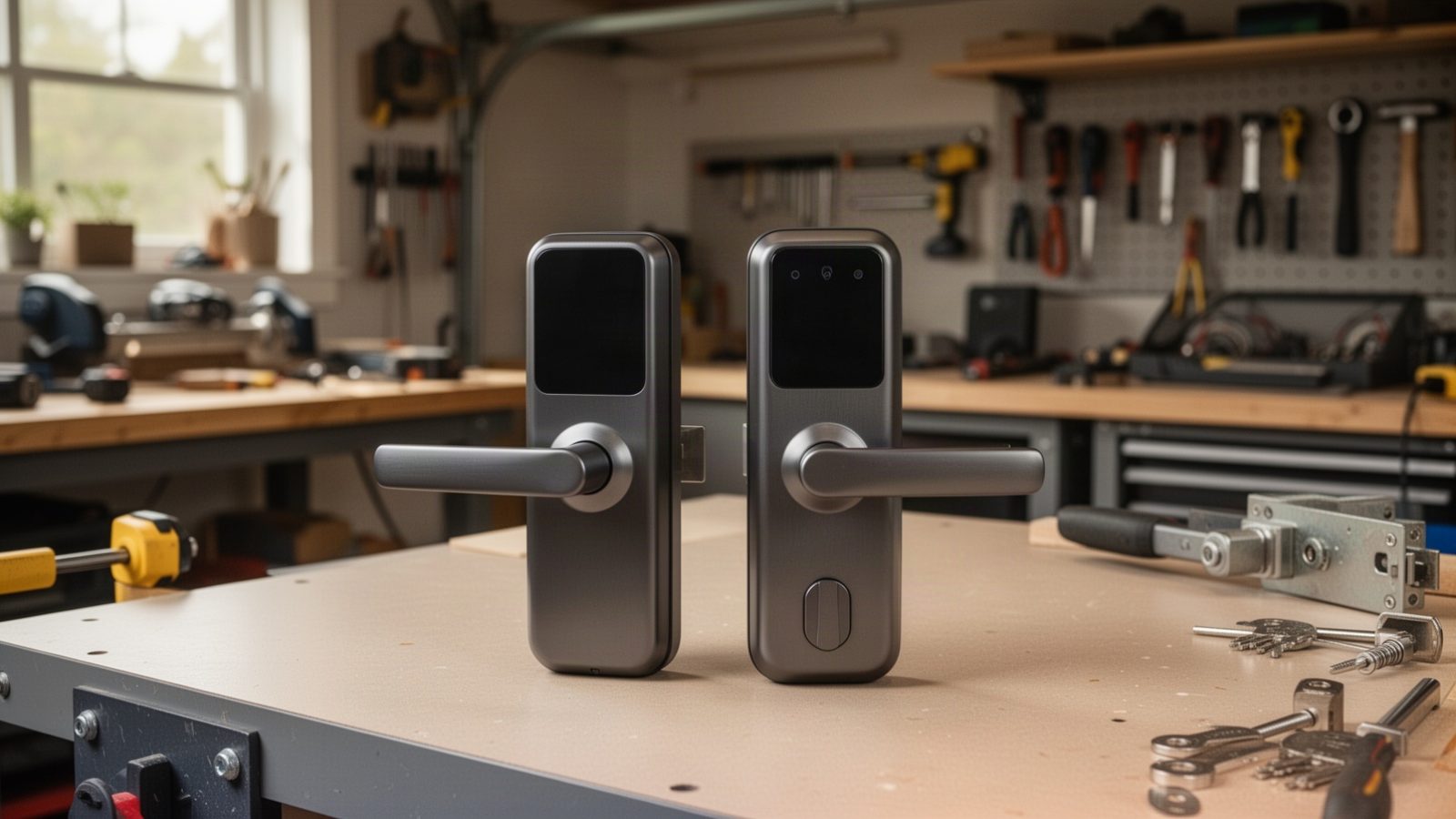
A smart lock lets you unlock the front door with a code, your phone, a fingerprint or a tap of your watch, and lets you check from anywhere whether you remembered to lock up. You can give a dog walker or cleaner their own code, see when it was used and delete it when you no longer need it.
The choice gets confusing quickly. Some locks replace your whole deadbolt, while others swap only the interior thumbturn so your existing keys still work. Some connect straight to Wi-Fi, others need a hub, and entry options range from basic keypads to fingerprint readers and Apple Home Key. We compared widely sold models from Yale, August, Schlage, Ultraloq and eufy on fit, connectivity, entry methods and backup options, and picked the best one for different doors and households.
Our top picks
-
1
 Illustration
Best overall
Yale Assure Lock 2 Keypad with Wi-Fi
Most households that want a keypad and remote access
Lock typeReplacement deadboltConnectivityBuilt-in Wi-Fi and BluetoothEntry methodsKeypad, app, auto-unlock, physical key (keyed version) -
2
 Illustration
Best retrofit
August Wi-Fi Smart Lock
Renters and anyone who wants to keep existing keys
Lock typeRetrofit (replaces interior thumbturn)ConnectivityBuilt-in Wi-Fi and BluetoothEntry methodsApp, auto-unlock, voice assistants, existing key -
3
 Illustration
Best for iPhone users
Schlage Encode Plus Smart Wi-Fi Deadbolt
Apple households that want tap-to-unlock
Lock typeReplacement deadboltConnectivityBuilt-in Wi-Fi; works with Apple HomeEntry methodsTouchscreen keypad, Apple Home Key, app, physical key -
4
 Illustration
Best fingerprint lock
Ultraloq U-Bolt Pro WiFi
Families with kids or anyone who hates carrying keys
Lock typeReplacement deadboltConnectivityBuilt-in Wi-Fi and BluetoothEntry methodsFingerprint, keypad, app, auto-unlock, physical key -
5
 Illustration
Best value
eufy Smart Lock C210
Budget buyers who want a keypad and app control
Lock typeReplacement deadboltConnectivityBuilt-in 2.4 GHz Wi-FiEntry methodsKeypad, app, physical key
Yale Assure Lock 2 Keypad with Wi-Fi
Illustration
A slim keypad deadbolt with built-in Wi-Fi, auto-unlock and keyed or keyless versions.
Best for: Most households that want a keypad and remote access- Lock type
- Replacement deadbolt
- Connectivity
- Built-in Wi-Fi and Bluetooth
- Entry methods
- Keypad, app, auto-unlock, physical key (keyed version)
What we like
- Slim, tidy keypad suits most door styles
- Built-in Wi-Fi means no separate bridge
- Easy to create and schedule guest codes
- Available with or without a key cylinder
Keep in mind
- Wi-Fi models use batteries faster than Bluetooth-only versions
- Changes the look of the outside of your door
- No fingerprint reader on the keypad version
The Yale Assure Lock 2 gets the basics right for the most people. Its keypad is compact and responsive, guest codes are easy to set up and schedule in the Yale app, and the Wi-Fi version connects straight to your router, so you can lock the door or check its status from anywhere without a bridge.
Yale sells several versions, including keyed and keyless models. Keeping a key cylinder is a sensible backup for most homes; the keyless version is cleaner looking but relies entirely on the keypad, app and batteries. Auto-unlock is available if you want the door to open as you arrive.
The main trade-off is battery life: Wi-Fi locks drain batteries faster than Bluetooth-only models, so expect to swap them more often. If you want fingerprint entry, look at the Ultraloq or Yale's Touch version instead.
Bottom line: A well-rounded keypad smart lock that suits most front doors and families.
August Wi-Fi Smart Lock
Illustration
A compact lock that replaces only the inside thumbturn, so your deadbolt and keys stay the same.
Best for: Renters and anyone who wants to keep existing keys- Lock type
- Retrofit (replaces interior thumbturn)
- Connectivity
- Built-in Wi-Fi and Bluetooth
- Entry methods
- App, auto-unlock, voice assistants, existing key
What we like
- Exterior of the door and existing keys stay unchanged
- Compact for a retrofit lock
- DoorSense tells you whether the door is actually closed
- Installs with a screwdriver in most cases
Keep in mind
- Guests need the app or a separate keypad accessory
- Only works with compatible single-cylinder deadbolts
- Small batteries need regular replacement
The August Wi-Fi Smart Lock takes a different approach: it fits over the inside of your existing deadbolt, replacing only the thumbturn. From outside, your door looks the same and your current keys still work, which is ideal for renters and for anyone who likes their existing hardware.
Inside, built-in Wi-Fi lets you lock and unlock from anywhere and get alerts without a bridge. The DoorSense sensor tells you whether the door is actually shut, not just whether the bolt is thrown, and Auto-Lock can relock it after you close it.
Because there is no keypad on the outside, guests need the app or the optional August keypad. Check August's compatibility tool first; double-cylinder deadbolts and some older locks will not work.
Bottom line: The best way to add smart features without changing your keys or the outside of your door.
Schlage Encode Plus Smart Wi-Fi Deadbolt
Illustration
A sturdy touchscreen deadbolt with built-in Wi-Fi and Apple Home Key support.
Best for: Apple households that want tap-to-unlock- Lock type
- Replacement deadbolt
- Connectivity
- Built-in Wi-Fi; works with Apple Home
- Entry methods
- Touchscreen keypad, Apple Home Key, app, physical key
What we like
- Apple Home Key lets you tap an iPhone or Apple Watch to unlock
- Solid, heavy-duty Schlage construction
- Built-in Wi-Fi for remote access without a bridge
- Works with Alexa and Google Assistant too
Keep in mind
- Bulky interior housing
- Touchscreen can be hard to read in direct sun
- Premium-priced
The Encode Plus is the lock to get if your household runs on iPhones. Apple Home Key lets you hold an iPhone or Apple Watch near the lock to open it, much like tapping a transit card, and it can still work for a while after the phone's battery runs low.
Schlage's reputation for robust deadbolts carries over here. The lock feels substantial, the touchscreen keypad handles guest codes, and built-in Wi-Fi gives remote control and alerts through the Schlage Home app without a bridge. Alexa and Google Assistant are supported too.
The interior unit is large, and the glossy touchscreen can be hard to see in bright sunlight. It is also one of the pricier locks here. For Apple users who value Home Key, though, nothing else in this group matches it.
Bottom line: The most convenient choice for Apple households, with Schlage’s sturdy build.
Ultraloq U-Bolt Pro WiFi
Illustration
A deadbolt with a fingerprint reader, keypad and built-in Wi-Fi in one unit.
Best for: Families with kids or anyone who hates carrying keys- Lock type
- Replacement deadbolt
- Connectivity
- Built-in Wi-Fi and Bluetooth
- Entry methods
- Fingerprint, keypad, app, auto-unlock, physical key
What we like
- Fingerprint reader is quick for kids and busy hands
- Every common entry method in one lock
- Built-in Wi-Fi for remote access
- Mid-priced for a fingerprint model
Keep in mind
- Busier, more tech-looking exterior
- App is less polished than Yale or Schlage
- Fingerprint readers can struggle with wet or dirty fingers
A fingerprint reader solves the problem of kids forgetting codes and adults juggling grocery bags. The U-Bolt Pro WiFi puts one on the exterior next to a keypad, so each family member can use whichever method suits them, and there is still a key for backup.
Built-in Wi-Fi gives remote access and activity logs without a bridge, and the lock supports auto-unlock and voice assistants. For the number of entry options it packs in, it sits in the mid-priced range.
The design is more gadget-like than the Yale or Schlage, which matters on traditional front doors. Fingerprint readers also become less reliable with wet, dirty or very dry fingers, so register two fingers per person and keep a code as a backup.
Bottom line: The best pick if fingerprint entry is your priority.
eufy Smart Lock C210
Illustration
An affordable keypad deadbolt with built-in Wi-Fi and no hub to buy.
Best for: Budget buyers who want a keypad and app control- Lock type
- Replacement deadbolt
- Connectivity
- Built-in 2.4 GHz Wi-Fi
- Entry methods
- Keypad, app, physical key
What we like
- Budget-friendly for a Wi-Fi keypad lock
- No bridge or hub needed for remote access
- Simple installation on standard doors
- Key backup included
Keep in mind
- Fewer smart-home integrations than pricier locks
- No fingerprint reader or auto-unlock focus
- Plastic-heavy keypad feels less premium
If you mainly want a keypad, remote locking and an activity log, the eufy C210 covers those for less than the big names. Wi-Fi is built in, so there is no bridge to buy, and the app lets you create guest codes and check the lock's status from anywhere.
Installation follows the usual pattern for a replacement deadbolt and fits standard residential doors. A physical key provides a backup if the batteries run down.
The savings show in the details: the keypad feels lighter than a Yale or Schlage, and smart-home integrations are more limited. It also skips extras like fingerprint entry. For a back door, a garage entry or a first smart lock on a budget, those trade-offs are easy to accept.
Bottom line: A sensible budget smart lock with the essentials and no hub required.
Side-by-side comparison
| Product | Lock type | Connectivity | Entry methods | Score |
|---|---|---|---|---|
| Yale Assure Lock 2 Keypad with Wi-FiBest overall | Replacement deadbolt | Built-in Wi-Fi and Bluetooth | Keypad, app, auto-unlock, physical key (keyed version) | 9.0 |
| August Wi-Fi Smart LockBest retrofit | Retrofit (replaces interior thumbturn) | Built-in Wi-Fi and Bluetooth | App, auto-unlock, voice assistants, existing key | 8.9 |
| Schlage Encode Plus Smart Wi-Fi DeadboltBest for iPhone users | Replacement deadbolt | Built-in Wi-Fi; works with Apple Home | Touchscreen keypad, Apple Home Key, app, physical key | 8.8 |
| Ultraloq U-Bolt Pro WiFiBest fingerprint lock | Replacement deadbolt | Built-in Wi-Fi and Bluetooth | Fingerprint, keypad, app, auto-unlock, physical key | 8.6 |
| eufy Smart Lock C210Best value | Replacement deadbolt | Built-in 2.4 GHz Wi-Fi | Keypad, app, physical key | 8.2 |
Specifications are from manufacturer listings at the time of writing and can change between production runs.
Retrofit or full replacement?
Full replacement locks swap your entire deadbolt for a new one with a keypad or fingerprint reader on the outside. They give guests a way in without a phone, but you get new keys and the outside of your door changes.
Retrofit locks (like the August Wi-Fi Smart Lock) replace only the interior thumbturn. Your exterior deadbolt and existing keys stay exactly the same, which suits renters and anyone attached to their current hardware. The trade-off is that visitors without the app need a separate keypad accessory.
Connectivity: Wi-Fi, Bluetooth, Thread and Matter
- Bluetooth only works when your phone is nearby. You cannot check or unlock the door remotely without adding a bridge.
- Built-in Wi-Fi allows remote access and alerts with no extra hub, at the cost of shorter battery life.
- Thread and Matter are newer standards that work across Apple Home, Google Home and Alexa through a compatible hub. They are worth considering if you are building a mixed smart home.
All the picks below offer remote access through Wi-Fi without a separate bridge.
Entry methods worth paying for
A keypad is the most useful feature for families and guests. Auto-unlock (the door unlocks as your phone arrives home) is convenient but can be fiddly; most people leave it on only for the front door. Fingerprint readers are great for kids who lose keys. Apple Home Key lets iPhone and Apple Watch owners tap to unlock, even when the phone battery is low. Always keep a physical key or other backup method.
Measure your door first
Most smart deadbolts fit standard doors with a 2-1/8-inch bore hole and a backset of 2-3/8 or 2-3/4 inches, and doors roughly 1-3/8 to 2 inches thick. Check the manufacturer's compatibility guide before ordering, especially for thick doors, storm doors, mortise locks or deadbolts that do not turn smoothly. A sticking deadbolt drains batteries and causes jams.
Batteries, backups and safety tips
- Replace batteries as soon as the app warns you. Many keypad locks also have emergency power terminals or a key override; learn how yours works before you need it.
- Use a unique code for each person, and change codes when someone no longer needs access.
- Turn on two-factor authentication for the lock's app account.
- The inside of the door should always open with a single simple motion for a quick exit; follow local building and fire codes and your lease.
- Look for an ANSI/BHMA grade on the packaging if lock strength matters to you, and remember that the door, frame and strike plate matter as much as the lock. Long strike-plate screws into the framing are a worthwhile upgrade.
- Follow the manufacturer's installation instructions exactly, including the door-handing and calibration steps.
Frequently asked questions
Are smart locks as secure as regular deadbolts?
A well-made smart deadbolt is mechanically similar to a regular deadbolt, and the security of your door also depends on the frame, strike plate and hinges. The extra risks are digital, so use strong codes, two-factor authentication on the app and keep firmware updated. No lock can guarantee a door will not be forced.
What happens if the batteries die?
The app warns you well before the batteries run out. If they do die, most locks keep a physical key backup, and many keypad models have emergency battery terminals on the outside. Retrofit locks such as August keep your existing exterior key.
Will a smart lock fit my door?
Most fit standard residential doors with a 2-1/8-inch bore hole. Check your door thickness, backset and lock style against the manufacturer’s compatibility guide before buying, especially for thick doors, mortise locks or doors with a storm door close to the handle.
Do I need a hub?
Not for the picks in this guide, which connect directly to Wi-Fi. Bluetooth-only locks need a bridge for remote access, and Thread or Matter locks need a compatible home hub to be controlled from outside the house.
Can renters install a smart lock?
Often, with landlord permission. A retrofit lock that replaces only the interior thumbturn is the least invasive option because the outside of the door and existing keys stay the same, and it reinstalls easily when you move.
How we picked
We compared manufacturer specifications, lock type, door compatibility, connectivity, entry methods, backup access options, smart-home support and warranty terms for widely available smart locks, and weighed how each suits different doors and households. Our picks and scores are based on this research — we have not tested these products hands-on. Brands cannot pay to be included. Read our full method.