






















The best Nintendo Switch controllers
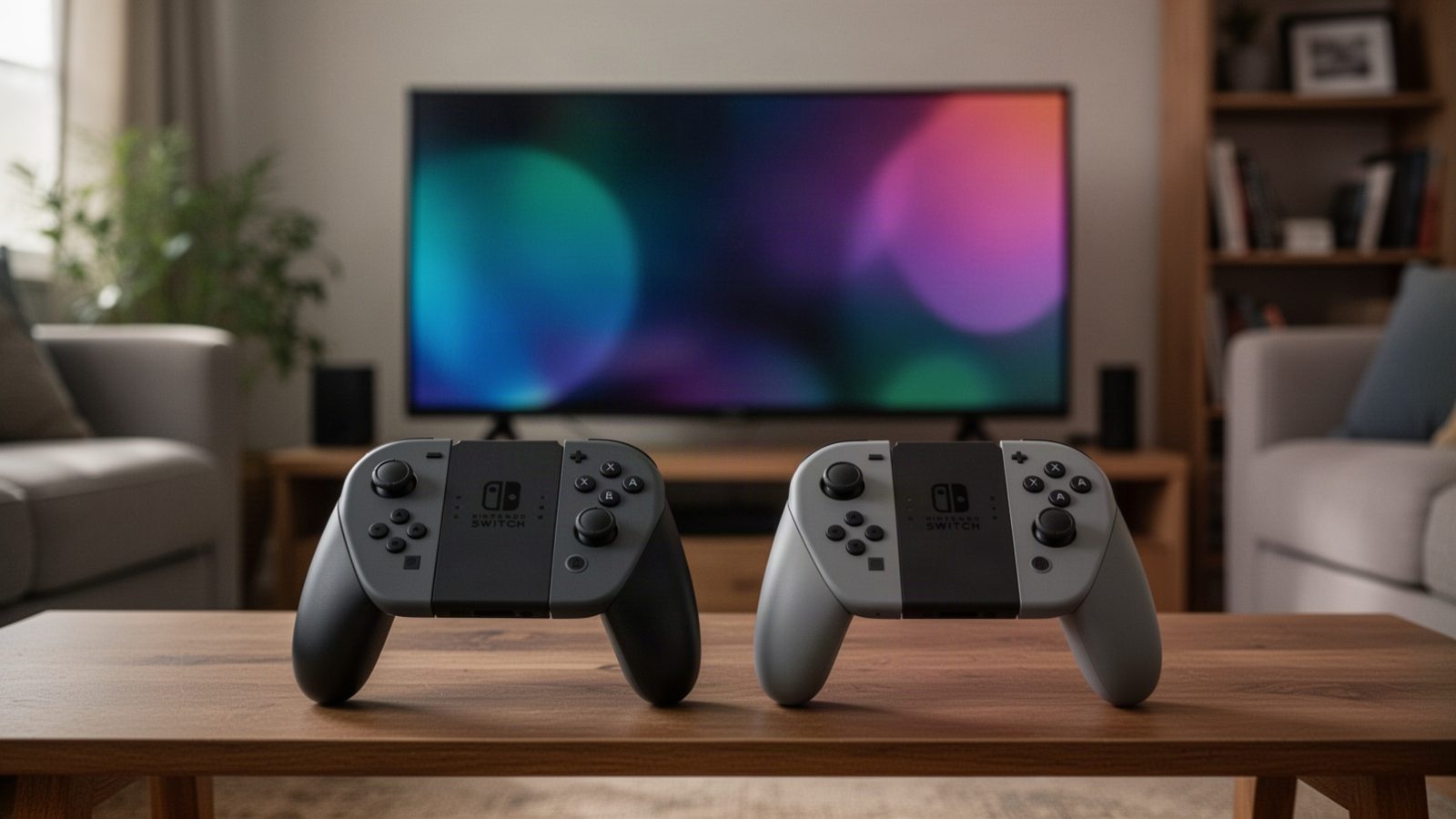
Six controllers for Switch and Switch 2 — both generations of Pro Controller and Joy-Con plus two third-party pads — with plain notes on which console each one works with.
As an Amazon Associate I earn from qualifying purchases. When you buy through links on this page, we may earn a commission at no extra cost to you. Learn more
The controllers that come with a Switch are fine for short sessions and two-player party games, but anyone who plays for hours, or wants a second player on a full-size pad, soon wants something better. The choice used to be simple. Since Nintendo Switch 2 launched in June 2025, compatibility is the first thing to check.
The short version: original Switch Pro Controllers and Joy-Con also work on Switch 2, wirelessly. The new Switch 2 Pro Controller and Joy-Con 2 are built for Switch 2, and Nintendo does not list them as compatible with the original Switch. Third-party controllers vary, and some needed a firmware update before they worked on Switch 2. Below we compare Nintendo's own controllers with two well-known third-party options and state which console each one supports.
Our top picks
-
1
 Illustration
Best for Switch 2
Nintendo Switch 2 Pro Controller
Switch 2 owners who play for long sessions
Works withSwitch 2TypeFull-size pro controllerConnectionWireless; USB-C charging -
2
 Illustration
Best for both consoles
Nintendo Switch Pro Controller
Households with an original Switch, or both consoles
Works withSwitch and Switch 2TypeFull-size pro controllerConnectionWireless; USB-C charging -
3
 Illustration
Best third-party controller
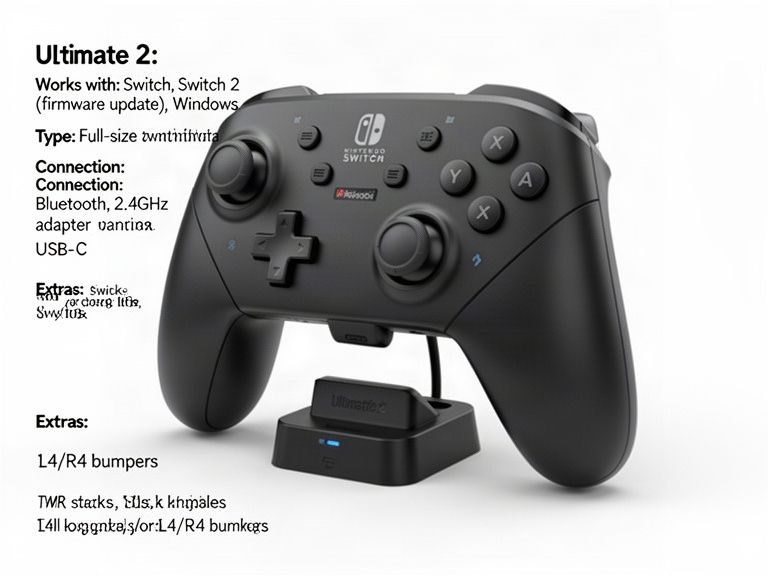
8BitDo Ultimate 2 Bluetooth Controller
Players who want back buttons and drift-resistant sticks
Works withSwitch, Switch 2 (firmware update), WindowsTypeFull-size controller with charging dockConnectionBluetooth, 2.4GHz adapter or USB-C -
4
 Illustration
Best extra Joy-Con for Switch 2
Nintendo Joy-Con 2 Pair
Adding a second set of controllers to a Switch 2
Works withSwitch 2TypeDetachable controller pairConnectionMagnetic attach or wireless -
5
 Illustration
Best licensed value
PowerA Advantage Wireless Controller for Switch 2
A budget-friendly second controller that works on both consoles
Works withSwitch 2, Switch, Switch OLED and Switch LiteTypeFull-size licensed controllerConnectionWireless -
6
 Illustration
Best for original Switch
Nintendo Joy-Con (L)/(R) Pair
Original Switch and Switch OLED owners adding players
Works withSwitch and Switch OLED; wireless on Switch 2TypeDetachable controller pairConnectionRail attach or wireless
Nintendo Switch 2 Pro Controller
Illustration
Nintendo's full-size controller for Switch 2, with rear GL and GR buttons, a C button for GameChat and a headphone jack.
Best for: Switch 2 owners who play for long sessions- Works with
- Switch 2
- Type
- Full-size pro controller
- Connection
- Wireless; USB-C charging
- Extras
- GL/GR rear buttons, C button, 3.5mm audio jack
What we like
- Assignable GL and GR rear buttons
- C button opens GameChat
- 3.5mm headphone jack on the controller
- HD Rumble 2 and motion controls
Keep in mind
- Nintendo doesn't list it for the original Switch
- Premium-priced next to third-party pads
- Conventional sticks rather than Hall effect or TMR
The Switch 2 Pro Controller is the obvious upgrade for anyone who owns a Switch 2 and plays for long stretches. It keeps the familiar shape of Nintendo's original Pro Controller and adds features designed for the new console.
The two rear buttons, GL and GR, can be assigned to other buttons, which helps in action games where you need to jump or dodge while aiming. The C button opens GameChat, and a 3.5mm headphone jack lets you plug in wired headphones directly at the controller. HD Rumble 2 and motion controls are built in, so it works with games that use gyro aiming.
The main drawback is compatibility: Nintendo lists it for Switch 2 only, so if you still play on an original Switch, the older Pro Controller is the better choice. It also uses conventional sticks rather than the drift-resistant designs found on some third-party pads.
Bottom line: The best controller for Switch 2 owners, but not the one to buy if you still play on an original Switch.
Nintendo Switch Pro Controller
Illustration
Nintendo's original full-size controller, which works on the original Switch and pairs wirelessly with Switch 2.
Best for: Households with an original Switch, or both consoles- Works with
- Switch and Switch 2
- Type
- Full-size pro controller
- Connection
- Wireless; USB-C charging
- Extras
- HD Rumble, motion controls, amiibo
What we like
- Works on both the original Switch and Switch 2
- HD Rumble, motion controls and amiibo support
- Comfortable full-size shape
- Charges over USB-C
Keep in mind
- No C button or rear buttons
- Conventional sticks rather than Hall effect or TMR
- Premium-priced for an older design
The original Pro Controller has been the standard Switch pad since 2017, and it remains the most dependable buy for households that still have an original Switch, or both consoles. Nintendo confirms it pairs wirelessly with Switch 2 and charges from the Switch 2 dock over USB.
It covers everything Switch games expect: HD Rumble, motion controls for gyro aiming, and amiibo support through a built-in reader. The full-size grips are far more comfortable than Joy-Con for long sessions.
On Switch 2 it lacks the newer C button, so you open GameChat from the menu instead, and it has no rear buttons. Its sticks use a conventional design, so some players may eventually see drift. Even so, a controller that works on both generations is the most flexible choice if you are not ready to move entirely to Switch 2.
Bottom line: The most flexible full-size controller if anyone in the house still plays on an original Switch.
8BitDo Ultimate 2 Bluetooth Controller
Illustration
A feature-packed third-party pad with TMR sticks, back paddles and a charging dock, supporting Switch, Switch 2 and Windows.
Best for: Players who want back buttons and drift-resistant sticks- Works with
- Switch, Switch 2 (firmware update), Windows
- Type
- Full-size controller with charging dock
- Connection
- Bluetooth, 2.4GHz adapter or USB-C
- Extras
- TMR sticks, two back paddles, L4/R4 bumpers
What we like
- TMR sticks designed to resist drift
- Two back paddles plus extra L4 and R4 bumpers
- Included charging dock
- Also works with Windows PCs
Keep in mind
- Needed a firmware update to support Switch 2
- Bluetooth mode is for Switch only; PCs use the adapter or a cable
- No amiibo support
8BitDo's Ultimate 2 Bluetooth is the third-party controller to beat for Switch owners who want more than Nintendo offers. Its TMR sticks use magnetic sensing, which is designed to avoid the wear that causes drift, and it adds two back paddles plus two extra shoulder bumpers, L4 and R4, which you can remap.
It ships with a charging dock, so it is always topped up, and it connects over Bluetooth on Switch, a 2.4GHz USB adapter for Switch docked play and Windows, or a USB cable. 8BitDo lists support for the original Switch, Switch 2 and Windows.
Switch 2 support arrived through a firmware update, so update the controller before use. Like most third-party pads, it doesn't read amiibo figures.
Bottom line: The best value in features if you want back buttons and drift-resistant sticks on either Switch console.
Nintendo Joy-Con 2 Pair
Illustration
The magnetic, mouse-capable controllers made for Switch 2, sold as a left-and-right pair.
Best for: Adding a second set of controllers to a Switch 2- Works with
- Switch 2
- Type
- Detachable controller pair
- Connection
- Magnetic attach or wireless
- Extras
- Mouse controls, C button, HD Rumble 2
What we like
- Can work like a computer mouse in supported games
- Each Joy-Con 2 can act as a separate controller for multiplayer
- Magnetic connection makes swapping quick
- Includes the C button for GameChat
Keep in mind
- Not listed as compatible with the original Switch
- Small for long sessions in big hands
- Premium-priced for a second pair
Joy-Con 2 are the controllers that come with Switch 2, and an extra pair is the easiest way to add players for party games. Each one can be used on its own, held sideways, so a second pair turns a one-player console into a four-player setup for many games.
They attach magnetically rather than sliding onto rails, and they add mouse controls: slide a Joy-Con 2 across a table or your leg and it works like a computer mouse in games that support it. The right Joy-Con 2 also has the C button for GameChat, and both have HD Rumble 2 and motion sensors.
They are made for Switch 2 and not listed for the original Switch. For long single-player sessions, a pro controller is more comfortable, so think of Joy-Con 2 as the pick for multiplayer and motion-heavy games.
Bottom line: The most flexible way to add players to a Switch 2, especially for party and motion games.
PowerA Advantage Wireless Controller for Switch 2
Illustration
An officially licensed wireless controller made for Switch 2 that also supports the original Switch family.
Best for: A budget-friendly second controller that works on both consoles- Works with
- Switch 2, Switch, Switch OLED and Switch Lite
- Type
- Full-size licensed controller
- Connection
- Wireless
- Extras
- C button, two mappable buttons, motion controls
What we like
- Officially licensed by Nintendo
- Works with Switch 2 and the original Switch family
- Includes a C button and two mappable buttons
- Two-year limited warranty from PowerA
Keep in mind
- Check the listing for rumble and amiibo support
- Stick type varies by version — check for Hall effect
- Character designs vary in availability
PowerA's Advantage Wireless Controller is one of the first officially licensed wireless pads made for Switch 2, and its biggest strength is that it works across both generations: PowerA lists Switch 2 as well as the original Switch, OLED and Lite.
It brings the key Switch 2 addition, a C button for GameChat, along with two mappable buttons and motion controls. Some versions are sold with Hall effect sticks, which are designed to resist drift, so check the listing if that matters to you. It comes in a range of Nintendo character designs as well as plain colors.
If you rely on extras such as amiibo reading or rumble, check the listing for your version, since Nintendo's own Pro Controllers include both. As a mid-priced second controller for a household with mixed consoles, it is a sensible pick, backed by PowerA's two-year limited warranty.
Bottom line: A sensible licensed second controller for homes with both an original Switch and a Switch 2.
Nintendo Joy-Con (L)/(R) Pair
Illustration
The original detachable Joy-Con, which attach to the Switch and Switch OLED and also pair wirelessly with Switch 2.
Best for: Original Switch and Switch OLED owners adding players- Works with
- Switch and Switch OLED; wireless on Switch 2
- Type
- Detachable controller pair
- Connection
- Rail attach or wireless
- Extras
- HD Rumble, motion controls, IR camera (right)
What we like
- Each Joy-Con works as a separate controller for multiplayer
- Motion controls for games like Nintendo Switch Sports
- Works wirelessly with Switch 2
- Needed for some accessories, such as the Ring-Con and leg strap
Keep in mind
- Can't attach to or charge on a Switch 2
- Small and cramped for long sessions
- Conventional sticks can develop drift
The original Joy-Con remain the default extra controllers for an original Switch or Switch OLED. A pair slides onto the console for handheld play, detaches for tabletop or TV play, and splits into two controllers for party games. The right Joy-Con includes an IR motion camera used by a handful of games.
They also stay useful after an upgrade. Nintendo confirms Joy-Con pair wirelessly with Switch 2, and they are still required for some accessories, such as Ring Fit Adventure's Ring-Con and the Nintendo Switch Sports leg strap. They can't attach to the Switch 2 itself, so you'll need an original Switch or a charging grip to charge them.
The trade-offs are well known: they are small for long sessions, and their conventional sticks can drift over time. Buy them to add players or keep motion accessories working, not as your main long-session controller.
Bottom line: The practical way to add players to an original Switch, with a second life on Switch 2.
Side-by-side comparison
| Product | Works with | Type | Connection | Extras | Score |
|---|---|---|---|---|---|
| Nintendo Switch 2 Pro ControllerBest for Switch 2 | Switch 2 | Full-size pro controller | Wireless; USB-C charging | GL/GR rear buttons, C button, 3.5mm audio jack | 9.3 |
| Nintendo Switch Pro ControllerBest for both consoles | Switch and Switch 2 | Full-size pro controller | Wireless; USB-C charging | HD Rumble, motion controls, amiibo | 9.0 |
| 8BitDo Ultimate 2 Bluetooth ControllerBest third-party controller | Switch, Switch 2 (firmware update), Windows | Full-size controller with charging dock | Bluetooth, 2.4GHz adapter or USB-C | TMR sticks, two back paddles, L4/R4 bumpers | 8.8 |
| Nintendo Joy-Con 2 PairBest extra Joy-Con for Switch 2 | Switch 2 | Detachable controller pair | Magnetic attach or wireless | Mouse controls, C button, HD Rumble 2 | 8.6 |
| PowerA Advantage Wireless Controller for Switch 2Best licensed value | Switch 2, Switch, Switch OLED and Switch Lite | Full-size licensed controller | Wireless | C button, two mappable buttons, motion controls | 8.4 |
| Nintendo Joy-Con (L)/(R) PairBest for original Switch | Switch and Switch OLED; wireless on Switch 2 | Detachable controller pair | Rail attach or wireless | HD Rumble, motion controls, IR camera (right) | 8.0 |
Specifications are from manufacturer listings at the time of writing and can change between production runs.
Check compatibility first
- Works on both Switch and Switch 2: the original Pro Controller and original Joy-Con. On Switch 2, Joy-Con pair wirelessly but can't attach to the console, so you charge them with an original Switch or a charging grip.
- Switch 2 only: the Nintendo Switch 2 Pro Controller and Joy-Con 2, according to Nintendo's compatibility information.
- Third-party: read the box and the maker's support page. Licensed controllers made for Switch 2 usually support both consoles, while older third-party pads may need a firmware update to work on Switch 2.
Pro controller or Joy-Con?
A full-size pro controller is better for long sessions, shooters, platformers and anything that needs precise stick control. Joy-Con are better for motion games, for sharing — each one can act as a small controller for a second player — and for handheld play. Many households end up with one of each. If you mostly play in handheld mode, remember that a pro controller only helps when the console is on a table or docked; for on-the-go comfort, a grip case does more.
Features worth paying for
- Back buttons: extra buttons on the rear let you jump or dodge without taking your thumb off the right stick.
- C button: on Switch 2 controllers, it opens GameChat, Switch 2's voice and video chat feature.
- Stick technology: Hall effect and TMR sticks use magnetic sensing instead of contact-based parts and are designed to resist drift over time.
- Motion controls and rumble: needed for some games, such as aiming in Splatoon. Many budget pads skip them.
- amiibo support: Nintendo's Pro Controllers read amiibo figures; most third-party pads don't.
What to skip
Avoid unbranded, unlicensed controllers with no maker support page. They are more likely to stop working after a system update, may not wake the console, and often lack motion controls. Also skip wired-only pads if you play from the couch, unless you sit close to the dock.
Care tips
Keep controllers in a case or drawer to keep dust away from the sticks, update third-party firmware when the maker releases fixes, and don't leave controllers fully drained for months at a time. If a stick starts drifting, try recalibrating it in System Settings before replacing anything.
Frequently asked questions
Do my original Switch controllers work on Switch 2?
Yes. Nintendo says the original Pro Controller and Joy-Con pair wirelessly with Switch 2. Joy-Con can't attach to the Switch 2 console, so charge them with an original Switch or a charging accessory. They also lack the C button for GameChat.
Do Joy-Con 2 or the Switch 2 Pro Controller work on the original Switch?
Nintendo lists them for Nintendo Switch 2 and does not list them as compatible with the original Switch. If you still play on an original Switch, buy an original Pro Controller or a licensed controller that names both consoles.
What is the C button?
It is a button on Switch 2 controllers that opens GameChat, the Switch 2 feature for voice and video chat with friends.
What is stick drift, and can I avoid it?
Stick drift is when a character moves without you touching the stick, usually because the sensor wears or picks up dust. Hall effect and TMR sticks are designed to resist it. Recalibrating in System Settings fixes some cases.
Can I use a GameCube controller on Switch 2?
Nintendo lists its GameCube Controller Adapter as compatible with Switch 2 in TV mode, plugged into a USB port on the dock. Games still need to support that controller layout.
How we picked
We compared manufacturer specifications, official compatibility notes from Nintendo and each maker, connection types, button layouts, stick technology, licensing and warranty terms for the most widely sold Switch and Switch 2 controllers. Our picks and scores are research-based — we have not tested these products hands-on. Brands cannot pay to be included. Read our full method.