






















The best monochrome laser printers for home offices
Five monochrome laser printers from Brother, HP and Canon compared on speed, paper capacity, duplexing and what toner and setup really involve.
As an Amazon Associate I earn from qualifying purchases. When you buy through links on this page, we may earn a commission at no extra cost to you. Learn more
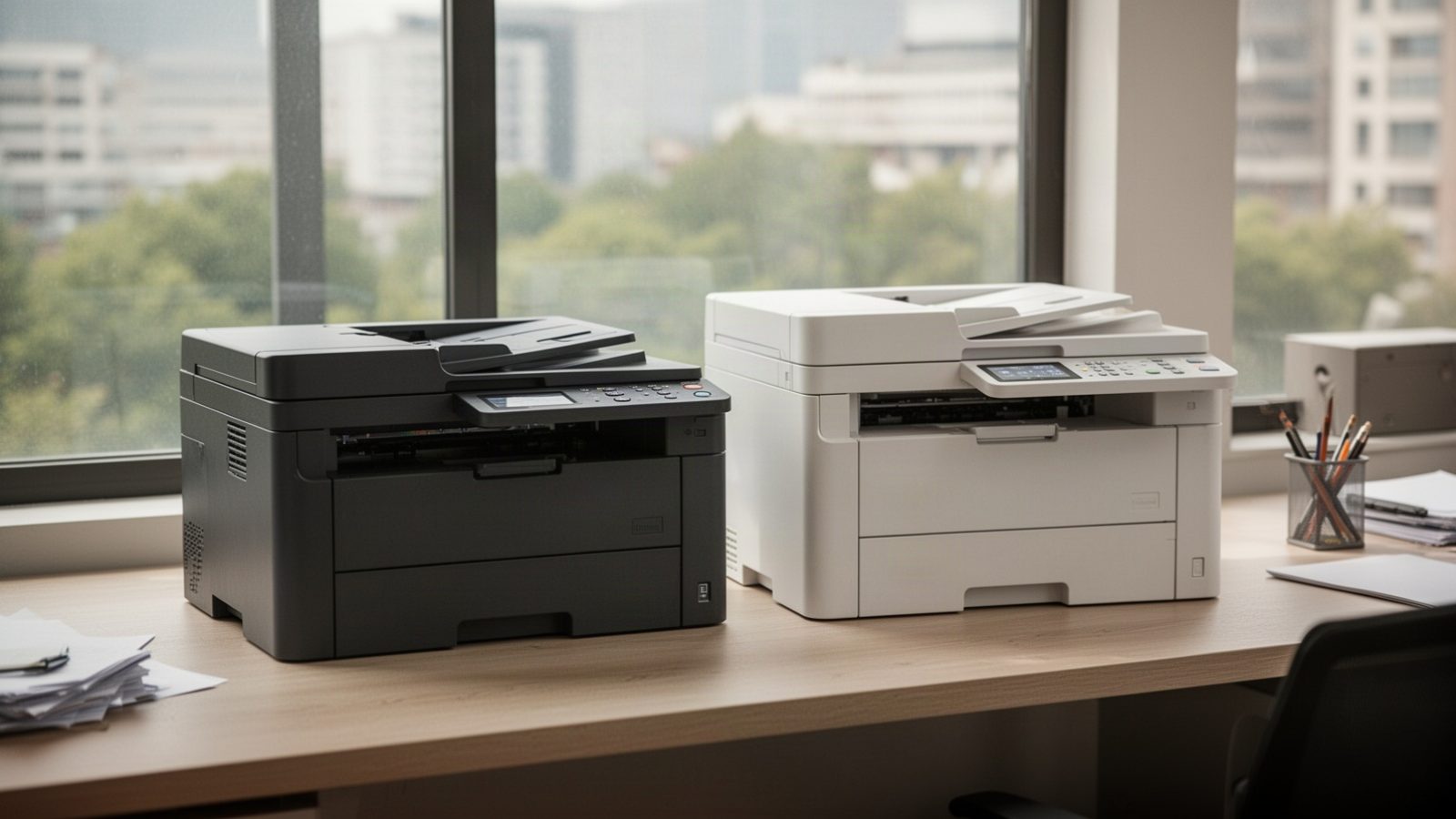
If most of what you print is text — contracts, invoices, homework, shipping paperwork — a monochrome laser printer is usually the least frustrating machine you can put in a home office. Toner is a dry powder, so it doesn’t dry out or clog when the printer sits idle for weeks, and a single cartridge typically lasts far longer than an inkjet cartridge. Text comes out crisp, pages come out fast, and there is only one consumable color to think about.
The catch is that these printers look alike on paper. Almost every model is wireless, duplexes automatically and claims a healthy pages-per-minute figure, so the real differences are in tray capacity, how the toner and drum are split, whether you need copy and scan, and how much the manufacturer leans on apps and subscriptions. We compared current models from Brother, HP and Canon on those points and picked the best fit for different kinds of home offices.
Our top picks
-
1
 Illustration
Best overall
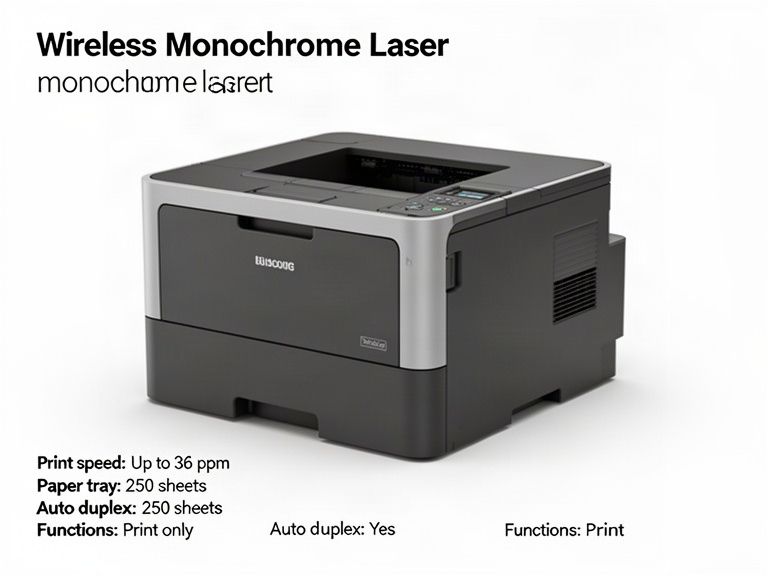
Brother HL-L2460DW Wireless Monochrome Laser
Most home offices that print mainly text
Print speedUp to 36 ppmPaper tray250 sheetsAuto duplexYes -
2
 Illustration
Best all-in-one
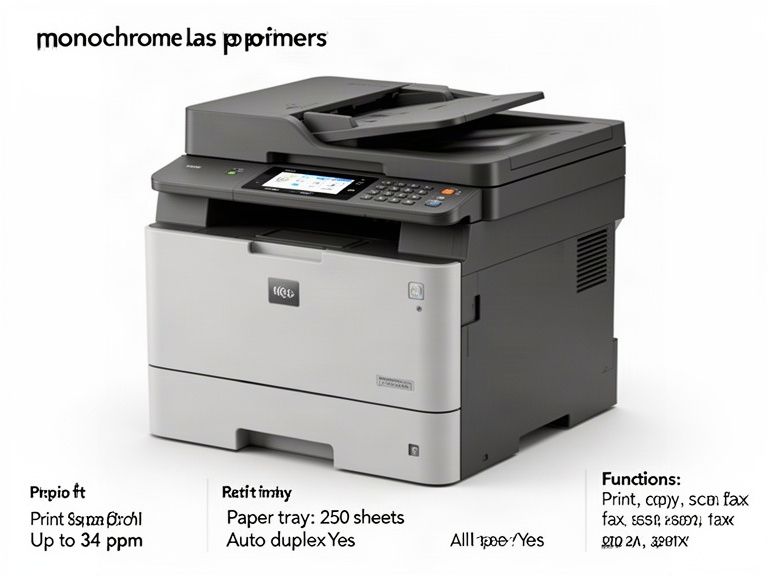
Brother MFC-L2820DW Monochrome Laser All-in-One
Home offices that scan, copy or fax regularly
Print speedUp to 34 ppmPaper tray250 sheetsAuto duplexYes -
3
 Illustration
Best for busy offices
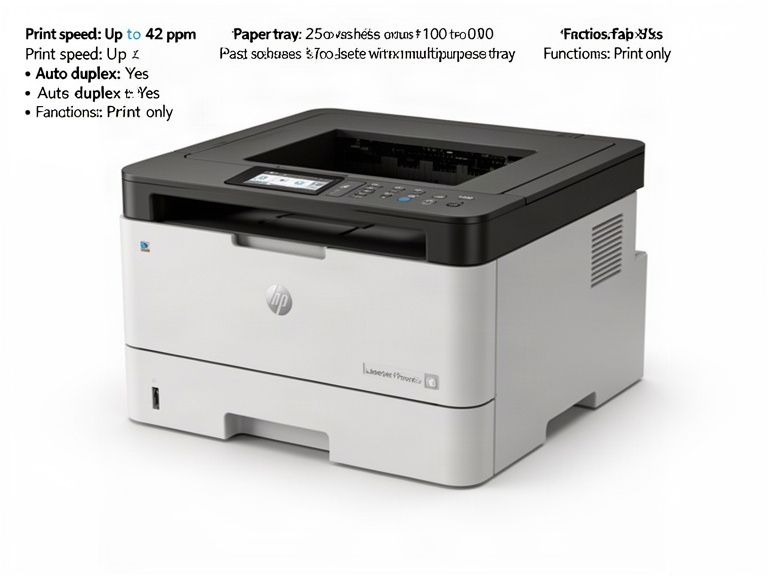
HP LaserJet Pro 4001dw Monochrome Laser
Small businesses with heavier print volumes
Print speedUp to 42 ppmPaper tray250 sheets plus 100-sheet multipurpose trayAuto duplexYes -
4
 Illustration
Best expandable
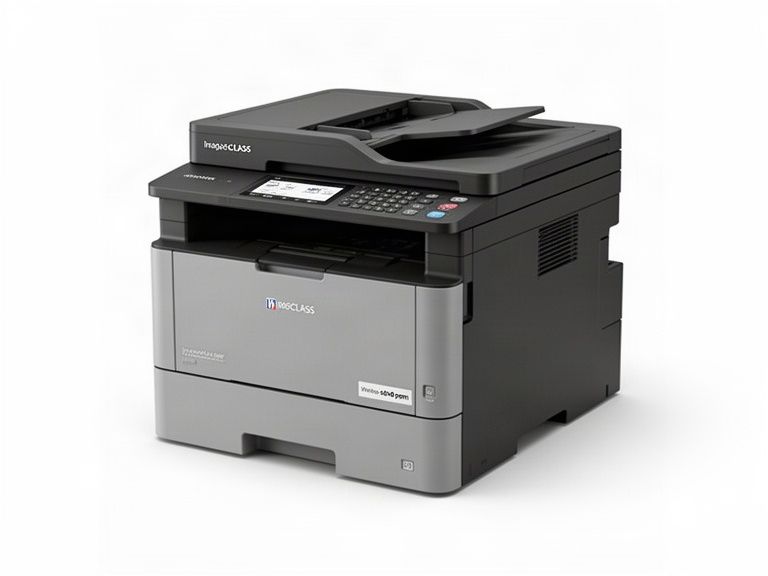
Canon imageCLASS LBP236dw Monochrome Laser
Offices that want room to add paper capacity later
Print speedUp to 40 ppmPaper tray250-sheet cassette plus 100-sheet multipurpose trayAuto duplexYes -
5
 Illustration
Best compact
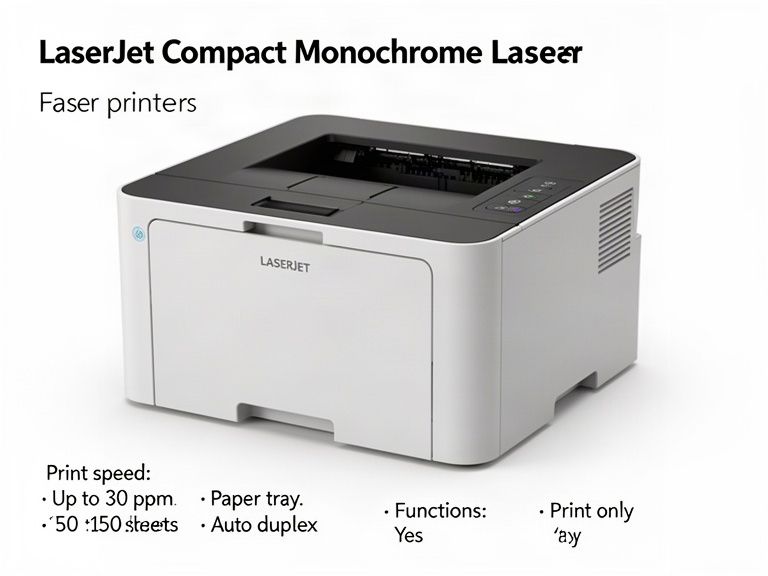
HP LaserJet M209dw Compact Monochrome Laser
Light printing on a small desk or shelf
Print speedUp to 30 ppmPaper tray150 sheetsAuto duplexYes
Brother HL-L2460DW Wireless Monochrome Laser
Illustration
A compact, print-only laser with a 250-sheet tray, automatic duplexing and wired or wireless connections.
Best for: Most home offices that print mainly text- Print speed
- Up to 36 ppm
- Paper tray
- 250 sheets
- Auto duplex
- Yes
- Functions
- Print only
- Connectivity
- Wi-Fi, Ethernet, USB
What we like
- Compact footprint for a 250-sheet printer
- Automatic two-sided printing
- Wi-Fi, Ethernet and USB connections
- Separate toner and drum keep replacements simpler
Keep in mind
- No scanning or copying
- Starter toner in the box runs out sooner than a full cartridge
- Manual feed slot takes only one sheet at a time
Brother’s compact mono lasers have been home-office staples for years, and the HL-L2460DW is the sensible middle of the current lineup. It prints up to 36 pages per minute, duplexes automatically and holds 250 sheets, which covers most households and one-person businesses without constant refilling.
Connectivity is generous for the size: dual-band Wi-Fi, Ethernet and USB, so it can sit on a shelf away from the router or be wired in for reliability. Like most Brother models, it separates the toner cartridge from the drum, which means you usually replace only the toner. Brother publishes a recommended monthly volume of up to 2,500 pages, which is far more than a typical home office prints.
The limitations are easy to live with if you know them going in. It does not scan or copy, and the box includes a starter cartridge, so plan on buying a high-yield toner sooner than you might expect.
Bottom line: The simplest recommendation for a fast, dependable text printer that stays out of your way.
Brother MFC-L2820DW Monochrome Laser All-in-One
Illustration
A compact mono laser all-in-one with a 50-sheet document feeder, fax and automatic duplex printing.
Best for: Home offices that scan, copy or fax regularly- Print speed
- Up to 34 ppm
- Paper tray
- 250 sheets
- Auto duplex
- Yes
- Functions
- Print, copy, scan, fax
- Document feeder
- 50 sheets
What we like
- 50-sheet document feeder for multi-page scans and copies
- Fax included for offices that still need it
- Automatic duplex printing
- Same 250-sheet tray as Brother’s print-only models
Keep in mind
- Taller and heavier than a print-only printer
- Fax and scan features add menus to learn
- Starter toner included
If you regularly scan contracts, copy IDs or send forms, an all-in-one with a proper document feeder saves real time. The MFC-L2820DW pairs a 34-page-per-minute laser engine and a 250-sheet tray with a 50-sheet automatic document feeder, so you can drop in a stack of pages and walk away.
It also includes fax, which many home offices no longer need but some medical, legal and real-estate paperwork still calls for. Printing is automatically two-sided, and the toner-and-drum design matches Brother’s print-only models.
The trade-offs are size and complexity: it takes up more height on a shelf, and the extra functions mean more settings on the control panel. Check whether you need two-sided scanning through the feeder; if so, confirm how this model handles it before buying. If you never scan, the HL-L2460DW is the tidier choice.
Bottom line: The best pick if your home office needs a reliable laser printer plus everyday scanning and copying.
HP LaserJet Pro 4001dw Monochrome Laser
Illustration
A fast business-class laser rated up to 42 pages per minute, with a main tray plus a multipurpose tray.
Best for: Small businesses with heavier print volumes- Print speed
- Up to 42 ppm
- Paper tray
- 250 sheets plus 100-sheet multipurpose tray
- Auto duplex
- Yes
- Functions
- Print only
- Monthly volume
- 750–4,000 pages recommended
What we like
- Fastest rated speed in this group
- Multipurpose tray handles envelopes and heavier stock
- Built for higher monthly volumes
- Business-focused security and management features
Keep in mind
- Larger and heavier than compact home models
- HP+ versions (ending in e) require an HP account and original supplies
- Overkill for occasional printing
The LaserJet Pro 4001dw is a step up in build and capacity for small offices that print every day. HP rates it at up to 42 pages per minute, and it recommends 750 to 4,000 pages per month — a range that suits a shared printer for several people or a business that prints invoices and labels in batches.
Paper handling is the other advantage. A 250-sheet main tray is joined by a 100-sheet multipurpose tray, which is handy for envelopes, letterhead or heavier paper without swapping out the main stack.
Be careful about which version you buy. HP sells the 4001dw and a 4001dwe; the "e" model is set up for HP+, which ties the printer to an HP account, an internet connection and original HP toner, sometimes alongside an Instant Ink offer. If you prefer flexibility on supplies, read the terms first.
Bottom line: A strong choice when speed and volume matter more than a small footprint.
Canon imageCLASS LBP236dw Monochrome Laser
Illustration
A 40-ppm laser with a 250-sheet cassette, a 100-sheet multipurpose tray and an optional extra cassette.
Best for: Offices that want room to add paper capacity later- Print speed
- Up to 40 ppm
- Paper tray
- 250-sheet cassette plus 100-sheet multipurpose tray
- Auto duplex
- Yes
- Functions
- Print only
- Max paper capacity
- 900 sheets with optional cassette
What we like
- Optional 550-sheet cassette expands total capacity
- Fast rated speed
- Wi-Fi, Ethernet and USB
- Multipurpose tray for envelopes and card stock
Keep in mind
- Bulkier than compact home printers
- Print-only, no scanner
- Optional cassette adds height and cost
Canon’s imageCLASS LBP236dw sits between compact home printers and full office machines. It is rated at up to 40 pages per minute on letter paper and comes with a 250-sheet cassette plus a 100-sheet multipurpose tray, so you can keep plain paper loaded while feeding envelopes or card stock separately.
What sets it apart is room to grow. Canon offers an optional 550-sheet cassette, taking total capacity to 900 sheets, which suits a small office that prints in bursts and doesn’t want to refill trays daily. Connectivity covers Wi-Fi, Ethernet and USB.
The downsides are size and scope. It is a larger box than the Brother picks and only prints, so pair it with a separate scanner if you need one.
Bottom line: A smart pick for growing offices that want a fast mono printer with optional extra paper capacity.
HP LaserJet M209dw Compact Monochrome Laser
Illustration
A small wireless laser with automatic duplexing and a 150-sheet tray for light home use.
Best for: Light printing on a small desk or shelf- Print speed
- Up to 30 ppm
- Paper tray
- 150 sheets
- Auto duplex
- Yes
- Functions
- Print only
- Output tray
- 100 sheets
What we like
- Small enough for a crowded desk
- Automatic duplex printing
- Wireless setup through standard apps and drivers
- Simple, print-only design
Keep in mind
- 150-sheet tray needs more frequent refills
- No optional second tray
- The M209dwe version is tied to HP+
Not every home office needs a 250-sheet tray. If you print a few pages a day — school worksheets, return labels, the occasional contract — the HP LaserJet M209dw is a tidy option that fits where larger lasers won’t. HP rates it at up to 30 pages per minute, and it still prints on both sides automatically.
The input tray holds 150 sheets and there is no optional tray, which is the main compromise. Expect to top it up more often than the other picks, and choose something larger if several people share it.
As with other HP models, check the exact version. The M209dwe is the HP+ variant, which requires an HP account, an internet connection and original HP toner, and is often paired with an Instant Ink offer; the M209dw is the standard version.
Bottom line: A good fit for light, everyday printing where desk space is tight.
Side-by-side comparison
| Product | Print speed | Paper tray | Auto duplex | Functions | Score |
|---|---|---|---|---|---|
| Brother HL-L2460DW Wireless Monochrome LaserBest overall | Up to 36 ppm | 250 sheets | Yes | Print only | 9.2 |
| Brother MFC-L2820DW Monochrome Laser All-in-OneBest all-in-one | Up to 34 ppm | 250 sheets | Yes | Print, copy, scan, fax | 9.0 |
| HP LaserJet Pro 4001dw Monochrome LaserBest for busy offices | Up to 42 ppm | 250 sheets plus 100-sheet multipurpose tray | Yes | Print only | 8.9 |
| Canon imageCLASS LBP236dw Monochrome LaserBest expandable | Up to 40 ppm | 250-sheet cassette plus 100-sheet multipurpose tray | Yes | Print only | 8.7 |
| HP LaserJet M209dw Compact Monochrome LaserBest compact | Up to 30 ppm | 150 sheets | Yes | Print only | 8.4 |
Specifications are from manufacturer listings at the time of writing and can change between production runs.
Why monochrome laser instead of inkjet
Choose monochrome laser if you print mostly text and want a printer that works the first time after a long break. Inkjets win on color photos and graphics, but their ink can dry in the nozzles and many run cleaning cycles that consume ink. A laser printer simply warms its fuser and goes. If you only occasionally need color, it is often more practical to keep a mono laser for everyday pages and send the odd color job to a print shop.
Speed, paper capacity and duplexing
Rated speeds of 30 to 42 pages per minute are standard now, and for a home office the difference between them is small; a 10-page document arrives within seconds either way. Pay more attention to:
- Tray capacity. A 250-sheet tray means refilling about half a ream at a time. A 150-sheet tray suits light use. If you print in volume, look for a model with a multipurpose tray or an optional second tray.
- Automatic duplex printing. Double-sided printing cuts paper use roughly in half on long documents. Every pick here does it, but some budget models skip it.
- Recommended monthly volume. Manufacturers publish this, and it is a better guide than the much higher maximum duty cycle.
Print-only or all-in-one?
A print-only model is smaller and has fewer parts to go wrong. If you regularly scan receipts, copy IDs or still send the occasional fax, a monochrome all-in-one with an automatic document feeder (ADF) saves a lot of lifting and placing pages one at a time on the glass. Check whether the ADF scans both sides in one pass or needs you to flip the stack.
Toner, drums and running costs
Running costs depend on cartridge yield, not on the printer’s price. Many Brother and some Canon models use a separate drum unit from the toner cartridge, so you replace the cheaper toner more often and the drum less often. Others build the drum into the cartridge, which is simpler but makes each replacement more expensive. Look up the yield of the high-capacity cartridge before you buy, and check whether genuine high-yield toner is easy to find.
Subscriptions, apps and setup
Some printers ship with starter toner that yields fewer pages than a full cartridge. HP sells many models in two versions: those ending in "e" are typically set up for HP+, which requires an HP account, an internet connection and original HP supplies, and may be paired with an Instant Ink subscription offer. Read the terms before setup if you prefer third-party toner or offline use. Most brands also push their own app for setup, but standard printing works through normal drivers, AirPrint or Mopria.
Placement and care
Give the printer room to vent and keep it out of direct sunlight. Fan the paper before loading it to reduce jams, store reams flat in a dry spot, and replace toner only when print quality fades — many models warn you early.
Frequently asked questions
Is a laser printer cheaper to run than an inkjet?
For black-and-white text, usually yes, because toner cartridges yield many more pages and don’t dry out. Ink-tank inkjets can be competitive on running costs, so compare the published page yields of the specific models you are considering.
Can a monochrome laser printer print photos?
It can print images in grayscale, which is fine for diagrams, forms and reference pictures. It cannot print color, and it is not designed for photo paper.
What is the difference between a toner cartridge and a drum unit?
The toner cartridge holds the powder; the drum transfers the image to the paper. Some printers combine them in one part, while others use a separate drum that lasts through several toner cartridges. Your manual lists which parts your model needs.
Do I have to use the manufacturer’s app or subscription?
Not usually for basic printing, but some models (including many HP "e" models set up with HP+) are tied to an online account and original supplies. Check the model’s terms before setup if that matters to you.
How long does a laser printer last?
With normal home-office volumes, a well-built laser printer often lasts many years. Staying within the recommended monthly page volume and replacing the drum when prompted helps it keep printing cleanly.
How we picked
We compared manufacturer specifications for current monochrome laser printers from Brother, HP and Canon: rated print speed, standard and optional paper capacity, automatic duplexing, document-feeder size, connectivity, recommended monthly volume, toner and drum design, and setup requirements such as HP+. Our picks and scores are based on this research — we have not tested these products hands-on. Brands cannot pay to be included. Read our full method.