






















The best all-in-one inkjet printers
Five color all-in-one inkjets compared — ink tanks versus cartridges, document feeders, photo printing and the subscription details worth reading first.
As an Amazon Associate I earn from qualifying purchases. When you buy through links on this page, we may earn a commission at no extra cost to you. Learn more
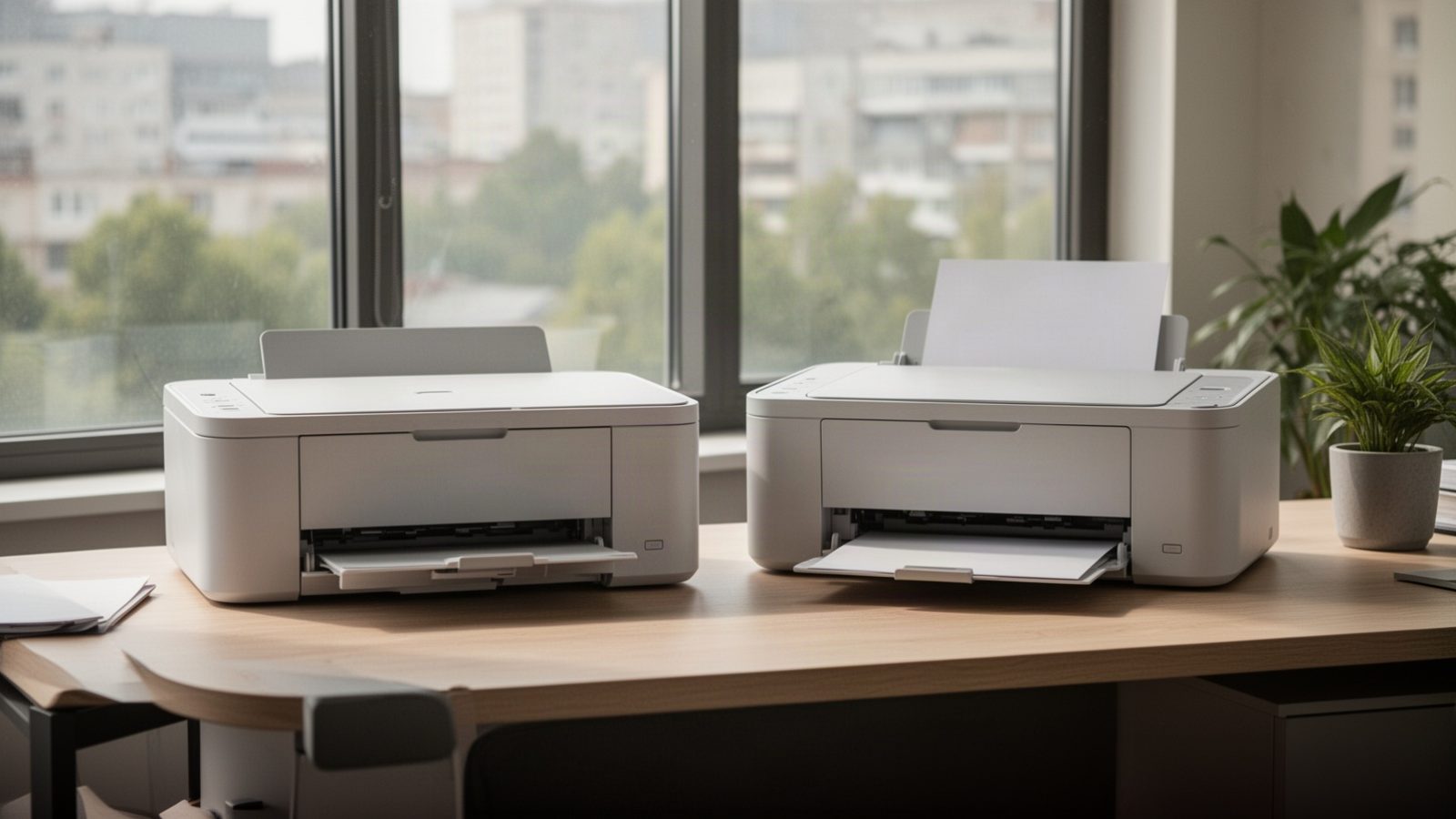
An all-in-one inkjet is the most flexible printer for a household: it prints color, scans and copies, and some models fax and handle a stack of pages through a document feeder. It is the right choice if you print photos, school projects, color charts or anything where a black-and-white laser falls short.
The decisions that matter are less obvious than the spec sheet suggests. The biggest one is how the printer gets its ink — refillable tanks you top up from bottles, or traditional cartridges — because that shapes your running costs for years. After that come the document feeder, two-sided printing, paper size and how tightly the manufacturer links the printer to an account or subscription. We compared current all-in-ones from Epson, HP and Brother across those points and picked the best option for typical homes, small businesses and photo printing.
Our top picks
-
1
 Illustration
Best overall
Epson EcoTank ET-4850 All-in-One
Busy households and home offices
Ink systemRefillable ink tanksFunctionsPrint, copy, scan, faxDocument feeder30 sheets -
2
 Illustration
Best for small business
HP OfficeJet Pro 9125e All-in-One
Small offices that scan stacks of two-sided pages
Ink systemCartridgesFunctionsPrint, copy, scan, faxDocument feeder35 sheets, scans both sides in one pass -
3
 Illustration
Best for photos
Epson EcoTank Photo ET-8550 Wide-Format
Photographers, crafters and art prints
Ink systemRefillable ink tanks, six colorsFunctionsPrint, copy, scanDocument feederNone (flatbed only) -
4
 Illustration
Best value
HP Smart Tank 5101 All-in-One
Families printing homework and color pages
Ink systemRefillable ink tanksFunctionsPrint, copy, scanDocument feederNone (flatbed only) -
5
 Illustration
Best budget with fax
Brother MFC-J4335DW INKvestment Tank All-in-One
Home offices that need fax and a feeder on a budget
Ink systemHigh-capacity INKvestment Tank cartridgesFunctionsPrint, copy, scan, faxDocument feeder20 sheets
Epson EcoTank ET-4850 All-in-One
Illustration
A refillable ink-tank all-in-one with fax, a 30-sheet document feeder, Ethernet and a 250-sheet tray.
Best for: Busy households and home offices- Ink system
- Refillable ink tanks
- Functions
- Print, copy, scan, fax
- Document feeder
- 30 sheets
- Auto two-sided printing
- Yes
- Paper tray
- 250 sheets
What we like
- Bottled ink keeps running costs low
- Document feeder for multi-page scans and copies
- 250-sheet tray suits regular printing
- Ethernet as well as Wi-Fi
Keep in mind
- Higher upfront cost than cartridge printers
- Not a dedicated photo printer
- Larger footprint than basic models
The ET-4850 covers almost everything a home office asks of an inkjet. Its refillable tanks are topped up from bottles, so you are not buying small cartridges every few weeks, and it adds the features that cheaper ink-tank models leave out: a 30-sheet document feeder, fax, automatic two-sided printing and a 250-sheet paper tray.
That combination makes it equally useful for a family printing homework and color projects and for a home business scanning contracts or copying receipts. Ethernet is a welcome extra if the printer lives far from your router.
It costs more to buy than a cartridge model, and you pay that back over time rather than immediately. It also uses a four-color system, so photos look good but not as refined as on Epson’s six-color photo models.
Bottom line: The best all-round inkjet all-in-one if you print regularly and want low running costs with office features.
HP OfficeJet Pro 9125e All-in-One
Illustration
A business inkjet with a 35-sheet single-pass duplex feeder, fax, a 250-sheet tray and a touchscreen.
Best for: Small offices that scan stacks of two-sided pages- Ink system
- Cartridges
- Functions
- Print, copy, scan, fax
- Document feeder
- 35 sheets, scans both sides in one pass
- Auto two-sided printing
- Yes
- Paper tray
- 250 sheets
What we like
- Feeder scans both sides of a page in one pass
- Fast rated print speeds for an inkjet
- Touchscreen, Wi-Fi and Ethernet
- 250-sheet tray
Keep in mind
- Cartridges cost more per page than ink tanks
- HP+ setup requires an HP account and original HP ink
- Instant Ink offers need careful reading
The OfficeJet Pro 9125e is built for small offices that move paper. Its 35-sheet document feeder scans both sides of each page in a single pass, which is a genuine time saver for contracts, receipts and forms. HP rates printing at up to 22 pages per minute in black, and the 250-sheet tray means fewer refills during busy weeks.
It uses cartridges rather than refillable tanks, so its cost per page depends heavily on how you buy ink. HP pairs the "e" models with optional HP+ setup — which requires an HP account, an internet connection and original HP ink — and often with an Instant Ink trial. For some offices a page-based subscription is convenient; others prefer to buy cartridges as needed. Decide before you finish setup.
Bottom line: A capable office all-in-one for anyone who scans a lot, as long as you are comfortable with HP’s ink terms.
Epson EcoTank Photo ET-8550 Wide-Format
Illustration
A six-color ink-tank all-in-one that prints borderless photos up to 13 x 19 inches.
Best for: Photographers, crafters and art prints- Ink system
- Refillable ink tanks, six colors
- Functions
- Print, copy, scan
- Document feeder
- None (flatbed only)
- Max paper size
- 13 x 19 in, borderless
What we like
- Six inks including photo black and gray
- Prints borderless up to 13 x 19 inches
- Handles card stock and thicker specialty media
- Bottled ink suits frequent photo printing
Keep in mind
- Premium-priced
- No document feeder for office scanning
- Large sheets feed in small batches
Most all-in-ones treat photos as an afterthought. The ET-8550 is designed around them: six Claria ET Premium inks, including photo black and gray, give smoother skin tones and deeper blacks than a standard four-color printer. It prints borderless up to 13 x 19 inches, so you can make posters, art prints and wide panoramas at home.
Because it uses bottled ink, large print runs are far less painful than with photo cartridges. Epson also designed it to handle card stock and specialty media, which makes it popular with crafters.
It is not an office machine. There is no document feeder, and Epson notes that the largest sheets feed only a few at a time. Choose it if image quality is your priority.
Bottom line: The pick for anyone who prints photos or art seriously and wants low ink costs.
HP Smart Tank 5101 All-in-One
Illustration
An entry-level refillable ink-tank all-in-one with a flatbed scanner and wireless printing.
Best for: Families printing homework and color pages- Ink system
- Refillable ink tanks
- Functions
- Print, copy, scan
- Document feeder
- None (flatbed only)
- Auto two-sided printing
- No (manual only)
- Paper tray
- 100 sheets
What we like
- Bottled ink keeps color printing affordable
- Wi-Fi, Wi-Fi Direct and Bluetooth setup
- Simple flatbed scanning and copying
- Lower entry cost than office-style tank printers
Keep in mind
- No automatic two-sided printing
- No document feeder
- 100-sheet tray needs frequent refills
If you want ink-tank running costs without paying for office features, the Smart Tank 5101 is a sensible starting point. It refills from bottles, prints, scans and copies, and connects over Wi-Fi with HP’s app, AirPrint or Mopria. HP rates it at up to 12 pages per minute in black, which is plenty for worksheets, forms and color school projects.
The savings come from leaving things out. Two-sided printing is manual, scanning is flatbed only and the input tray holds 100 sheets, so it is best for households that print in small batches rather than offices.
For a home that prints a little every week, especially in color, it is a low-hassle way to stop buying cartridges.
Bottom line: An affordable entry into ink-tank printing for households with modest needs.
Brother MFC-J4335DW INKvestment Tank All-in-One
Illustration
A compact all-in-one with high-capacity INKvestment Tank cartridges, fax and a 20-sheet document feeder.
Best for: Home offices that need fax and a feeder on a budget- Ink system
- High-capacity INKvestment Tank cartridges
- Functions
- Print, copy, scan, fax
- Document feeder
- 20 sheets
- Auto two-sided printing
- Yes
What we like
- Document feeder and fax at a lower entry cost
- Larger-capacity cartridges than standard inkjets
- Automatic two-sided printing
- Compact for an all-in-one with fax
Keep in mind
- Feeder scans one side at a time
- Cost per page higher than bottled-ink models
- Smaller paper tray than the office-focused picks
Brother’s INKvestment Tank line takes a middle path between cartridges and refillable tanks. The MFC-J4335DW uses cartridges, but the printer has an internal reservoir and the cartridges hold more ink than standard ones, so you replace them less often.
What you get for a modest entry cost is a complete home-office feature set: print, copy, scan and fax, a 20-sheet document feeder and automatic two-sided printing. That makes it a practical choice for a freelancer or small household that sends forms and scans paperwork regularly.
The feeder does not scan both sides in one pass, so two-sided originals take extra steps. If you print heavily in color, a true bottle-fed ink-tank printer will be cheaper per page over time.
Bottom line: A practical budget all-in-one for home offices that still need fax and a document feeder.
Side-by-side comparison
| Product | Ink system | Functions | Document feeder | Auto two-sided printing | Score |
|---|---|---|---|---|---|
| Epson EcoTank ET-4850 All-in-OneBest overall | Refillable ink tanks | Print, copy, scan, fax | 30 sheets | Yes | 9.1 |
| HP OfficeJet Pro 9125e All-in-OneBest for small business | Cartridges | Print, copy, scan, fax | 35 sheets, scans both sides in one pass | Yes | 8.9 |
| Epson EcoTank Photo ET-8550 Wide-FormatBest for photos | Refillable ink tanks, six colors | Print, copy, scan | None (flatbed only) | — | 8.8 |
| HP Smart Tank 5101 All-in-OneBest value | Refillable ink tanks | Print, copy, scan | None (flatbed only) | No (manual only) | 8.6 |
| Brother MFC-J4335DW INKvestment Tank All-in-OneBest budget with fax | High-capacity INKvestment Tank cartridges | Print, copy, scan, fax | 20 sheets | Yes | 8.3 |
Specifications are from manufacturer listings at the time of writing and can change between production runs.
Ink tanks or cartridges?
Ink-tank printers (Epson EcoTank, HP Smart Tank, Canon MegaTank) have large reservoirs you refill from bottles. They cost more up front, but the bottles yield thousands of pages, so the cost per page is far lower. They suit anyone who prints regularly, especially in color.
Cartridge printers are cheaper to buy and often more compact, but replacement cartridges hold much less ink. They make sense for light, occasional printing — or for offices that want business features at a lower entry price and are comfortable with an ink subscription.
Brother’s INKvestment Tank models sit in between: cartridges with larger capacity than standard ones.
Features worth paying for
- Automatic document feeder (ADF). Essential if you scan or copy multi-page documents. A feeder that scans both sides in one pass is faster still.
- Automatic two-sided printing. Saves paper on long documents. Some budget models only offer manual duplexing, where you flip the stack yourself.
- A larger paper tray. A 250-sheet tray means far fewer refills than a 100-sheet rear feed.
- Ethernet if your Wi-Fi is unreliable where the printer sits.
Printing photos
Most all-in-ones print decent snapshots, but dedicated photo models use extra ink colors such as photo black and gray for smoother tones and richer blacks. Wide-format models can print up to 13 x 19 inches for posters and art prints. Use the manufacturer’s photo paper and settings for the best results.
What you can skip
Big touchscreens, voice-assistant support and long lists of app features look good on the box but rarely change how well a printer serves you. Fax is only worth having if you still send forms that require it. Rated speeds in pages per minute are measured under ideal conditions, and for home printing the gap between models is a few seconds per document. Spend instead on the ink system, a feeder if you scan, and two-sided printing.
Subscriptions and accounts
HP sells many printers in "e" versions that can be set up with HP+, which requires an HP account, an internet connection and original HP ink, often with an Instant Ink subscription offer. Instant Ink is billed by pages printed rather than ink used, which can suit predictable printing. Read the terms during setup, including whether HP+ can be turned off later on that printer.
Keeping an inkjet healthy
Inkjets prefer regular use. Printing a page or two every week helps keep the nozzles clear, and running endless cleaning cycles wastes ink. With ink-tank models, fill each tank with its matching bottle and keep bottles upright and capped. Leave the printer plugged in and switch it off with its own power button so it can park and cap the print head properly.
Frequently asked questions
Are ink-tank printers worth the higher upfront cost?
If you print more than a few pages a week, usually yes: bottled ink costs far less per page than cartridges. If you print only a handful of pages a month, a cartridge printer may be cheaper overall.
Can I use third-party ink?
Some printers accept it, but many manufacturers warn that non-original ink may affect print quality or warranty coverage, and HP+ printers require original HP ink. Check your printer’s terms before switching.
Do inkjet printers dry out if I don’t use them?
They can. Printing a test page weekly helps keep the nozzles clear. If you print rarely, a monochrome laser may be a better fit for text.
What does a document feeder add?
An automatic document feeder pulls a stack of pages through the scanner, so you can copy or scan multi-page documents without placing each sheet on the glass by hand.
Is Instant Ink required on HP printers?
No. It is an optional subscription, though some HP models are sold with a trial offer and HP+ setups require original HP ink. Read the setup terms carefully.
How we picked
We compared manufacturer specifications for current all-in-one inkjet printers from Epson, HP and Brother: ink system, functions, document-feeder capacity, automatic two-sided printing, paper capacity and maximum paper size, plus published ink yields and account or subscription requirements such as HP+. Our picks and scores are based on this research — we have not tested these products hands-on. Brands cannot pay to be included. Read our full method.