






















The best mini PCs
Six mini PCs compared, from the Apple Mac mini to budget Intel N-series boxes and home-lab machines, with advice on chips, memory, ports and warranties.
As an Amazon Associate I earn from qualifying purchases. When you buy through links on this page, we may earn a commission at no extra cost to you. Learn more
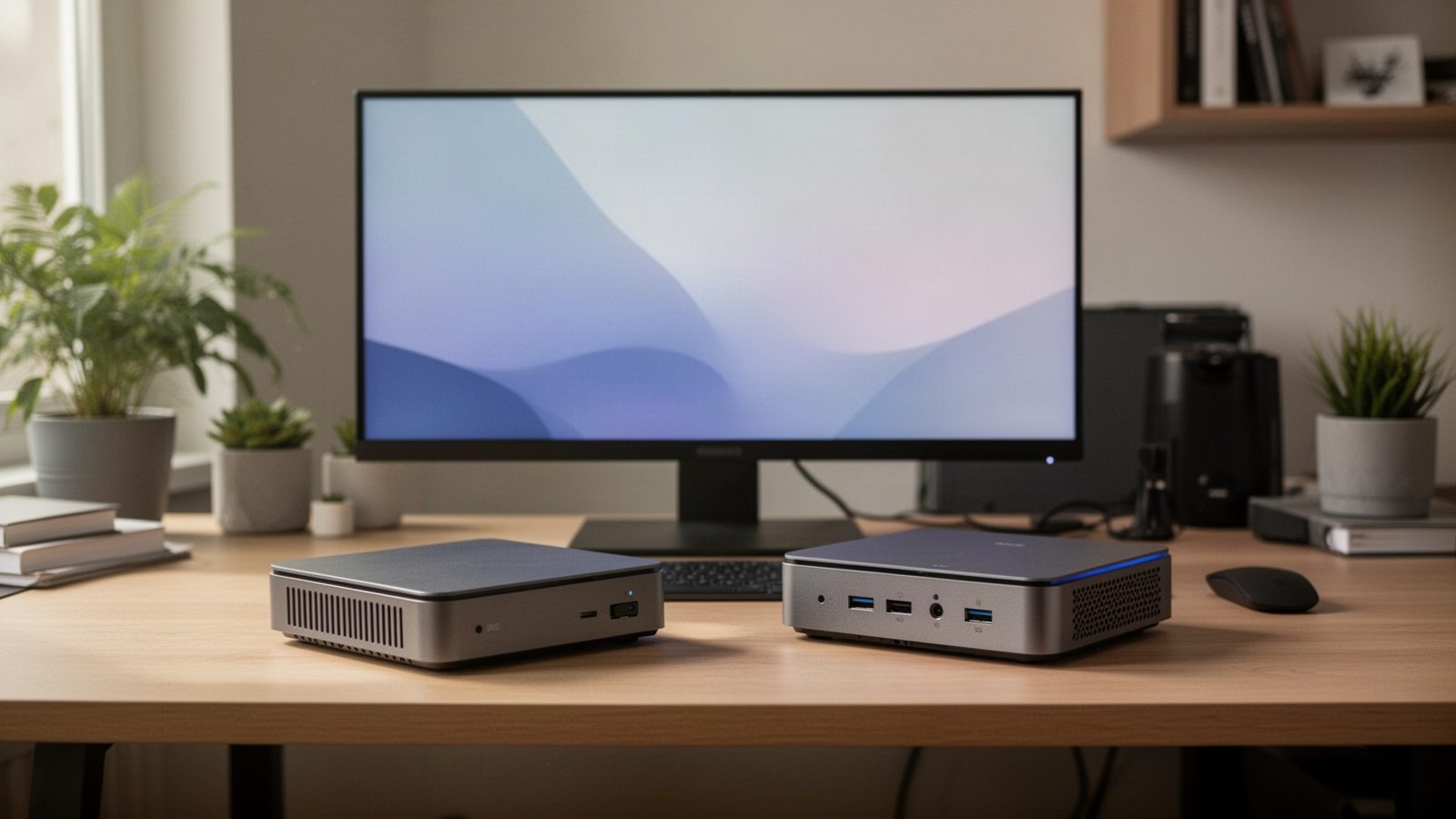
A mini PC packs a full desktop computer into a box small enough to hold in one hand. It can sit beside a monitor, hide behind it on a VESA mount, live under a TV as a media center or run quietly in a closet as a home server. Modern laptop-class processors make many of them fast enough to replace a full-size tower for office work, photo editing and even light gaming, while using a fraction of the power and desk space.
The category ranges widely. Apple's Mac mini and business-focused models from ASUS sit alongside a crowded field of value brands such as Beelink, GMKtec, Minisforum and Geekom, which sell heavily online and refresh models quickly. We compared current mini PCs on processor options, memory and storage upgradeability, display and network ports, operating system and licensing, warranty terms and professional reviews, and picked the best fit for home offices, budget setups and home-lab tinkerers.
Our top picks
-
1
 Illustration
Best overall
Apple Mac mini (M-series)
Anyone happy with macOS who wants a small, fast desktop
ProcessorApple M-series (Pro option)Operating systemmacOSTypical useOffice work, photo and music editing, light video -
2
 Illustration
Best Windows mini PC
Beelink SER Series (AMD Ryzen)
Home offices that want desktop power in a tiny Windows box
ProcessorAMD Ryzen (varies by model)Operating systemWindows 11Typical useHome office, media and light gaming -
3
 Illustration
Best for business
ASUS NUC Pro Mini PC
Offices and IT teams that want a well-supported mini PC
ProcessorIntel Core Ultra (varies by generation)Operating systemWindows 11 or barebone kitTypical useOffice desks, meeting rooms, digital signage -
4
 Illustration
Best compact performance
Geekom A Series (AMD Ryzen)
Multi-monitor home offices that want a premium-feeling Windows mini PC
ProcessorAMD Ryzen, with Ryzen AI on newer modelsOperating systemWindows 11Typical useHome office and multi-monitor work -
5
 Illustration
Best for home labs
Minisforum MS Series
Home servers, virtualization and networking enthusiasts
ProcessorIntel Core (MS-01) or AMD Ryzen (MS-A2)Operating systemBarebone kit or Windows 11Typical useHome servers, virtualization, networking -
6
 Illustration
Best budget
GMKtec NucBox G Series (Intel N-series)
Browsing, streaming and simple office tasks on a small budget
ProcessorIntel N-series (such as N150)Operating systemWindows 11Typical useBrowsing, streaming, kiosks, light office work
Apple Mac mini (M-series)
Illustration
A tiny, quiet desktop with a fast Apple M-series chip, front USB-C ports and support for multiple displays.
Best for: Anyone happy with macOS who wants a small, fast desktop- Processor
- Apple M-series (Pro option)
- Operating system
- macOS
- Typical use
- Office work, photo and music editing, light video
- Size
- About 5 x 5 inches
What we like
- Very fast and efficient for its size
- Nearly silent in everyday use
- Front USB-C and headphone ports
- Thunderbolt, HDMI and Ethernet on the back
Keep in mind
- Memory and storage can't be upgraded later
- Apple storage upgrades are expensive
- Power button sits underneath the case
The Mac mini is the best small desktop most people can buy. Its current design measures about five inches square, yet its M-series chip outperforms many full-size towers for office work, photo editing, music production and light video editing — while staying nearly silent. A Pro-chip version adds more power and faster Thunderbolt ports for demanding creative work.
It is easy to live with: two USB-C ports and a headphone jack on the front, Thunderbolt, HDMI and Ethernet on the back, and support for multiple displays. You bring your own monitor, keyboard and mouse.
The catches are Apple's usual ones. Memory and storage are fixed at purchase and upgrades are expensive, so many owners add a fast external SSD for extra space. The power button sits underneath, which takes a moment to get used to.
Bottom line: The best mini PC for most people who are happy to use a Mac.
Beelink SER Series (AMD Ryzen)
Illustration
Compact Windows mini PCs with AMD Ryzen processors, capable integrated graphics and multi-monitor support.
Best for: Home offices that want desktop power in a tiny Windows box- Processor
- AMD Ryzen (varies by model)
- Operating system
- Windows 11
- Typical use
- Home office, media and light gaming
What we like
- Strong performance for its size
- Capable integrated Radeon graphics on higher-end models
- Supports multiple monitors
- Metal case on many models
Keep in mind
- Fans can be audible under heavy load
- Memory is upgradeable on some models but soldered on others
- Models are refreshed often, so listings overlap
Beelink's SER series is one of the most popular lines of Windows mini PCs, built around AMD Ryzen processors. Higher-end models use chips with strong integrated Radeon graphics, which makes them capable desktop replacements for office work, photo editing, media playback and lighter games.
They are compact, usually housed in metal cases, and offer a useful mix of HDMI, DisplayPort and USB-C outputs for multi-monitor setups. Complete systems ship with Windows 11, memory and an SSD ready to go.
Beelink updates the line often, so check the exact model and processor. Some SER models use upgradeable memory and others have soldered memory, which matters if you plan to add more later. Under sustained heavy load the fans become noticeable.
Bottom line: A powerful, compact Windows desktop replacement for most home offices.
ASUS NUC Pro Mini PC
Illustration
The NUC line Intel created and ASUS now builds, with Intel Core Ultra processors and a tool-less, serviceable design.
Best for: Offices and IT teams that want a well-supported mini PC- Processor
- Intel Core Ultra (varies by generation)
- Operating system
- Windows 11 or barebone kit
- Typical use
- Office desks, meeting rooms, digital signage
What we like
- Established NUC design with broad accessory support
- Intel Core Ultra processors
- Tool-less access to memory and storage on many models
- Sold as complete systems or barebone kits
Keep in mind
- Premium-priced compared with value brands
- Barebone kits need memory, storage and Windows added
- Modest graphics for gaming
Intel created the NUC (Next Unit of Computing) category, and when it exited the business ASUS took over the line. The NUC Pro models continue that heritage with Intel Core Ultra processors in compact, business-friendly chassis.
They are popular with offices and IT teams because they are predictable: standard VESA mounting, multiple display outputs, easy access to memory and storage on many models, and availability as either complete Windows systems or barebone kits for companies that install their own parts.
They cost more than comparable value-brand mini PCs, and graphics are aimed at productivity rather than gaming. If you buy a barebone kit, budget for memory, an SSD and a Windows license.
Bottom line: The dependable mini PC for offices that value a known platform and serviceability.
Geekom A Series (AMD Ryzen)
Illustration
Slim aluminum mini PCs with AMD Ryzen processors, plenty of ports and Windows 11 preinstalled.
Best for: Multi-monitor home offices that want a premium-feeling Windows mini PC- Processor
- AMD Ryzen, with Ryzen AI on newer models
- Operating system
- Windows 11
- Typical use
- Home office and multi-monitor work
What we like
- Slim, premium-feeling metal case
- Strong AMD Ryzen performance
- Good selection of display and USB ports
- Complete systems ready to use out of the box
Keep in mind
- Pricier than some value-brand rivals
- Fans audible under heavy load
- Several similar models can be confusing
Geekom's A Series packs AMD Ryzen processors into slim aluminum cases that feel a step above many budget mini PCs. Models such as the A8 and newer Ryzen AI-based versions deliver performance on par with mid-range laptops, which is plenty for office work, photo editing and running several monitors.
They ship as complete systems with memory, an SSD and Windows 11, and offer a generous mix of USB-C, USB-A, HDMI and Ethernet ports for a busy desk.
They cost a little more than some value brands, and like any compact PC they get audible under sustained heavy load. Compare the processor and memory configuration across Geekom's similar-looking models before you buy.
Bottom line: A polished, powerful Windows mini PC for demanding home-office setups.
Minisforum MS Series
Illustration
Workstation-style mini PCs with fast networking, multiple SSD slots and a PCIe slot for expansion.
Best for: Home servers, virtualization and networking enthusiasts- Processor
- Intel Core (MS-01) or AMD Ryzen (MS-A2)
- Operating system
- Barebone kit or Windows 11
- Typical use
- Home servers, virtualization, networking
What we like
- 10-gigabit SFP+ and 2.5-gigabit Ethernet ports
- Multiple M.2 SSD slots
- PCIe expansion slot for a network or graphics card
- High-performance processors
Keep in mind
- Louder and larger than typical mini PCs
- Overkill for ordinary office use
- Barebone versions need parts and an operating system
Minisforum's MS Series is built for tinkerers. The MS-01 uses Intel Core processors and the MS-A2 uses AMD Ryzen, and both add features rarely found in mini PCs: two 10-gigabit SFP+ network ports, 2.5-gigabit Ethernet, several M.2 SSD slots and a PCIe slot for a network card or a compact graphics card.
That makes them excellent compact home servers for running virtual machines, network storage, media servers or firewall software, using far less space and power than a rack server.
For ordinary office work they are overkill, and they are larger and louder than typical mini PCs. Many buyers choose the barebone version and add their own memory, storage and operating system.
Bottom line: The best compact machine for home labs and self-hosting projects.
GMKtec NucBox G Series (Intel N-series)
Illustration
Tiny, low-power mini PCs with Intel N-series processors for basic computing and media duty.
Best for: Browsing, streaming and simple office tasks on a small budget- Processor
- Intel N-series (such as N150)
- Operating system
- Windows 11
- Typical use
- Browsing, streaming, kiosks, light office work
What we like
- Very budget-friendly
- Tiny and power-efficient
- Quiet in light use
- Good as a media player or second computer
Keep in mind
- Slow with heavy multitasking
- Limited graphics power
- Basic build and shorter support history than big brands
GMKtec's NucBox G Series shows how little you need to spend for a usable desktop. These tiny boxes use Intel's low-power N-series processors, which handle web browsing, email, streaming and simple documents comfortably while drawing very little power.
They make good media players under a TV, kiosk or point-of-sale computers, or a simple desk computer for a child or a home office printer station.
Be realistic about performance: the processors slow down with many browser tabs, large spreadsheets or photo editing, and graphics are limited. For a main work computer, a Ryzen-based mini PC such as Beelink's SER series is a better long-term buy.
Bottom line: A capable, very budget-friendly box for basic computing and media duty.
Side-by-side comparison
| Product | Processor | Operating system | Typical use | Size | Score |
|---|---|---|---|---|---|
| Apple Mac mini (M-series)Best overall | Apple M-series (Pro option) | macOS | Office work, photo and music editing, light video | About 5 x 5 inches | 9.3 |
| Beelink SER Series (AMD Ryzen)Best Windows mini PC | AMD Ryzen (varies by model) | Windows 11 | Home office, media and light gaming | — | 8.8 |
| ASUS NUC Pro Mini PCBest for business | Intel Core Ultra (varies by generation) | Windows 11 or barebone kit | Office desks, meeting rooms, digital signage | — | 8.7 |
| Geekom A Series (AMD Ryzen)Best compact performance | AMD Ryzen, with Ryzen AI on newer models | Windows 11 | Home office and multi-monitor work | — | 8.6 |
| Minisforum MS SeriesBest for home labs | Intel Core (MS-01) or AMD Ryzen (MS-A2) | Barebone kit or Windows 11 | Home servers, virtualization, networking | — | 8.5 |
| GMKtec NucBox G Series (Intel N-series)Best budget | Intel N-series (such as N150) | Windows 11 | Browsing, streaming, kiosks, light office work | — | 8.2 |
Specifications are from manufacturer listings at the time of writing and can change between production runs.
What a mini PC is good for
Mini PCs excel at office work, browsing, video calls, streaming, home-theater duty, digital signage and small home servers. With a strong processor they also handle photo editing and light gaming. They are not the right choice for high-end gaming or heavy 3D work, which need a full-size graphics card and the cooling to match.
Remember that a mini PC is only the computer. Budget for a monitor, keyboard and mouse, plus a webcam and speakers if your monitor lacks them. Many Windows mini PCs come with a VESA bracket for mounting behind a monitor, which turns a regular screen into a tidy, almost all-in-one setup.
Processor tiers
- Intel N-series (such as the N100 and N150): low-power chips for browsing, streaming, kiosks and light office use. Quiet and efficient, but slow with heavy multitasking.
- AMD Ryzen and Intel Core / Core Ultra: laptop-class chips that make a mini PC a genuine desktop replacement for work and photo editing. Higher-end Ryzen models have integrated graphics good enough for older and lighter games at modest settings.
- Apple M-series: the Mac mini's chips are fast, efficient and silent in everyday use, with excellent media engines for video.
Memory, storage and upgradeability
Aim for 16GB of memory for everyday Windows use and 32GB for heavy multitasking or virtual machines. Many Windows mini PCs use standard SO-DIMM memory and M.2 SSD slots you can upgrade yourself, while others (and the Mac mini) have soldered memory. Some are sold as barebone kits with no memory, storage or operating system, so read the listing carefully.
Ports, displays and networking
Count your monitors and check the outputs: HDMI, DisplayPort and USB-C or USB4/Thunderbolt ports determine how many screens you can run and at what resolution. 2.5-gigabit Ethernet is common on newer models, and home-lab machines may add 10-gigabit ports. Front-facing USB ports are handy for flash drives and keyboards.
Brands, warranty and software
Value brands offer a lot of hardware for the money, but warranty length, support quality and BIOS updates vary. Check the warranty period, where support is based and whether Windows is a properly licensed, activated copy. Buying from the brand's official store listing makes warranty claims easier.
Setup tips
Give the mini PC room to breathe — don't bury it in a closed cabinet — and keep the vents dust-free. Use the power adapter supplied by the manufacturer and follow its instructions; mini PCs draw more power under load than their size suggests. A VESA bracket behind the monitor keeps the desk clear.
Frequently asked questions
Can a mini PC replace a desktop tower?
For office work, browsing, streaming and photo editing, yes — a mini PC with a current Ryzen, Intel Core or Apple M-series chip is fast enough. For high-end gaming or 3D work, a tower with a dedicated graphics card is still the better choice.
Are mini PCs good for gaming?
Only for light gaming. Mini PCs with recent AMD Ryzen chips can run older and less demanding games at modest settings, and cloud gaming works well. They lack the graphics power for demanding new games at high settings.
What is a barebone mini PC?
A barebone kit includes the case, motherboard and processor but no memory, storage or operating system. It lets you choose your own parts, but you need to buy and install them before the computer will work.
Do mini PCs come with Windows?
Most complete systems ship with Windows 11 installed, while barebone kits do not. Check that the listing specifies a genuine, activated Windows license, and look at Settings > System > Activation after setup.
Can a mini PC run multiple monitors?
Most can run two or three displays through a mix of HDMI, DisplayPort and USB-C ports. Check the manufacturer's spec sheet for the maximum number of displays and resolutions supported.
How we picked
We compared current mini PCs from Apple, Beelink, GMKtec, Minisforum, ASUS and Geekom on manufacturer specifications — processor options, memory and storage configurations and upgradeability, display outputs, networking ports, operating system and licensing, and warranty terms — together with published professional reviews. Our picks and scores are based on this research — we have not tested these products hands-on. Brands cannot pay to be included. Read our full method.