






















The best 49- and 61-key MIDI keyboard controllers
Five full-size MIDI controllers from Arturia, Novation, Native Instruments and M-Audio compared on key feel, pads, faders and DAW integration for home studios.
As an Amazon Associate I earn from qualifying purchases. When you buy through links on this page, we may earn a commission at no extra cost to you. Learn more
A MIDI keyboard controller makes no sound of its own. It sends note and control data over USB to software on your computer — a DAW like Ableton Live, Logic Pro, FL Studio or GarageBand, or a virtual instrument — which turns your playing into piano, synth, strings or drums. That makes it the most flexible keyboard you can buy for producing music, and usually far cheaper than a hardware instrument with the same range of sounds.
A 49- or 61-key controller is the size most home producers settle on: enough keys for two-handed parts, plus pads for drums and knobs and faders for mixing and tweaking sounds. The models differ in how the keys feel, how many hands-on controls they offer, and how tightly they integrate with specific software. We compared long-running controller lines from the major brands and picked options for different workflows.
Our top picks
-
1
 Illustration
Best overall
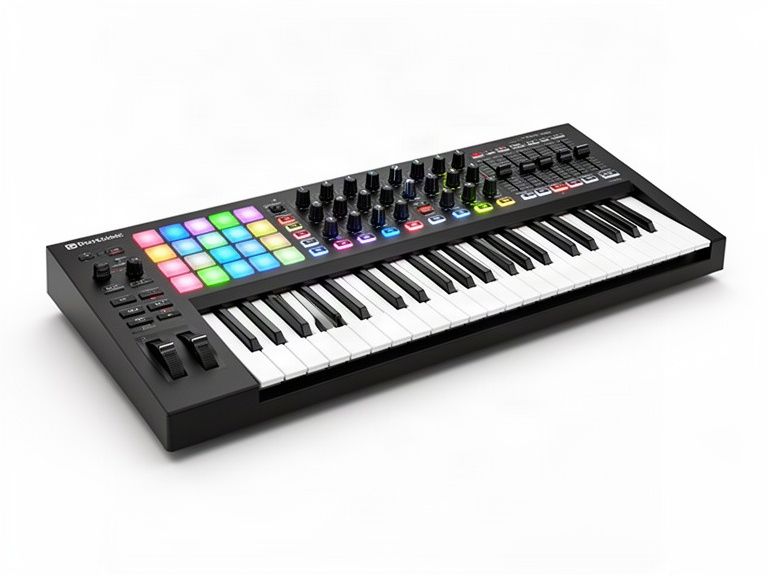
Arturia KeyLab Essential 61 mk3
Producers who want a full set of controls and good keys
Keys61, semi-weighted, velocity-sensitivePads8 RGB, velocity- and pressure-sensitiveFaders and knobs9 faders, 9 encoders -
2
 Illustration
Best premium
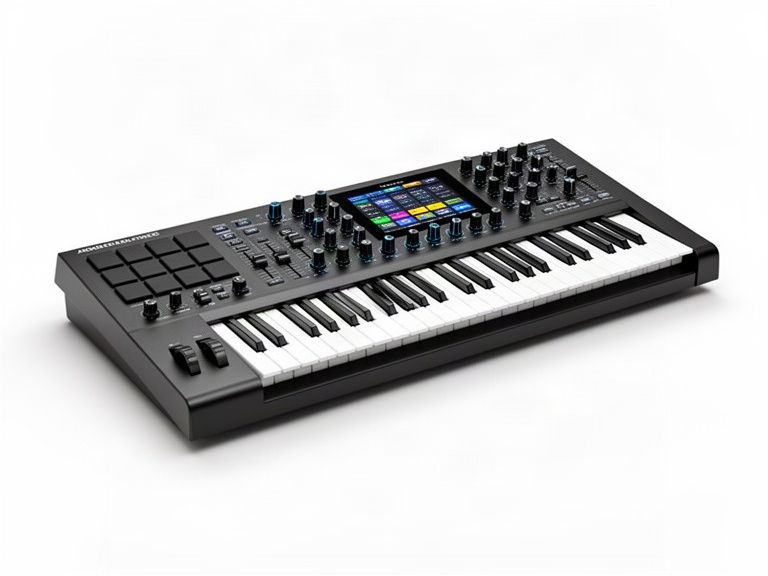
Native Instruments Kontrol S49 MK3
Serious players and Komplete instrument users
Keys49, Fatar semi-weighted, polyphonic aftertouchPadsNoneFaders and knobs8 touch-sensitive encoders -
3
 Illustration
Best for Ableton Live
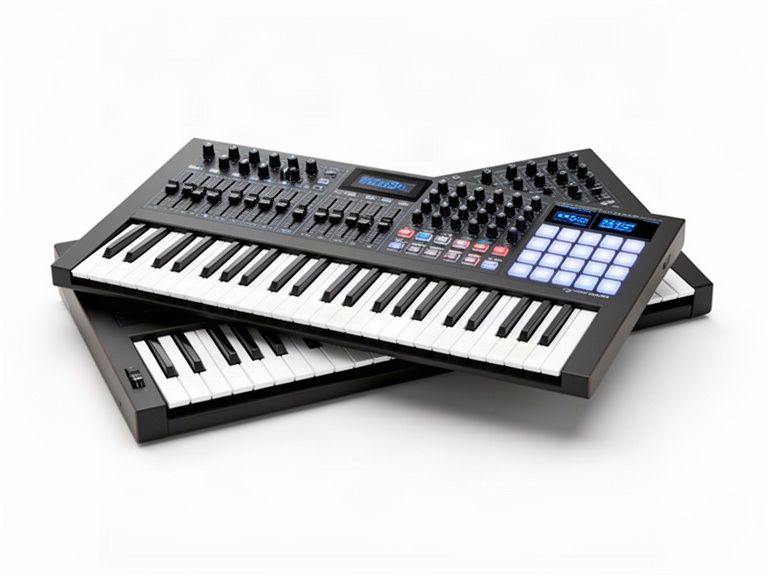
Novation Launchkey 49 MK4
Ableton Live users and beat makers
Keys49, velocity-sensitivePads16, velocity-sensitiveFaders and knobs9 faders, 8 encoders -
4
 Illustration
Best for finger drumming
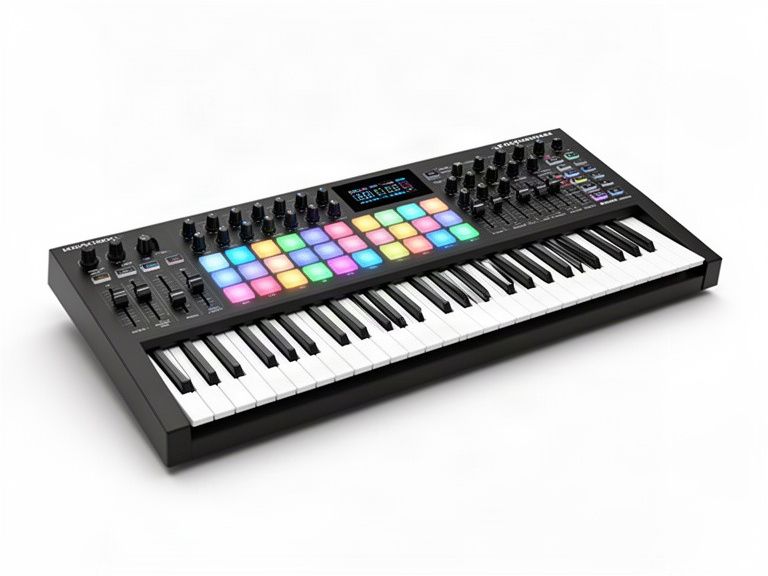
M-Audio Oxygen Pro 49
Beat makers who want pads, faders and aftertouch at a mid price
Keys49, semi-weighted with aftertouchPads16 RGB, velocity-sensitiveFaders and knobs9 faders, 8 encoders -
5
 Illustration
Best simple controller
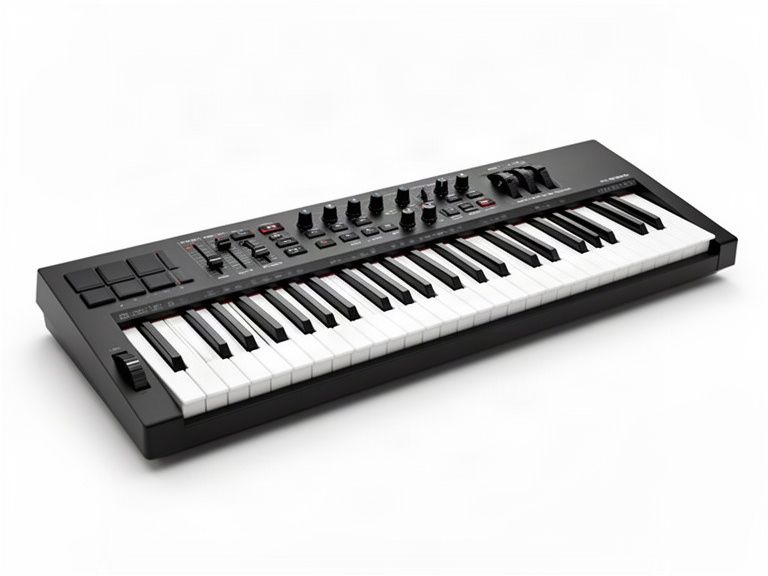
M-Audio Keystation 61 MK3
Keyboard players who just want keys and a few essentials
Keys61, full-size, velocity-sensitivePadsNoneFaders and knobs1 volume fader
Arturia KeyLab Essential 61 mk3
Illustration
A 61-key controller with semi-weighted keys, eight RGB pads, nine faders and nine encoders.
Best for: Producers who want a full set of controls and good keys- Keys
- 61, semi-weighted, velocity-sensitive
- Pads
- 8 RGB, velocity- and pressure-sensitive
- Faders and knobs
- 9 faders, 9 encoders
- Extras
- Pitch and mod wheels, transport buttons
- Software
- Arturia Analog Lab instrument software
What we like
- Semi-weighted 61-key keybed suits piano and synth parts
- Nine faders and nine encoders cover mixing and sound tweaking
- RGB pads with pressure sensitivity
- Includes Arturia’s Analog Lab sound library
Keep in mind
- Only eight pads for finger drumming
- A 61-key controller takes real desk space
- Deepest integration requires setup in some DAWs
The KeyLab Essential mk3 is Arturia’s mid-range controller, and the 61-key version covers the widest range of jobs in this guide. Its semi-weighted keys suit two-handed piano and synth parts, and the panel packs nine faders, nine rotary encoders and eight RGB pads that respond to both velocity and pressure.
Arturia bundles its Analog Lab instrument software, a large library of synth, keyboard and string presets drawn from its emulations of classic hardware, and the controller is designed to browse and tweak those sounds directly. Scripts for popular DAWs map the transport and mixer controls.
The main compromise is pad count: finger drummers who want a 16-pad grid will prefer the Novation or M-Audio. And at 61 keys it needs a deep desk or a keyboard stand.
Bottom line: The most versatile full-size controller for players who produce across many genres.
Native Instruments Kontrol S49 MK3
Illustration
A premium 49-key controller with a Fatar keybed, polyphonic aftertouch and a high-resolution color screen.
Best for: Serious players and Komplete instrument users- Keys
- 49, Fatar semi-weighted, polyphonic aftertouch
- Pads
- None
- Faders and knobs
- 8 touch-sensitive encoders
- Display
- High-resolution color screen
- MIDI
- 5-pin in and out
- Weight
- About 12.1 lb
What we like
- Fatar keybed with polyphonic aftertouch
- Color screen shows instrument parameters and browsing
- Light Guide LEDs above the keys show key switches and scales
- Full-size 5-pin MIDI in and out
Keep in mind
- Premium-priced
- No drum pads or faders
- Best features depend on Native Instruments software
The Kontrol S49 MK3 is built for players who care most about the keys. Native Instruments uses a Fatar semi-weighted keybed with polyphonic aftertouch, meaning each held note can respond separately to pressure, a feature usually found on far more expensive instruments.
The high-resolution color screen lets you browse presets and adjust parameters without looking at the computer, especially with Native Instruments’ own Komplete instruments. LED Light Guide strips above the keys show key switches, scales and chord modes. There is full-size 5-pin MIDI in and out for hardware.
It isn’t for everyone. There are no drum pads or faders, it weighs about 12 lb, and it is premium-priced. Its deepest integration is with NI software, so check support for your DAW and plugins.
Bottom line: The most expressive keybed here, for players who want a serious instrument.
Novation Launchkey 49 MK4
Illustration
A 49-key controller with 16 pads, nine faders and deep Ableton Live integration, plus a 5-pin MIDI output.
Best for: Ableton Live users and beat makers- Keys
- 49, velocity-sensitive
- Pads
- 16, velocity-sensitive
- Faders and knobs
- 9 faders, 8 encoders
- Display
- OLED
- MIDI
- 5-pin MIDI out
What we like
- Sixteen pads for drums and clip launching
- Deep, automatic Ableton Live integration
- Scale, chord and arpeggiator tools built in
- 5-pin MIDI out for hardware synths
Keep in mind
- Integration is less deep outside its supported DAWs
- Only 49 keys
Novation’s Launchkey line has long been a favorite of Ableton Live users, and the MK4 continues that focus. Plug it in and the 16 pads launch clips, the faders control the mixer and the encoders map to devices, with an OLED screen showing what each control is doing.
The 49-key version adds nine faders and eight encoders, along with built-in tools aimed at people who don’t read music fluently: scale modes that keep you on the right notes, chord functions and an arpeggiator. A 5-pin MIDI output lets it play hardware synths directly.
If you don’t use Ableton Live or one of the other DAWs Novation supports, you lose some of the plug-and-play appeal, so check the manufacturer’s support list. For Live users, it is the most natural fit here.
Bottom line: The controller to get if Ableton Live is your main software.
M-Audio Oxygen Pro 49
Illustration
A mid-priced 49-key controller with semi-weighted keys, aftertouch, 16 RGB pads and nine faders.
Best for: Beat makers who want pads, faders and aftertouch at a mid price- Keys
- 49, semi-weighted with aftertouch
- Pads
- 16 RGB, velocity-sensitive
- Faders and knobs
- 9 faders, 8 encoders
- Display
- OLED
- Extras
- Smart Chord, Smart Scale, arpeggiator
What we like
- Sixteen backlit pads with note repeat
- Semi-weighted keys with aftertouch
- Nine faders and eight encoders
- Smart Chord and Smart Scale help non-pianists
Keep in mind
- Plastic build feels less premium
- Setup in some DAWs takes extra steps
- M-Audio also sells the newer Oxygen MKV line, which can confuse shoppers
The Oxygen Pro 49 packs a lot of hands-on control into a mid-priced controller. It has 16 backlit pads with note repeat for programming hi-hat rolls, nine faders, eight encoders and an OLED screen, plus semi-weighted keys with aftertouch.
M-Audio’s Smart Chord and Smart Scale modes let you trigger full chords from single keys or lock the keyboard to a scale, useful for producers who don’t have keyboard training. It is USB bus-powered and auto-maps to several popular DAWs.
Owners often mention that the build is mostly plastic and that some DAW setups need a little configuration. Also note that M-Audio sells a separate, simpler Oxygen MKV range, so make sure the listing says Oxygen Pro.
Bottom line: A feature-packed controller for beat makers who want pads and faders in one box.
M-Audio Keystation 61 MK3
Illustration
A no-frills 61-key controller with velocity-sensitive keys, transport buttons and a volume fader.
Best for: Keyboard players who just want keys and a few essentials- Keys
- 61, full-size, velocity-sensitive
- Pads
- None
- Faders and knobs
- 1 volume fader
- Extras
- Transport and directional buttons, pitch and mod wheels
What we like
- Five octaves of full-size keys at a budget-friendly level
- Very simple to set up
- Slim and light for its key count
- Transport buttons control your DAW
Keep in mind
- No pads or assignable knobs
- Light synth-style keys with no aftertouch
Not everyone needs pads and a wall of knobs. The Keystation 61 MK3 is a long-running, budget-friendly controller that focuses on the keys: 61 full-size, velocity-sensitive keys with pitch and mod wheels, a volume fader, octave buttons and transport controls for your DAW.
That makes it a sensible choice for keyboard players who mostly record parts by playing them, or for a second controller in a studio that already has a pad controller. It is USB-powered, light for its size and quick to set up.
The trade-offs are obvious from the spec sheet: there are no drum pads or assignable knobs, and the light, synth-style keys are less expressive than semi-weighted designs. If you want hands-on mixing or beat making, step up to one of the other picks.
Bottom line: The simplest, most affordable way to get five octaves of keys into your DAW.
Side-by-side comparison
| Product | Keys | Pads | Faders and knobs | Extras | Score |
|---|---|---|---|---|---|
| Arturia KeyLab Essential 61 mk3Best overall | 61, semi-weighted, velocity-sensitive | 8 RGB, velocity- and pressure-sensitive | 9 faders, 9 encoders | Pitch and mod wheels, transport buttons | 9.1 |
| Native Instruments Kontrol S49 MK3Best premium | 49, Fatar semi-weighted, polyphonic aftertouch | None | 8 touch-sensitive encoders | — | 9.0 |
| Novation Launchkey 49 MK4Best for Ableton Live | 49, velocity-sensitive | 16, velocity-sensitive | 9 faders, 8 encoders | — | 8.9 |
| M-Audio Oxygen Pro 49Best for finger drumming | 49, semi-weighted with aftertouch | 16 RGB, velocity-sensitive | 9 faders, 8 encoders | Smart Chord, Smart Scale, arpeggiator | 8.6 |
| M-Audio Keystation 61 MK3Best simple controller | 61, full-size, velocity-sensitive | None | 1 volume fader | Transport and directional buttons, pitch and mod wheels | 8.1 |
Specifications are from manufacturer listings at the time of writing and can change between production runs.
49 or 61 keys?
49 keys (four octaves) fits on most desks in front of a computer keyboard and monitor, and it is enough for bass lines, chords and melodies played together. 61 keys (five octaves) gives you room for proper two-handed piano parts and keyboard splits. If you mainly program beats and play one-handed lines, 49 is plenty; if you have piano experience, you’ll appreciate 61. For serious piano practice, an 88-key weighted instrument is a better fit than any controller.
Key feel and aftertouch
Most controllers use synth-action or semi-weighted keys. Synth-action keys are light and fast, ideal for synth leads and drums played on keys. Semi-weighted keys add a little resistance and a springier return, which most players find more expressive for piano and electric piano sounds.
Aftertouch lets you change a sound by pressing harder after a key is down, for vibrato or filter swells. Channel aftertouch affects every held note; polyphonic aftertouch works per key and is rarer. It is a genuine bonus for synth players and something most beginners won’t miss.
Pads, knobs and faders
- Velocity-sensitive pads are for finger drumming and launching clips. Sixteen pads give a full drum kit at once; eight is workable.
- Knobs or encoders control synth parameters and effects. Endless encoders avoid sudden jumps in value when you switch between instruments.
- Faders map naturally to mixer volume levels and organ drawbars.
Transport buttons (play, stop, record) save a surprising number of trips to the mouse.
Software integration and bundles
The best controllers map themselves to your DAW automatically, so faders control track volume and pads launch clips without manual setup. Novation focuses on Ableton Live, Native Instruments on its own Komplete instruments, and Arturia and M-Audio offer scripts for several DAWs. Check the manufacturer’s list of supported software before buying. Bundled instruments and DAW “lite” editions add real value if you are starting from scratch.
Connections and what to skip
Every model here is powered over USB. A 5-pin MIDI output lets you control hardware synths without a computer, and a sustain pedal input is essential for piano parts. Skip paying extra for controls you won’t map; a simple controller you understand beats a complex one you never configure. Keep the keyboard dust-covered and avoid eating or drinking over the keys.
Frequently asked questions
Does a MIDI keyboard make sound on its own?
No. A MIDI controller sends data to a computer, tablet or hardware sound module, which produces the sound. You will need software instruments or a DAW, and headphones or speakers connected to your computer or audio interface.
Do I need an audio interface to use a MIDI controller?
Not to connect the keyboard — it plugs into USB directly. An audio interface improves sound quality and reduces delay when monitoring through headphones or studio speakers, so many producers add one later.
Will a MIDI controller work with my DAW?
Any class-compliant USB MIDI controller sends notes to every major DAW. Deeper integration, such as automatic mixer mapping, varies by brand and software, so check the manufacturer’s supported-DAW list.
Are semi-weighted keys good for learning piano?
They are more expressive than light synth keys but still much lighter than a piano. They are fine for playing parts in a production; for building piano technique, a weighted 88-key instrument is better.
Is 49 keys enough for a home studio?
For most producers, yes. Octave buttons shift the range when needed. Choose 61 keys if you play two-handed piano parts or want room for keyboard splits.
How we picked
We compared manufacturer specifications for key count and action, pads, encoders, faders, DAW integration, connections and bundled software across current 49- and 61-key controller lines from Arturia, Novation, Native Instruments and M-Audio. Our picks and scores are based on this research — we have not tested these products hands-on. Brands cannot pay to be included. Read our full method.