






















The best kids' smartwatches
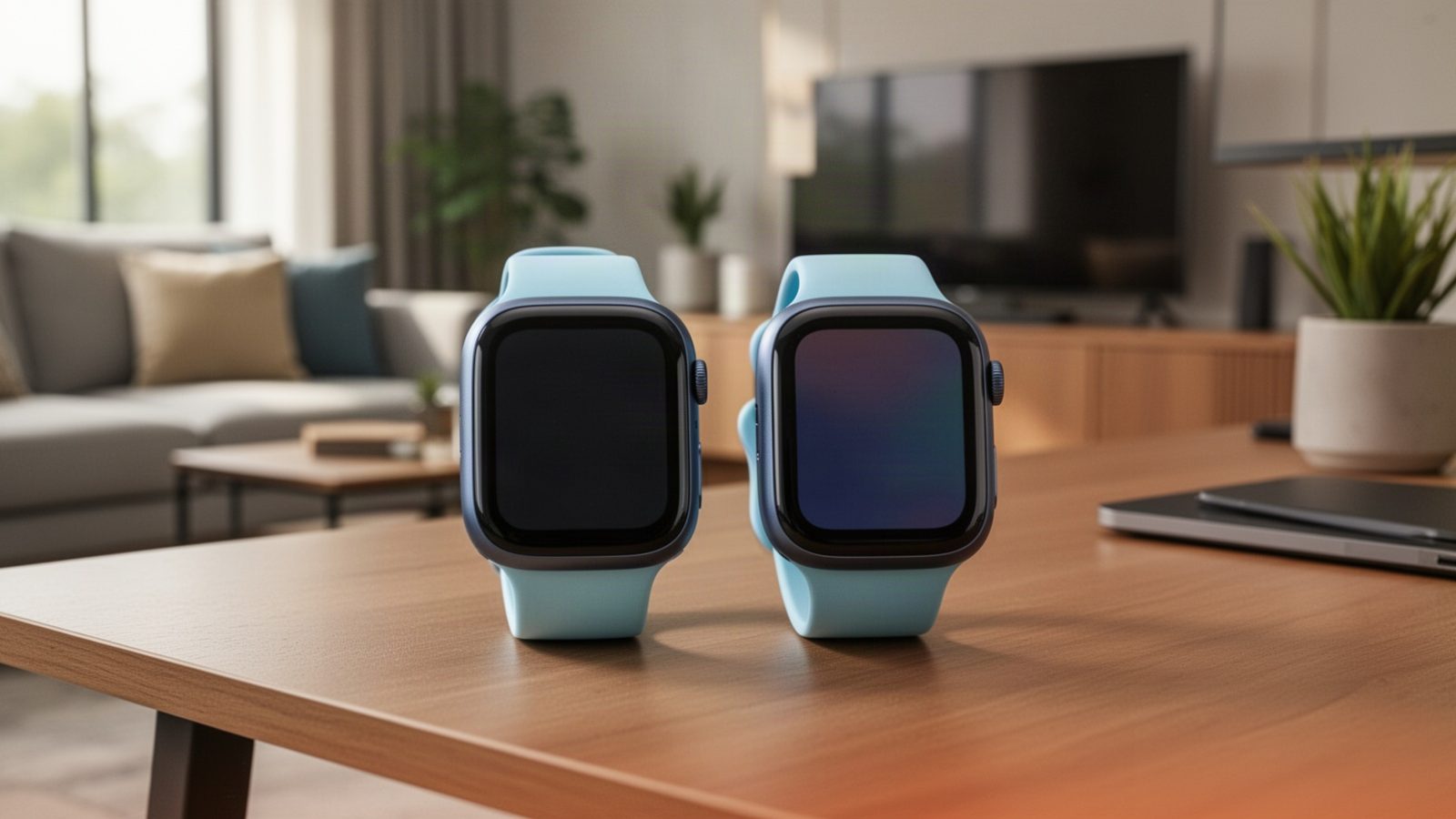
Five kids' smartwatches compared — calling watches with GPS location sharing from Gabb, Garmin and TickTalk, Apple Watch with Family Setup, and a no-phone activity tracker.
As an Amazon Associate I earn from qualifying purchases. When you buy through links on this page, we may earn a commission at no extra cost to you. Learn more
For many families, a kids' smartwatch is a middle step before a first phone. A calling watch lets a child reach a short list of approved contacts and share their location with parents, without a web browser, social media or an app store. For younger children, a simple activity tracker can make moving, chores and bedtime routines more fun without any phone features at all.
The choices differ more than they first appear. Calling watches need their own cellular service plan, which is part of the real cost. Some include cameras and video calls, others deliberately leave them out. Some are managed from a dedicated parent app, while Apple's option requires a parent's iPhone. We compared popular kids' watches from Gabb, Garmin, TickTalk and Apple based on their features, plans and parental controls — not on any promise about outcomes — and picked the best fit for different ages and family needs.
Our top picks
-
1
 Illustration
Best overall
Gabb Watch 3e
Families who want calling and location sharing without a camera
CallingVoice calls and texts with approved contactsLocation sharingGPS, viewed in parent appService planGabb plan required -
2
 Illustration
Best for active kids
Garmin Bounce 2
Sporty kids and families already using Garmin
CallingVoice calls, voice and text messages with approved contactsLocation sharingGPS, via Garmin Jr. appService planGarmin-managed plan required -
3
 Illustration
Best for iPhone families
Apple Watch SE with Family Setup
Older kids in families where a parent uses an iPhone
CallingCalls and messages (cellular model)Location sharingVia Find MyService planCarrier plan required -
4
 Illustration
Best for video calling
TickTalk 5
Families who want video calls with grandparents and parents
CallingVoice and video calls, messages with approved contactsLocation sharingGPS, viewed in parent appService planPlan required (carrier versions vary) -
5
 Illustration
Best for younger kids
Garmin vivofit jr. 3
Younger children who don't need calling or location features
CallingNoneLocation sharingNoneService planNone needed
Gabb Watch 3e
Illustration
A simple calling watch for kids with approved-contact calls and texts, GPS location sharing and no camera or internet browsing.
Best for: Families who want calling and location sharing without a camera- Calling
- Voice calls and texts with approved contacts
- Location sharing
- GPS, viewed in parent app
- Service plan
- Gabb plan required
- Camera
- No
What we like
- Calls and texts limited to parent-approved contacts
- No camera, browser or app store
- GPS location sharing in the Gabb parent app
- Activity tracking for kids
Keep in mind
- Requires a Gabb service plan
- No video calls
- Charge nightly
Gabb designs its devices around a simple idea: give kids a way to stay in touch without the distractions of a smartphone. The Gabb Watch 3e lets children call and text a list of contacts that parents approve in the Gabb app, and parents can view the watch's location from their own phone.
There's no camera, no web browser and no app store, which many parents and schools appreciate. It also includes basic activity tracking, so it doubles as a fitness band.
You'll need Gabb's own service plan, and coverage depends on the network it uses in your area, so check before buying. Without a camera, video calling isn't possible. For families who want a focused first device, it's a straightforward, well-supported choice. Review the parent-app settings and Gabb's guidance during setup.
Bottom line: The best simple calling watch for families who want no camera or internet.
Garmin Bounce 2
Illustration
An LTE kids' watch with two-way calling, voice and text messages, live location sharing and Garmin's activity tracking.
Best for: Sporty kids and families already using Garmin- Calling
- Voice calls, voice and text messages with approved contacts
- Location sharing
- GPS, via Garmin Jr. app
- Service plan
- Garmin-managed plan required
What we like
- Two-way calling and messaging with approved contacts
- Bright AMOLED display
- Swim-friendly design with Garmin activity tracking
- Parent controls in the Garmin Jr. app
Keep in mind
- Requires a monthly Garmin plan
- Short battery life between charges
- Premium-priced for a kids' watch
Garmin's Bounce 2 combines a calling watch with the brand's strength in activity tracking. Kids can make two-way voice calls and send voice and text messages to contacts approved by parents, and parents can see the watch's location in the Garmin Jr. app.
The second generation moved to a bright, round AMOLED display and a swim-friendly design. Garmin's activity tracking makes it appealing for active kids who play sports.
Service runs through a Garmin-managed plan with a monthly fee, and LTE coverage depends on your area, so check Garmin's coverage information first. Battery life is around a couple of days, so build charging into the evening routine. Review the privacy and parental-control settings, and Garmin's age guidance, before handing it over.
Bottom line: The best calling watch for sporty kids and Garmin families.
Apple Watch SE with Family Setup
Illustration
A cellular Apple Watch SE managed from a parent's iPhone, with calls, messages, location sharing and Schooltime mode.
Best for: Older kids in families where a parent uses an iPhone- Calling
- Calls and messages (cellular model)
- Location sharing
- Via Find My
- Service plan
- Carrier plan required
- Camera
- No
What we like
- Full Apple Watch features with parent controls
- Schooltime mode limits features during class
- Location sharing through Find My
- Grows with older kids and teens
Keep in mind
- A parent needs an iPhone
- Must be a cellular model with a supported carrier plan
- More features — and more to manage — than dedicated kids' watches
Apple's Family Setup lets a parent set up and manage a cellular Apple Watch for a child who doesn't have their own iPhone. The Apple Watch SE is the usual choice because it's the most budget-friendly cellular Apple Watch.
Kids get calls and messages with contacts the parent approves, activity tracking and location sharing through Find My, while parents can use Schooltime to limit features during class. It offers more capability than a dedicated kids' watch and can stay useful into the teen years.
There are requirements: the parent needs an iPhone, the watch must be a cellular model, and it needs a plan from a carrier that supports Family Setup. Because it's a full smartwatch, there's more to configure — take time to review the communication limits, privacy settings and Apple's Family Setup guidance.
Bottom line: The most capable kids' option for iPhone families with older children.
TickTalk 5
Illustration
A kids' calling watch with voice and video calls, messaging, GPS location sharing and a school mode.
Best for: Families who want video calls with grandparents and parents- Calling
- Voice and video calls, messages with approved contacts
- Location sharing
- GPS, viewed in parent app
- Service plan
- Plan required (carrier versions vary)
- Camera
- Yes
What we like
- Video calls with approved contacts
- Works over cellular and Wi-Fi
- School mode limits use during class
- Parent-managed contact list
Keep in mind
- Camera may not be allowed at some schools
- Video calls use more battery
- Requires a monthly plan
The TickTalk 5 is aimed at families who want more than voice calls. It supports voice and video calls with parent-approved contacts — handy for staying in touch with relatives who live far away — along with messages and GPS location sharing viewable in the TickTalk parent app.
It can make calls over cellular or Wi-Fi, and a school mode restricts features during class time. TickTalk sells versions for different carrier networks, so choose the one that matches good coverage where you live.
The built-in camera is the main thing to weigh. Some parents and schools prefer watches without one, and video calling drains the battery faster. Check your school's policy, review the contact and privacy settings in the parent app, and follow TickTalk's setup and age guidance.
Bottom line: The best kids' watch if video calling matters to your family.
Garmin vivofit jr. 3
Illustration
A kids' activity tracker with fun designs, chore and reward tools and a long-life battery — no phone features or plan needed.
Best for: Younger children who don't need calling or location features- Calling
- None
- Location sharing
- None
- Service plan
- None needed
- Camera
- No
What we like
- No service plan or monthly fee
- Chores, rewards and activity goals managed by parents
- Long battery life without daily charging
- Swim-friendly and kid-friendly designs
Keep in mind
- No calling or location sharing
- Simple screen
- Kids may outgrow it quickly
Not every child needs a calling watch. The vivofit jr. 3 is a kids' activity tracker that encourages movement and routines without any phone features. It counts steps and active minutes, and parents can set up chores and rewards in the companion app, which kids can tick off on the band.
There's no cellular service and no monthly fee, and the battery is designed to last a long time without daily charging. It's swim-friendly and comes in colorful designs that appeal to younger kids.
Because it has no calling or location features, it won't help you reach your child, and older kids may find it too basic. As a first wearable that builds healthy habits and responsibility, it's a good, low-commitment choice. Review the app's privacy settings and Garmin's age guidance during setup.
Bottom line: The best first wearable for younger kids who don't need a phone.
Side-by-side comparison
| Product | Calling | Location sharing | Service plan | Camera | Score |
|---|---|---|---|---|---|
| Gabb Watch 3eBest overall | Voice calls and texts with approved contacts | GPS, viewed in parent app | Gabb plan required | No | 8.9 |
| Garmin Bounce 2Best for active kids | Voice calls, voice and text messages with approved contacts | GPS, via Garmin Jr. app | Garmin-managed plan required | — | 8.8 |
| Apple Watch SE with Family SetupBest for iPhone families | Calls and messages (cellular model) | Via Find My | Carrier plan required | No | 8.6 |
| TickTalk 5Best for video calling | Voice and video calls, messages with approved contacts | GPS, viewed in parent app | Plan required (carrier versions vary) | Yes | 8.5 |
| Garmin vivofit jr. 3Best for younger kids | None | None | None needed | No | 8.2 |
Specifications are from manufacturer listings at the time of writing and can change between production runs.
Calling watch or activity tracker?
A calling watch has its own cellular connection. Kids can call and message approved contacts, and parents can see the watch's location in an app. A kids' activity tracker has no calling or location features; it counts steps and activity, and often turns chores and routines into games. Many families start with a tracker for younger children and move to a calling watch when kids begin walking to school or activities on their own.
Think about who will manage the watch day to day. Calling watches rely on a parent app for contacts, quiet hours and location settings, so a parent needs to set it up, keep the app updated and check settings as the child grows. Involve your child in choosing the watch and agreeing on rules for when to use it; kids are more likely to wear and charge a watch they like. Also consider whether a sibling might inherit it later, which favors brands with longer software support.
Service plans and coverage
Every calling watch needs a service plan, sold either by the watch maker or through a carrier, and the monthly fee adds up over time. Before buying, check:
- Which carrier network the watch uses and how strong coverage is where your child spends time.
- Whether the plan has a contract and how to cancel.
- What's included: calls, messages, location updates and any extras.
Features to compare
- Contact controls: look for watches that only allow calls and messages with parent-approved contacts.
- Location sharing: most use GPS plus cellular and Wi-Fi data. Location accuracy varies with buildings and coverage, and it is not a substitute for supervision.
- School or quiet modes limit features during class hours.
- Camera or no camera: video calls are fun, but some parents and schools prefer watches without cameras.
- Battery life: a watch that lasts the full school day plus after-school activities is essential; plan for nightly charging.
Privacy and setup
Children's devices collect location and contact data, so read the maker's privacy policy, review every setting in the parent app and turn off features you don't need. Talk with your child about how and when to use the watch, check your school's device policy, and follow the maker's guidance on setup, charging and age suitability.
Fit and durability
Choose a size that fits a child's wrist comfortably and a band that's easy for them to fasten. Water resistance helps with hand-washing and splashes, but check the maker's rating before swimming. A screen protector or bumper can help with scratches from playground knocks.
Frequently asked questions
Do kids' smartwatches need a phone plan?
Calling watches do. They need their own cellular service plan, offered by the watch maker or a carrier, with a monthly fee. Activity trackers like the Garmin vivofit jr. don't need a plan.
Can my child call anyone from a kids' smartwatch?
On most kids' calling watches, no. Parents choose approved contacts in the companion app, and the watch only calls and messages those contacts. Review the settings carefully during setup.
How accurate is location sharing on kids' watches?
It is usually good enough to see roughly where a child is, but accuracy varies with buildings, coverage and signal. Location updates can be delayed, so treat them as a helpful tool, not a guarantee or a replacement for supervision.
Can a child use an Apple Watch without an iPhone?
Yes, with Family Setup. A parent sets up and manages a cellular Apple Watch from their own iPhone, and the child's watch needs its own cellular plan from a supported carrier.
What age is right for a kids' smartwatch?
It depends on the child and how the watch will be used. Makers publish recommended ages for each model; check those, your child's school policy and your own family's needs before deciding.
How we picked
We compared calling and messaging features, contact controls, location-sharing methods, service-plan requirements, cameras, school modes, parent apps, privacy information and durability details for kids' smartwatches and trackers sold online in 2025–2026, using manufacturer specifications and published documentation. Our picks and scores are based on this research — we have not tested these products hands-on. Brands cannot pay to be included. Read our full method.