






















The best gaming keyboards
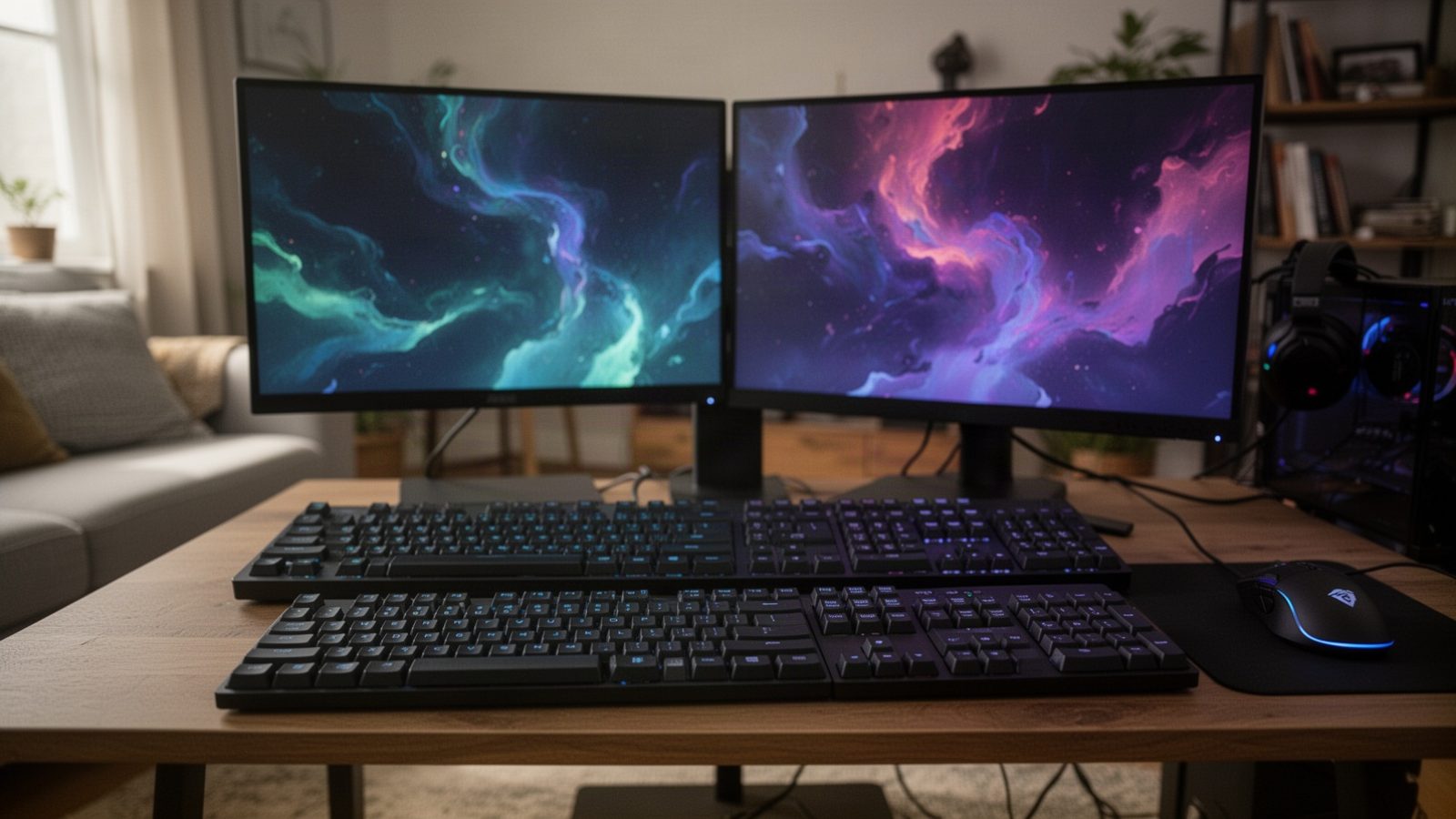
Six gaming keyboards compared — adjustable magnetic switches, a low-profile wireless board, full-size and 60% layouts, and a spill-resistant budget pick.
As an Amazon Associate I earn from qualifying purchases. When you buy through links on this page, we may earn a commission at no extra cost to you. Learn more
A gaming keyboard does not make you aim better, but it does change how a long session feels. Switch type decides how much force each press takes and whether it clicks; layout decides how much desk space is left for your mouse; and build quality decides whether the board still feels solid in five years.
Recent years added a genuinely new option: magnetic and optical switches whose actuation point can be adjusted, along with "rapid trigger" modes that reset a key the instant you start lifting it. That matters in fast shooters, much less in strategy or single-player games. We compared popular, long-running keyboards from established gaming brands across layouts, switch types and budgets, and picked the best fit for different players — whether you want every last millisecond, a tidy wireless desk, or simply a sturdy board that will not break the bank.
Our top picks
-
1
 Illustration
Best overall
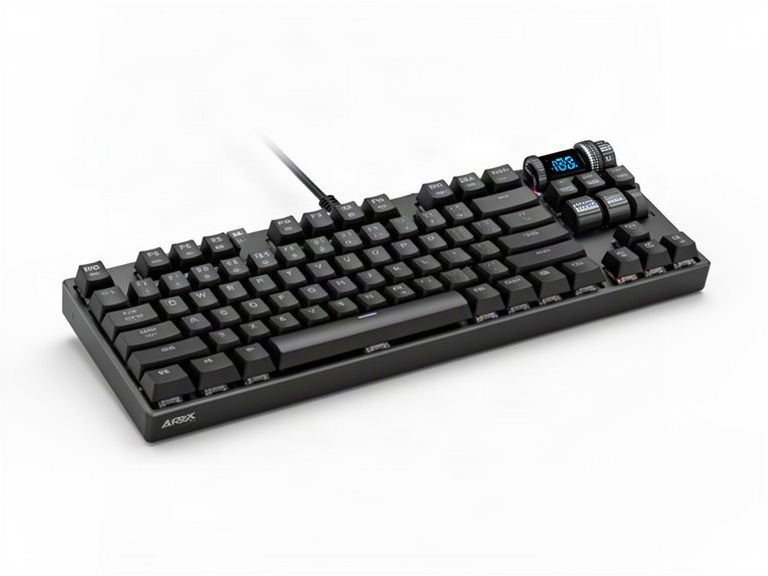
SteelSeries Apex Pro TKL
Competitive shooter players
LayoutTenkeylessSwitchesOmniPoint 2.0 adjustable magneticConnectionWired USB -
2
 Illustration
Best wireless
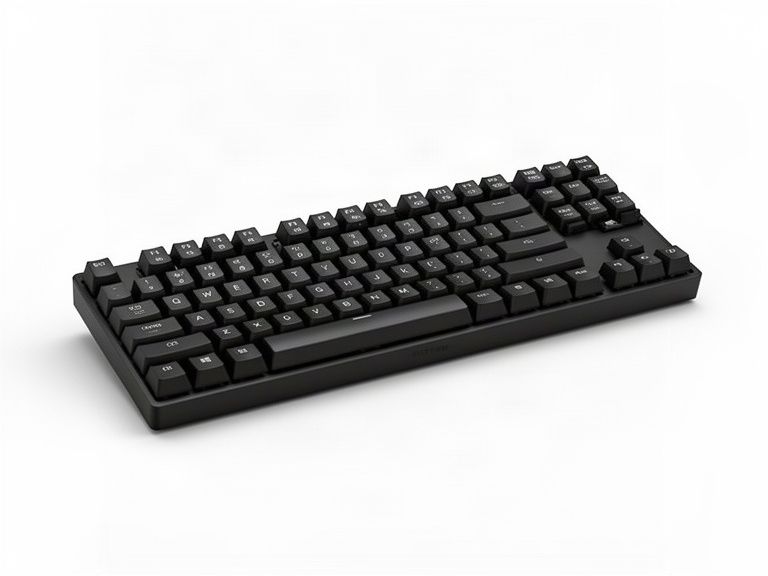
Logitech G915 TKL LIGHTSPEED Wireless
Clean wireless desks and laptop-style typists
LayoutTenkeylessSwitchesLow-profile GL (tactile, linear or clicky)ConnectionLIGHTSPEED wireless, Bluetooth, USB -
3
 Illustration
Best full-size
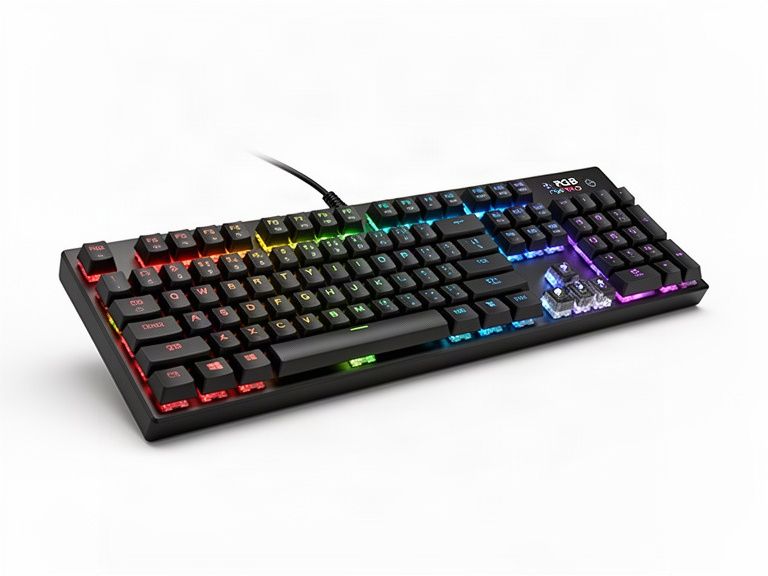
Corsair K70 RGB PRO
Players who want a number pad and media controls
LayoutFull sizeSwitchesCherry MX (several types)ConnectionWired, detachable USB-C -
4
 Illustration
Best value
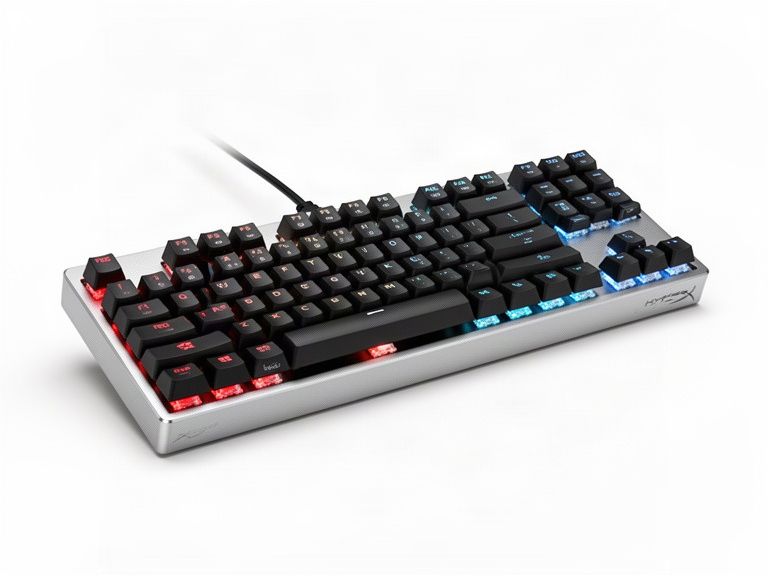
HyperX Alloy Origins Core TKL
A first mechanical keyboard on a mid budget
LayoutTenkeylessSwitchesHyperX mechanical (Red, Aqua or Blue)ConnectionWired, detachable USB-C -
5
 Illustration
Best compact
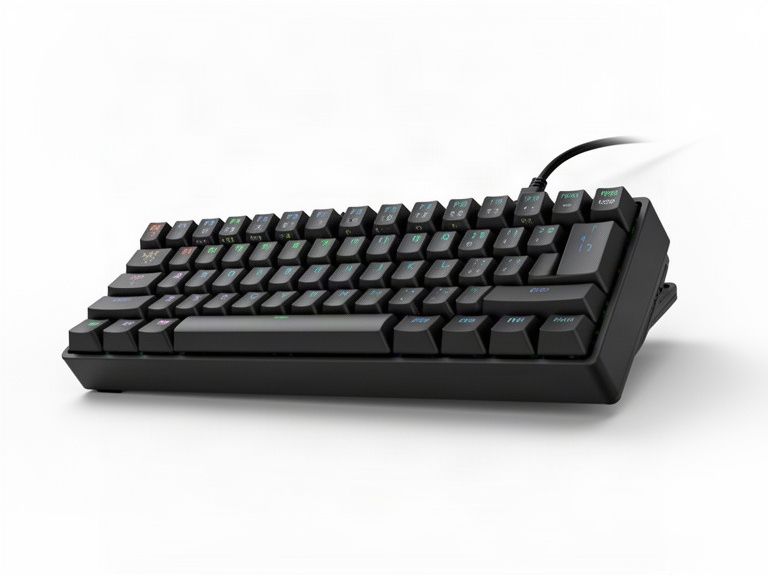
Razer Huntsman Mini 60%
Low-sensitivity players and small desks
Layout60%SwitchesRazer optical (clicky or linear)ConnectionWired, detachable USB-C -
6
 Illustration
Best budget
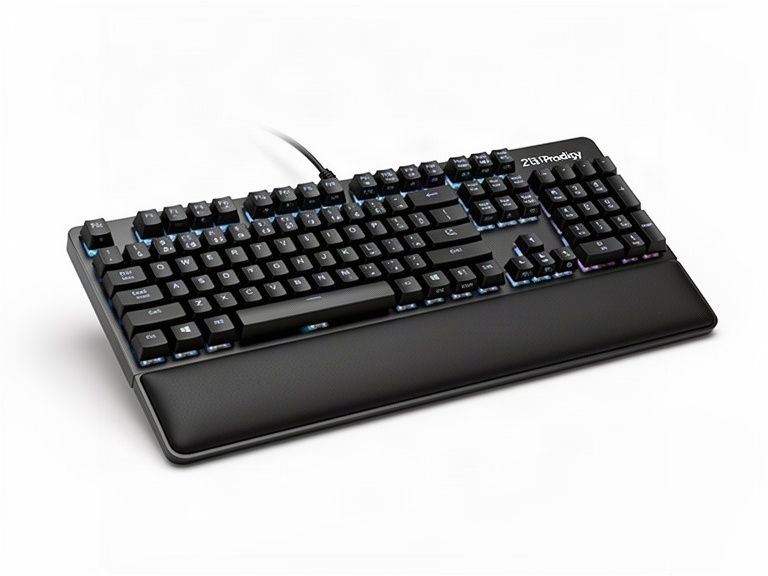
Logitech G213 Prodigy
Tight budgets and spill-prone desks
LayoutFull sizeSwitchesMech-Dome membraneConnectionWired USB
SteelSeries Apex Pro TKL
Illustration
A tenkeyless board with adjustable magnetic switches, rapid trigger and a small OLED display.
Best for: Competitive shooter players- Layout
- Tenkeyless
- Switches
- OmniPoint 2.0 adjustable magnetic
- Connection
- Wired USB
- Extras
- Rapid Trigger, OLED display, volume roller
What we like
- Per-key adjustable actuation for gaming and typing
- Rapid Trigger makes strafing feel more responsive
- Sturdy aluminum top plate
- Volume roller and OLED for quick settings
Keep in mind
- Premium-priced
- Features depend on the SteelSeries GG software
- Linear feel only; no tactile or clicky option
The Apex Pro TKL is the keyboard that made adjustable magnetic switches mainstream. Each OmniPoint switch measures how far the key is pressed, so you can set a hair-trigger actuation for movement keys and a deeper one for keys you do not want to hit by accident, then save it all to a profile.
Rapid Trigger is the feature competitive players buy it for: keys reset the instant they start rising, which makes stop-and-strafe movement in shooters feel tighter. The small OLED screen and volume roller let you switch profiles and adjust settings without alt-tabbing.
The trade-offs are cost and dependence on SteelSeries GG to configure everything. The switches are linear, so typists who love a tactile bump will need to look elsewhere. A wireless version exists at a higher price.
Bottom line: The keyboard to get if you play fast shooters and want adjustable actuation and rapid trigger in a proven, well-built board.
Logitech G915 TKL LIGHTSPEED Wireless
Illustration
A slim, low-profile mechanical keyboard with low-lag wireless, Bluetooth and a metal top plate.
Best for: Clean wireless desks and laptop-style typists- Layout
- Tenkeyless
- Switches
- Low-profile GL (tactile, linear or clicky)
- Connection
- LIGHTSPEED wireless, Bluetooth, USB
- Battery
- Up to 40 hours with full lighting (maker)
What we like
- Very thin profile with a brushed aluminum top
- Low-lag LIGHTSPEED plus Bluetooth for a second device
- Choice of three switch types
- Dedicated media keys and volume roller
Keep in mind
- Premium-priced
- Low-profile keys feel different from standard mechanical boards
- Low-profile keycaps are harder to replace
The G915 TKL brings mechanical switches to a keyboard about as thin as a laptop deck. Logitech's low-profile GL switches come in tactile, linear and clicky versions, with shorter travel than standard switches, which many people find fast and comfortable for both typing and gaming.
It connects over LIGHTSPEED wireless for games and Bluetooth for a second device, so you can flip between a gaming PC and a work laptop with a button. Battery life is rated at up to 40 hours with lighting at full brightness, and much longer with it dimmed.
The low-profile design has quirks: the keys feel shallower than a standard board, and replacement keycaps are limited. Logitech has since released newer versions, but this model remains widely available.
Bottom line: The best pick for a tidy, cable-free desk if you like a slim keyboard with real mechanical switches.
Corsair K70 RGB PRO
Illustration
A sturdy full-size mechanical board with Cherry MX switches, PBT keycaps and dedicated media controls.
Best for: Players who want a number pad and media controls- Layout
- Full size
- Switches
- Cherry MX (several types)
- Connection
- Wired, detachable USB-C
- Keycaps
- PBT double-shot
- Polling rate
- Up to 8,000 Hz
What we like
- Full layout with number pad and media keys
- Durable PBT double-shot keycaps
- Aluminum frame and detachable cable
- Wide choice of Cherry MX switches
Keep in mind
- Takes a lot of desk width
- Lighting and remapping need Corsair iCUE
- No wireless option on this model
The K70 has been Corsair's flagship gaming keyboard line for years, and the RGB PRO version adds the details that make it a long-term buy: PBT double-shot keycaps that will not go shiny, a detachable USB-C cable, and an aluminum frame that keeps the board from flexing.
It is a full-size layout with a number pad and dedicated media keys plus a volume roller, so it suits people who also use their gaming PC for work. Cherry MX switches are available in several feels, and the board supports polling rates up to 8,000 Hz, although that matters less on a keyboard than on a mouse.
The full layout takes a lot of desk space, which can crowd your mouse at low sensitivity. Lighting and macros run through Corsair's iCUE software.
Bottom line: A durable, do-everything full-size keyboard for players who need a number pad.
HyperX Alloy Origins Core TKL
Illustration
A compact, solid tenkeyless mechanical keyboard with an aluminum body and a choice of switches.
Best for: A first mechanical keyboard on a mid budget- Layout
- Tenkeyless
- Switches
- HyperX mechanical (Red, Aqua or Blue)
- Connection
- Wired, detachable USB-C
- Body
- Aluminum
What we like
- Sturdy aluminum body for the price
- Compact layout leaves room for the mouse
- Three switch types: linear, tactile or clicky
- Detachable USB-C cable
Keep in mind
- Standard ABS keycaps wear shiny over time
- No dedicated media keys
- No wrist rest included
The Alloy Origins Core shows how much keyboard you can get without going premium. The body is aluminum rather than plastic, the layout is a space-saving tenkeyless, and the cable detaches via USB-C, all at a mid-range price.
HyperX offers its own switches in Red (linear), Aqua (tactile) and Blue (clicky) versions, which cover every common preference. Per-key lighting and macros are set in HyperX's NGENUITY software and can be saved to the keyboard's onboard memory.
The savings show in the keycaps, which are standard ABS plastic and will develop a shine on heavily used keys over time; PBT replacements are an easy upgrade. There are no dedicated media keys, so volume and playback live on a function layer.
Bottom line: A solid, compact mechanical keyboard that gets the essentials right for a sensible price.
Razer Huntsman Mini 60%
Illustration
A 60% optical keyboard that frees the most mouse space possible, with PBT keycaps and a detachable cable.
Best for: Low-sensitivity players and small desks- Layout
- 60%
- Switches
- Razer optical (clicky or linear)
- Connection
- Wired, detachable USB-C
- Keycaps
- PBT doubleshot
What we like
- Smallest common layout leaves maximum mouse room
- Optical switches register presses quickly
- PBT doubleshot keycaps
- Easy to carry to a friend's place or LAN
Keep in mind
- No arrow keys or function row without a modifier
- Awkward for spreadsheets and coding
- Clicky version is loud
If your mouse keeps bumping the keyboard, a 60% board is the most direct fix. The Huntsman Mini drops the number pad, arrow keys, navigation cluster and function row, moving those to a secondary layer under the Fn key, so the board is barely wider than the main typing area.
Razer's optical switches register a keypress with a light beam rather than metal contacts, and come in clicky and linear versions. The keycaps are PBT doubleshot, which is a welcome detail at this price, and the USB-C cable detaches so the keyboard slips into a bag easily.
The compact layout is great for gaming and frustrating for some work: arrows, Delete and Home or End all need a key combination. Try a 65% board instead if you use those keys constantly.
Bottom line: The pick for players who want the most mouse room and mostly use their keyboard for games.
Logitech G213 Prodigy
Illustration
A full-size membrane gaming keyboard with media keys, zone lighting and a spill-resistant design.
Best for: Tight budgets and spill-prone desks- Layout
- Full size
- Switches
- Mech-Dome membrane
- Connection
- Wired USB
- Extras
- Spill-resistant, media keys, built-in palm rest
What we like
- Budget-friendly
- Spill-resistant design
- Dedicated media keys
- Quieter than most mechanical keyboards
Keep in mind
- Membrane feel is softer and less precise than mechanical
- Zone lighting rather than per-key
- Cable is not detachable
Not everyone needs a mechanical keyboard. The G213 Prodigy is a long-running budget board that uses Logitech's Mech-Dome membrane keys, tuned for a firmer, more tactile press than a typical office keyboard while staying quieter than most mechanical switches.
It is a full-size layout with a number pad, dedicated media controls and a built-in palm rest, and it is designed to resist spills, which counts for a lot in a dorm room or a kid's gaming setup. Lighting is split into zones rather than individual keys, adjustable through Logitech G HUB.
The membrane feel will not satisfy anyone set on mechanical switches, and the cable is fixed. As a dependable, inexpensive first gaming keyboard, though, it does the job.
Bottom line: A sensible budget keyboard for casual players, students and anyone who worries about spilled drinks.
Side-by-side comparison
| Product | Layout | Switches | Connection | Extras | Score |
|---|---|---|---|---|---|
| SteelSeries Apex Pro TKLBest overall | Tenkeyless | OmniPoint 2.0 adjustable magnetic | Wired USB | Rapid Trigger, OLED display, volume roller | 9.3 |
| Logitech G915 TKL LIGHTSPEED WirelessBest wireless | Tenkeyless | Low-profile GL (tactile, linear or clicky) | LIGHTSPEED wireless, Bluetooth, USB | — | 9.0 |
| Corsair K70 RGB PROBest full-size | Full size | Cherry MX (several types) | Wired, detachable USB-C | — | 8.9 |
| HyperX Alloy Origins Core TKLBest value | Tenkeyless | HyperX mechanical (Red, Aqua or Blue) | Wired, detachable USB-C | — | 8.7 |
| Razer Huntsman Mini 60%Best compact | 60% | Razer optical (clicky or linear) | Wired, detachable USB-C | — | 8.5 |
| Logitech G213 ProdigyBest budget | Full size | Mech-Dome membrane | Wired USB | Spill-resistant, media keys, built-in palm rest | 7.9 |
Specifications are from manufacturer listings at the time of writing and can change between production runs.
Pick a layout first
- Full size keeps the number pad, which is useful for spreadsheets, data entry and some simulators.
- Tenkeyless (TKL) drops the number pad. You get roughly four extra inches of mouse room, which matters if you play at low sensitivity.
- 75% and 65% squeeze the arrow keys in tight and drop most of the navigation cluster.
- 60% removes arrows and function keys entirely, moving them to a function layer. It frees the most space but takes some getting used to for work.
Understand switch types
Linear switches move smoothly with no bump; many gamers prefer them for fast, repeated presses. Tactile switches have a small bump that tells your finger the key has registered, which many people like for typing. Clicky switches add an audible click — satisfying for some, irritating for anyone else in the room or on your voice chat.
Beyond those, two newer types are worth knowing. Optical switches register presses with a beam of light rather than metal contacts. Magnetic (Hall effect) switches measure exactly how far the key is pressed, which allows an adjustable actuation point and rapid trigger.
Is rapid trigger worth it?
Rapid trigger resets a key as soon as it starts moving up, instead of waiting for it to pass a fixed point. In shooters where you tap movement keys to stop and strafe, it makes movement feel noticeably more responsive. If you mostly play strategy, MMO or story games, a good standard mechanical board will serve you just as well and usually costs less.
Features worth paying for
- PBT keycaps resist the shiny wear that ABS plastic develops on frequently used keys.
- Detachable USB-C cable makes routing easier and lets you replace a damaged cable.
- Dedicated media controls, especially a volume wheel, are used far more often than macro keys.
- Onboard memory keeps lighting and remaps working on any PC.
What you can skip
Per-key RGB is pleasant but adds cost; simple zone lighting is fine. Extra macro keys on the left edge mostly go unused and push your mouse farther away. Very high polling rates of 4,000 or 8,000 Hz have a far smaller effect on a keyboard than on a mouse.
Care tips
Turn the keyboard upside down and shake out debris occasionally, or use a can of compressed air between keys. A keycap puller makes deep cleaning easy. Wipe keycaps with a cloth slightly dampened with isopropyl alcohol, never spray liquid directly onto the board, and keep drinks on the far side of the desk — few keyboards are truly spill-proof.
Frequently asked questions
Are mechanical keyboards better for gaming than membrane keyboards?
Mechanical keyboards offer a more consistent feel, longer key life and more choice of switch types, which is why most gamers prefer them. A good membrane keyboard is still perfectly playable, quieter, and often spill-resistant, so it is a reasonable budget choice.
What is the difference between linear, tactile and clicky switches?
Linear switches travel smoothly with no bump. Tactile switches have a small bump at the point where the key registers. Clicky switches add an audible click to that bump. None is objectively best; linear is popular for gaming, tactile for mixed typing and gaming.
What does adjustable actuation mean?
On magnetic and some optical keyboards you can choose how far a key must be pressed before it registers. A very short actuation makes keys respond quickly but can cause accidental presses; a deeper setting is better for typing. Many boards let you set different depths for different keys.
Is a wireless keyboard fast enough for gaming?
Yes, when it uses the maker's 2.4 GHz receiver. Bluetooth adds more delay and is better kept for laptops, tablets and typing. Wireless boards need regular charging, especially with bright lighting turned on.
Do gaming keyboards work with PS5 and Xbox?
Wired USB keyboards generally work in console menus and in games that support keyboard input, but support varies by game. Extra features such as lighting software and macros usually only work on a PC.
How we picked
We compared manufacturer specifications for layout, switch type and options, connection, keycap material, polling rate, battery life and software support for popular gaming keyboards from established brands, and weighed how each suits different desks and game types. Our picks and scores are based on this research — we have not tested these products hands-on. Brands cannot pay to be included. Read our full method.