






















The best CPU coolers for desktop PCs
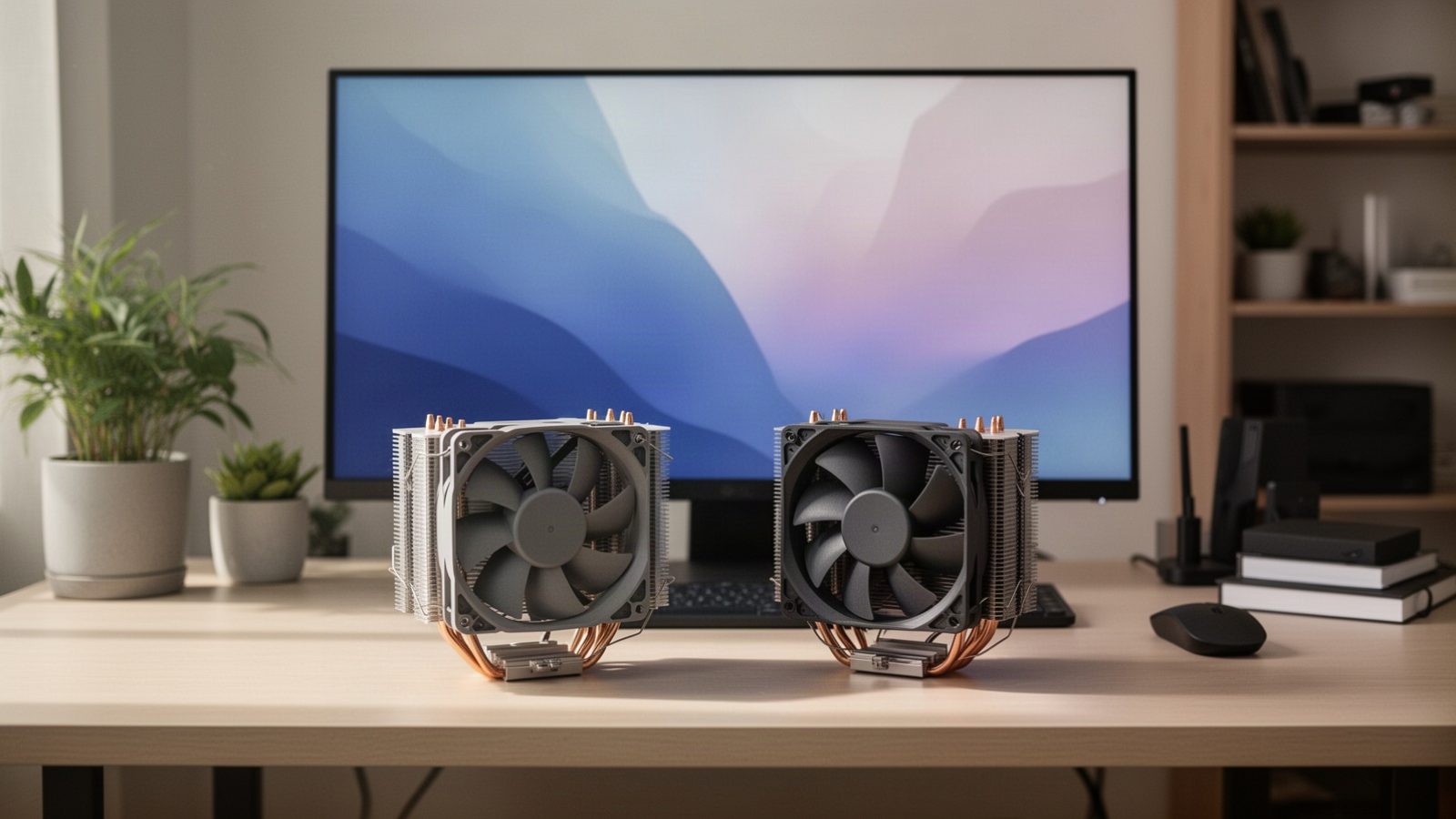
Six CPU coolers compared — budget dual-tower air coolers, quiet premium towers, a 360 mm liquid cooler and a low-profile pick for small cases.
As an Amazon Associate I earn from qualifying purchases. When you buy through links on this page, we may earn a commission at no extra cost to you. Learn more
Most enthusiast processors ship without a cooler, and the one you choose affects more than temperatures. A good cooler keeps your CPU at full boost speeds for longer, keeps fan noise down while you work or play, and has to physically fit between your motherboard, memory and case.
The market has changed a lot in the last few years. Budget dual-tower air coolers, led by Thermalright, now match coolers that once cost several times as much, and 360 mm all-in-one liquid coolers have become far more reliable and affordable. Premium air coolers from Noctua and be quiet! focus on low noise and long warranties. We compared the most popular current coolers on design, fan size, socket support, height and radiator size, and picked the right cooler for budget gaming builds, quiet workstations, hot high-core-count chips and compact cases.
Our top picks
-
1
 Illustration
Best overall
Thermalright Phantom Spirit 120 SE
Most gaming builds, including Ryzen 7 X3D chips
TypeDual-tower air coolerFans2 × 120 mm PWMSocketsAM5, AM4, LGA 1851, LGA 1700 -
2
 Illustration
Best value
Thermalright Peerless Assassin 120 SE
Budget builds that still want dual-tower cooling
TypeDual-tower air coolerFans2 × 120 mm PWMSocketsAM5, AM4, LGA 1851, LGA 1700 -
3
 Illustration
Best premium air
Noctua NH-D15 G2
Hot high-core-count chips with no pump to worry about
TypeDual-tower air coolerFans2 × 140 mm PWMSocketsAM5, AM4, LGA 1851, LGA 1700 -
4
 Illustration
Best liquid cooler
Arctic Liquid Freezer III 360
Ryzen 9 and Core Ultra 9 builds under heavy loads
Type360 mm AIO liquid coolerFans3 × 120 mm PWMSocketsAM5, AM4, LGA 1851, LGA 1700 -
5
 Illustration
Best for quiet builds
be quiet! Dark Rock Pro 5
Quiet workstations and noise-sensitive rooms
TypeDual-tower air coolerFans135 mm + 120 mm Silent WingsSocketsAM5, AM4, LGA 1851, LGA 1700 -
6
 Illustration
Best low-profile
Noctua NH-L9a-AM5 / NH-L9i-17xx Low-Profile Cooler
Mini-ITX and slim cases with 65-watt chips
TypeLow-profile air coolerFans1 × 92 mm PWMSocketsAM5 (NH-L9a-AM5) or LGA 1700/1851 (NH-L9i-17xx)
Thermalright Phantom Spirit 120 SE
Illustration
A budget-friendly dual-tower air cooler that performs like coolers costing far more.
Best for: Most gaming builds, including Ryzen 7 X3D chips- Type
- Dual-tower air cooler
- Fans
- 2 × 120 mm PWM
- Sockets
- AM5, AM4, LGA 1851, LGA 1700
- Height
- About 6.1 in (154 mm)
What we like
- Excellent cooling for its budget-friendly price
- Handles most chips up to the Ryzen 7 X3D and Core Ultra 7
- Two PWM fans included
- Widely compatible with current sockets
Keep in mind
- Tall enough to need checking in slim cases
- Can overhang tall RGB memory
- Shorter warranty than Noctua
The Phantom Spirit 120 SE sums up why Thermalright has become the default recommendation for budget air cooling. It is a dual-tower cooler with two 120 mm PWM fans, and independent coverage consistently places it close to premium coolers that cost several times as much.
That makes it a natural match for the most popular gaming processors, including the Ryzen 7 9800X3D and Core Ultra 7 265K. It supports AM5, AM4, LGA 1851 and LGA 1700, and mounting is straightforward.
At about 154 mm tall, it fits most mid-tower cases, but check your case’s cooler height limit and watch for tall RGB memory under the front fan. The warranty and finish are not as premium as Noctua’s. For the performance per dollar, though, it is hard to beat.
Bottom line: The best all-round CPU cooler for most builders, with near-premium performance at a budget price.
Thermalright Peerless Assassin 120 SE
Illustration
The long-running budget favorite: a twin-tower, twin-fan air cooler for mid-range and gaming CPUs.
Best for: Budget builds that still want dual-tower cooling- Type
- Dual-tower air cooler
- Fans
- 2 × 120 mm PWM
- Sockets
- AM5, AM4, LGA 1851, LGA 1700
- Height
- About 6.1 in (155 mm)
What we like
- Dual-tower performance on a tight budget
- Two PWM fans included
- Simple mounting system
- ARGB versions available
Keep in mind
- Slightly behind the Phantom Spirit 120 SE
- Tall for compact cases
- Basic accessories and finish
The Peerless Assassin 120 SE is the cooler that made dual-tower air cooling affordable for everyone. Two aluminum fin stacks, two 120 mm PWM fans and wide socket support give it the cooling capacity of much pricier designs, and it handles everything from a Ryzen 5 to most Ryzen 7 and Core Ultra 7 chips comfortably.
It is consistently one of the most budget-friendly dual-tower coolers, which makes it a smart choice when every dollar should go toward the graphics card. ARGB versions are available if you want some lighting.
The newer Phantom Spirit 120 SE edges it in cooling, and like any tall tower, it needs about 155 mm of clearance. If you are building on a budget and want strong, quiet-enough cooling, it remains an easy pick.
Bottom line: A proven, budget-friendly dual-tower cooler that suits most mid-range builds.
Noctua NH-D15 G2
Illustration
Noctua’s flagship dual-tower cooler with two 140 mm fans, built for quiet cooling of high-power processors.
Best for: Hot high-core-count chips with no pump to worry about- Type
- Dual-tower air cooler
- Fans
- 2 × 140 mm PWM
- Sockets
- AM5, AM4, LGA 1851, LGA 1700
- Height
- About 6.6 in (168 mm)
- Versions
- Standard, LBC and HBC base shapes
What we like
- Rivals many liquid coolers with no pump to fail
- Large 140 mm fans run quietly
- Excellent build quality and long warranty
- Base versions tuned for different socket shapes
Keep in mind
- Premium-priced
- Very tall and wide, so check case and RAM clearance
- Brown-and-beige styling is not for everyone
The NH-D15 G2 is Noctua’s answer to the question of how far air cooling can go. Two large fin stacks and two 140 mm fans give it enough capacity for 16-core Ryzen 9 chips and high-power Intel processors, and the large, slow-spinning fans keep noise low.
Noctua sells it in three base versions — standard, LBC and HBC — tuned for the slightly different surface shapes of AM5 and Intel chips, so check its guide for the one that fits your processor. Build quality and accessories are excellent, and Noctua’s warranty and support are among the best in the industry.
The trade-offs are size and cost. At about 168 mm tall and very wide, it needs a roomy case and careful memory planning. If you want top-tier cooling with no pump or liquid, it is the cooler to get.
Bottom line: The best air cooler for hot, high-end processors when you want quiet, pump-free cooling.
Arctic Liquid Freezer III 360
Illustration
A thick-radiator 360 mm AIO with three 120 mm fans and a small VRM fan around the pump.
Best for: Ryzen 9 and Core Ultra 9 builds under heavy loads- Type
- 360 mm AIO liquid cooler
- Fans
- 3 × 120 mm PWM
- Sockets
- AM5, AM4, LGA 1851, LGA 1700
- Radiator
- 360 mm, extra-thick
- Extras
- Pump-block VRM fan, offset AMD mounting
What we like
- Excellent cooling for hot high-core-count chips
- Thick radiator helps keep fan speeds low
- VRM fan cools the area around the socket
- Clean, mostly pre-routed cables
Keep in mind
- Thick radiator needs extra case clearance
- Pump adds a potential failure point
- Requires a case with 360 mm radiator support
Arctic’s Liquid Freezer III 360 is one of the most respected all-in-one liquid coolers, and it is aimed squarely at performance rather than flashy screens. The extra-thick 360 mm radiator and three 120 mm PWM fans give it large thermal capacity, so it can handle 16-core Ryzen 9 and high-power Intel chips through long renders without the fans screaming.
A small fan on the pump block helps cool the motherboard power circuitry around the socket, and Arctic includes an offset mounting option for AMD chips. Cable management is tidy, with fan cables largely routed along the tubing.
Check your case first: the thick radiator needs more room than standard 360 mm units, especially in a top mount. And like any AIO, it adds a pump that air coolers do not have. For hot, high-end chips, it is an outstanding choice.
Bottom line: A top-performing 360 mm AIO for hot processors, if your case has room for its thick radiator.
be quiet! Dark Rock Pro 5
Illustration
A large, all-black dual-tower air cooler built around low noise, with two Silent Wings fans.
Best for: Quiet workstations and noise-sensitive rooms- Type
- Dual-tower air cooler
- Fans
- 135 mm + 120 mm Silent Wings
- Sockets
- AM5, AM4, LGA 1851, LGA 1700
- Finish
- Black coated fins and top cover
What we like
- Tuned for low noise levels
- Sleek all-black design
- Strong cooling for most high-end chips
- Large fin stacks work well at low fan speeds
Keep in mind
- Premium-priced
- Very tall for smaller cases
- Cooling capacity trails the NH-D15 G2 slightly
be quiet! builds its reputation on low noise, and the Dark Rock Pro 5 is its flagship air cooler. Two dual-tower fin stacks are paired with a 135 mm and a 120 mm Silent Wings fan, and the whole package is tuned to stay quiet under load. A black coating and brushed top cover give it a clean, understated look.
Cooling is strong enough for most high-end processors, and it suits workstations in offices, bedrooms and studios where fan noise matters more than the last degree of temperature.
It is premium-priced and tall, so check your case’s cooler height limit, and it does not quite match the NH-D15 G2’s outright capacity with the hottest chips. If quiet operation and a sleek black look are your priorities, it is an excellent fit.
Bottom line: The best pick for builders who want a powerful, very quiet, all-black air cooler.
Noctua NH-L9a-AM5 / NH-L9i-17xx Low-Profile Cooler
Illustration
A tiny 37 mm cooler with a 92 mm fan for small form factor builds, in AM5 and Intel versions.
Best for: Mini-ITX and slim cases with 65-watt chips- Type
- Low-profile air cooler
- Fans
- 1 × 92 mm PWM
- Sockets
- AM5 (NH-L9a-AM5) or LGA 1700/1851 (NH-L9i-17xx)
- Height
- About 1.5 in (37 mm)
What we like
- Extremely low height fits slim cases
- Clears memory and motherboard heatsinks
- Quiet Noctua fan
- Separate versions matched to each socket
Keep in mind
- Only suited to lower-power processors
- Runs warm with 120-watt chips
- Premium-priced for its size
Small form factor and home-theater PCs often have only a couple of inches above the processor. Noctua’s NH-L9 series is built for exactly that: at about 37 mm tall including its 92 mm fan, it fits slim Mini-ITX cases where a tower cooler is out of the question.
Noctua makes separate versions for each platform: the NH-L9a-AM5 for AMD AM5 and the NH-L9i-17xx for Intel LGA 1700, which also fits LGA 1851. The compact design clears memory and motherboard heatsinks easily.
Be realistic about what it can cool. It is designed for 65-watt processors such as the Ryzen 5 9600X or Ryzen 5 7600, and hotter chips will run warm or throttle under sustained load. Within those limits, it is the most refined low-profile cooler you can buy.
Bottom line: The go-to cooler for slim, small form factor builds with 65-watt processors.
Side-by-side comparison
| Product | Type | Fans | Sockets | Height | Score |
|---|---|---|---|---|---|
| Thermalright Phantom Spirit 120 SEBest overall | Dual-tower air cooler | 2 × 120 mm PWM | AM5, AM4, LGA 1851, LGA 1700 | About 6.1 in (154 mm) | 9.2 |
| Thermalright Peerless Assassin 120 SEBest value | Dual-tower air cooler | 2 × 120 mm PWM | AM5, AM4, LGA 1851, LGA 1700 | About 6.1 in (155 mm) | 8.9 |
| Noctua NH-D15 G2Best premium air | Dual-tower air cooler | 2 × 140 mm PWM | AM5, AM4, LGA 1851, LGA 1700 | About 6.6 in (168 mm) | 9.1 |
| Arctic Liquid Freezer III 360Best liquid cooler | 360 mm AIO liquid cooler | 3 × 120 mm PWM | AM5, AM4, LGA 1851, LGA 1700 | — | 9.0 |
| be quiet! Dark Rock Pro 5Best for quiet builds | Dual-tower air cooler | 135 mm + 120 mm Silent Wings | AM5, AM4, LGA 1851, LGA 1700 | — | 8.7 |
| Noctua NH-L9a-AM5 / NH-L9i-17xx Low-Profile CoolerBest low-profile | Low-profile air cooler | 1 × 92 mm PWM | AM5 (NH-L9a-AM5) or LGA 1700/1851 (NH-L9i-17xx) | About 1.5 in (37 mm) | 8.3 |
Specifications are from manufacturer listings at the time of writing and can change between production runs.
Air or liquid?
Air coolers use heat pipes and a metal fin stack with one or two fans. They are simple, affordable and have no pump to wear out or liquid to leak. A good dual-tower air cooler handles almost every current desktop processor, including Ryzen 7 X3D chips and Core Ultra 7 models.
All-in-one (AIO) liquid coolers move heat to a radiator mounted on the case. They clear the area around the memory, look tidy and handle sustained heavy loads from 16-core and high-power chips very well. They cost more, add a pump that can make a faint noise, and need a case with room for the radiator.
How much cooling do you need?
- 65-watt chips (Ryzen 5 9600X, Ryzen 5 7600): a single-tower air cooler is plenty.
- 120–125-watt chips (Ryzen 7 9800X3D, Core Ultra 7 265K): a budget dual-tower air cooler or a 240 mm AIO.
- 170-watt and high-power chips (Ryzen 9, Core Ultra 9, Core i9): a premium dual-tower or a 280–360 mm AIO, especially for long renders.
Check clearance before you buy
- Height: Compare the cooler’s height with your case’s maximum CPU cooler height.
- Memory: Large towers can overhang the RAM slots. Low-profile memory or raising the front fan usually solves it.
- Radiator: Check where your case supports 240, 280 or 360 mm radiators and how thick a radiator plus fans it can take.
- Socket: AM5 coolers usually reuse AM4 mounting; LGA 1851 uses the same mounting as LGA 1700. Confirm your socket appears on the cooler maker’s compatibility list.
Noise and fans
Larger, slower fans are quieter than small, fast ones. Set a fan curve in your BIOS so fans stay slow during light use and only ramp up under heavy load. Most modern coolers use PWM fans that make this easy.
Installation tips
Remove the protective film from the cooler’s base — a surprisingly common mistake. Use the thermal paste included, or the pre-applied paste, and tighten mounting screws evenly in a cross pattern. For AIOs, mount the radiator so the pump is not the highest point in the loop, which helps avoid noise from trapped air, and follow the manufacturer’s instructions. Check your BIOS for the CPU fan or pump header setting so the pump runs at full speed if the maker recommends it.
What to skip
Built-in LCD screens and elaborate RGB look great but do not improve cooling. Unless you have a showcase build, put the money toward a better cooler or a quieter fan.
Frequently asked questions
Is liquid cooling better than air cooling?
Not automatically. A good dual-tower air cooler performs close to many 240 mm liquid coolers and has no pump. A 360 mm AIO pulls ahead with hot 16-core chips under long, heavy loads, and it clears space around the memory.
Do AM4 coolers fit AM5?
In most cases, yes. AM5 keeps the AM4 cooler mounting, so many AM4 coolers fit AM5 boards. Check the cooler maker’s compatibility list, especially for coolers that use a custom backplate.
How often should I replace thermal paste?
Quality thermal paste typically lasts for years. Reapply it whenever you remove the cooler, or if temperatures rise noticeably over time despite clean fans and filters.
How long do AIO liquid coolers last?
Many come with five- to six-year warranties, and pumps commonly last that long or longer. Over time, liquid slowly permeates through tubing, so an AIO may eventually lose performance, unlike an air cooler.
What CPU temperature is too hot?
Modern processors are designed to run hot under load and protect themselves by slowing down near their limits. Check the maximum temperature on AMD’s or Intel’s spec page for your chip; consistently hitting that limit means your cooling needs improving.
How we picked
We compared manufacturer specifications for popular CPU coolers from Thermalright, Noctua, Arctic and be quiet!, including design, fan sizes, height, radiator size, socket support and warranty terms, along with independent published thermal and noise coverage, and weighed how each suits different processors and cases. Our picks and scores are based on this research — we have not tested these products hands-on. Brands cannot pay to be included. Read our full method.