






















The best podcast mixers for recording hosts and guests
Five popular podcast mixers compared, from portable battery-powered recorders to full production consoles for multi-host shows and live streams.
As an Amazon Associate I earn from qualifying purchases. When you buy through links on this page, we may earn a commission at no extra cost to you. Learn more
A podcast mixer, sometimes called a podcast production studio, rolls several pieces of gear into one desk-friendly box. It provides microphone preamps for each host, a headphone output for everyone at the table, physical faders to balance voices, and often sound pads for jingles and effects, a way to bring in a phone or video call, and an SD card slot to record the show without a computer.
That convenience is the point. A regular audio interface and recording software can produce the same result, but a dedicated mixer lets you run a show live, hit a pad for an intro and fix levels with a fader instead of a mouse. The right one depends mostly on how many people you record, whether you need to travel, and whether you want onboard recording. We compared the most popular podcast mixers sold in the US and picked the best for solo creators, co-hosts and full panel shows.
Our top picks
-
1
 Illustration
Best overall
RØDE RØDECaster Pro II
Panel shows and serious creators who want everything in one console
Mic inputs4 combo XLR/TRSHeadphone outputs4Onboard recordingmicroSD card -
2
 Illustration
Best for two hosts
RØDE RØDECaster Duo
Co-hosted shows, interviews and solo streamers
Mic inputs2 combo XLR/TRSHeadphone outputs2Onboard recordingmicroSD card -
3
 Illustration
Best portable
Zoom PodTrak P4
Recording on location and budget-minded multi-host shows
Mic inputs4 XLRHeadphone outputs4 (3.5 mm)Onboard recordingmicroSD card -
4
 Illustration
Best for SD multitrack
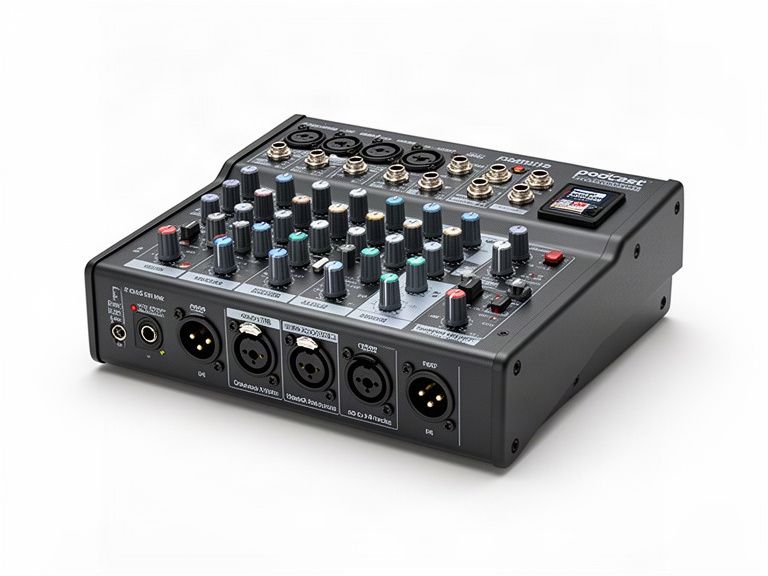
Tascam Mixcast 4
Shows that want separate tracks recorded without a computer
Mic inputs4 combo XLR/TRSHeadphone outputs4Onboard recordingSD card, up to 14 tracks -
5
 Illustration
Best for solo streamers
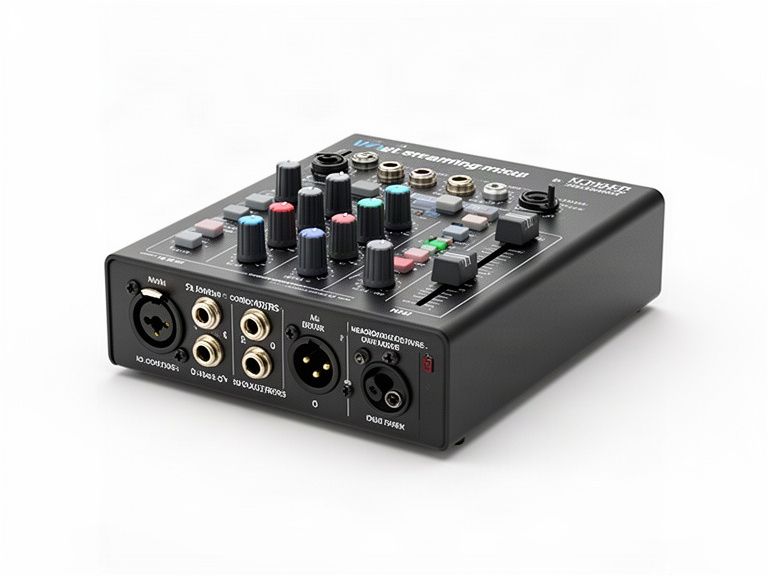
Yamaha AG06MK2 Live Streaming Mixer
Solo podcasters, streamers and musicians who play live online
Mic inputs2 combo XLR/TRSHeadphone outputs1, plus a headset jackOnboard recordingNone, records via computer
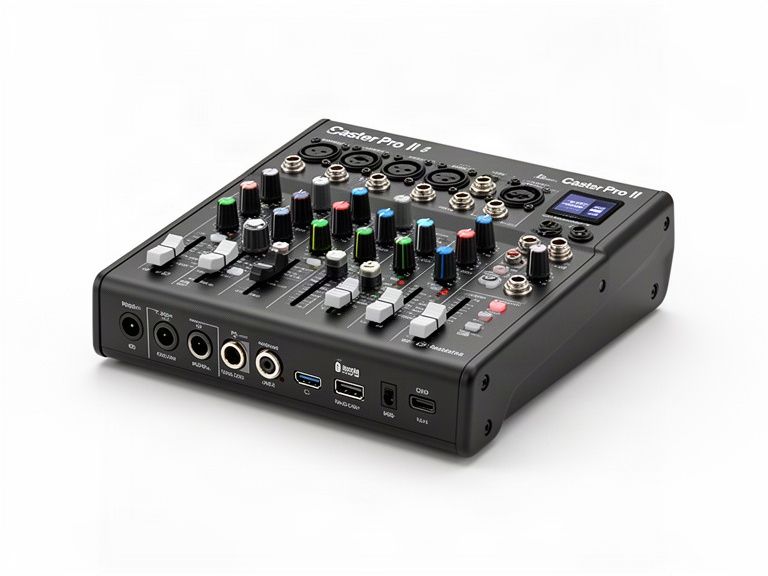
RØDE RØDECaster Pro II
Illustration
A full podcast and streaming console with four combo inputs, four headphone outputs, a touchscreen and microSD recording.
Best for: Panel shows and serious creators who want everything in one console- Mic inputs
- 4 combo XLR/TRS
- Headphone outputs
- 4
- Onboard recording
- microSD card
- Connectivity
- Two USB-C ports and Bluetooth
- Sound pads
- 8 SMART pads
What we like
- Four mic inputs and four headphone outputs for panel shows
- High-gain preamps suit quiet dynamic mics
- Touchscreen plus built-in voice processing
- Two USB-C ports for streaming and recording setups
Keep in mind
- Large desk footprint
- Deep feature set takes time to learn
- Premium-priced
The RØDECaster Pro II is the most complete podcast console in this guide. Four combo inputs take XLR mics, instruments or line sources, and RØDE’s preamps offer generous clean gain, which matters with quiet broadcast dynamics. Each guest gets a headphone output, and a touchscreen gives access to voice processing such as compression, noise gate and de-essing without a computer.
Eight SMART pads trigger sounds, effects or mute-and-fade actions. Two USB-C ports let it act as an interface for two computers at once, which is useful for streaming from one machine while recording or taking calls on another, and Bluetooth brings in a phone caller. Shows can be recorded straight to a microSD card.
The downsides are size, complexity and cost. It takes up real desk space, and the menus reward time spent learning them. For multi-host shows that want one dependable hub, it is the benchmark.
Bottom line: The most capable all-in-one console for panel podcasts and live streams.
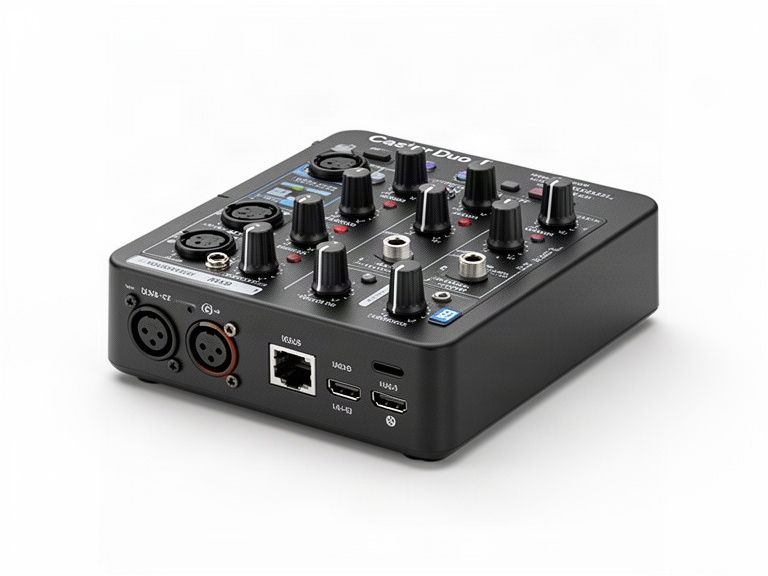
RØDE RØDECaster Duo
Illustration
A compact version of the RØDECaster Pro II with two combo inputs, the same style of touchscreen and microSD recording.
Best for: Co-hosted shows, interviews and solo streamers- Mic inputs
- 2 combo XLR/TRS
- Headphone outputs
- 2
- Onboard recording
- microSD card
- Connectivity
- Two USB-C ports and Bluetooth
What we like
- Much of the Pro II’s feature set in a smaller console
- High-gain preamps for dynamic mics
- Touchscreen with built-in voice processing
- Compact enough for a single desk
Keep in mind
- Only two mic inputs
- Fewer physical faders than the Pro II
The RØDECaster Duo is built for the most common podcast format: two people at one table. It keeps much of what makes the Pro II appealing, including high-gain preamps, a touchscreen, built-in voice processing, microSD recording, Bluetooth for callers and two USB-C ports, in a console that fits more easily on a desk.
RØDE lists two combo inputs that accept mics, instruments or line-level sources, two headphone outputs, and a mix of physical and virtual faders that let you add channels for USB audio, Bluetooth and sound pads.
The limit is simple: two mic inputs means a third in-person guest will not fit, so think about where your show might grow. For co-hosts, interviewers and solo streamers who want a polished sound with physical controls, it hits a sensible middle ground.
Bottom line: The best fit for two-person shows that want a pro console without the full-size footprint.
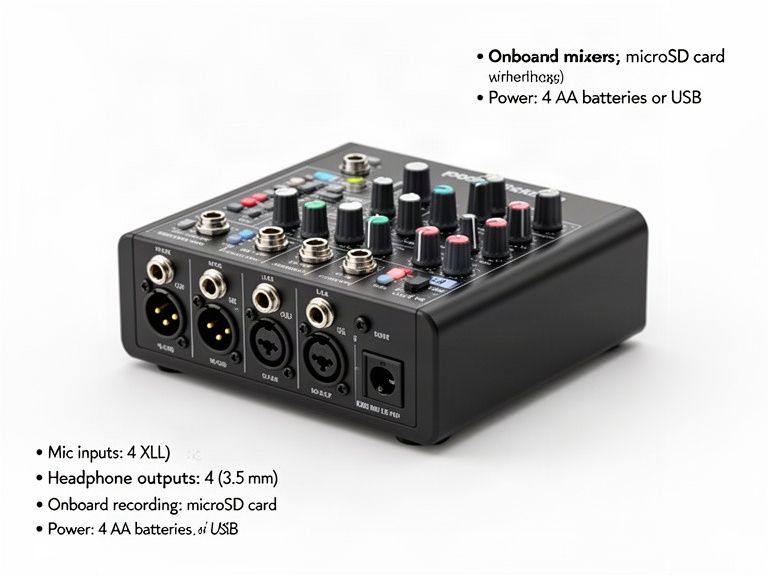
Zoom PodTrak P4
Illustration
A small, battery-powered podcast recorder with four mic inputs, four headphone jacks and sound pads.
Best for: Recording on location and budget-minded multi-host shows- Mic inputs
- 4 XLR
- Headphone outputs
- 4 (3.5 mm)
- Onboard recording
- microSD card
- Power
- 4 AA batteries or USB
- Sound pads
- 4
What we like
- Runs on AA batteries for recording anywhere
- Four mic inputs in a very small body
- Separate headphone volume for each guest
- Works as a USB audio interface too
Keep in mind
- Plastic build and small controls
- Headphone jacks are 3.5 mm, so full-size plugs need adapters
- Fewer voice-processing options than the RØDECasters
The Zoom PodTrak P4 packs four microphone inputs, four headphone outputs and four sound pads into a box small enough to slip into a backpack. It runs on four AA batteries or USB power, so you can record interviews in a coffee shop, a hotel room or a guest’s living room.
Each headphone output has its own volume control, recordings go to a microSD card, and the P4 also works as a USB audio interface when you are back at your computer. A phone input with mix-minus lets a remote guest join by call.
Its compact size comes with compromises. The build is mostly plastic, the knobs are small, and the headphone jacks are 3.5 mm, so studio headphones with full-size plugs need adapters. It also offers fewer processing tools than the RØDE consoles. As an affordable way to record up to four people anywhere, it is hard to match.
Bottom line: The go-to choice for recording multi-person podcasts away from the studio.
Tascam Mixcast 4
Illustration
A four-person podcast console from a long-time recorder maker, with SD card multitrack recording.
Best for: Shows that want separate tracks recorded without a computer- Mic inputs
- 4 combo XLR/TRS
- Headphone outputs
- 4
- Onboard recording
- SD card, up to 14 tracks
What we like
- Four combo mic inputs with phantom power
- Multitrack recording to SD card, up to 14 tracks
- Headphone output for each of four people
- Tascam has decades of recorder experience
Keep in mind
- Desk-bound rather than portable
- Less widely used, so fewer online tutorials than the RØDECasters
Tascam has made recorders for decades, and the Mixcast 4 brings that experience to podcasting. It handles four in-person hosts with four combo inputs and four headphone outputs, and its standout feature is multitrack recording to an SD card, which Tascam rates at up to 14 tracks. That means each microphone can land on its own track without a computer in the loop, making editing far easier later.
The console also includes sound pads for intros and effects, a way to bring in remote callers, and USB audio interface functions for recording or streaming on a computer.
The trade-offs are mainly practical. It is a desk console rather than something you carry, and it has a smaller user community than the RØDECaster line, so there are fewer setup guides and videos to lean on. For four-person shows that value separate tracks on a card, it is a strong alternative.
Bottom line: A solid four-person console for shows that want computer-free multitrack recording.
Yamaha AG06MK2 Live Streaming Mixer
Illustration
A compact six-channel mixer and USB interface with two mic inputs, loopback and one-touch voice processing.
Best for: Solo podcasters, streamers and musicians who play live online- Mic inputs
- 2 combo XLR/TRS
- Headphone outputs
- 1, plus a headset jack
- Onboard recording
- None, records via computer
- Power
- USB bus power or 5 V adapter
What we like
- Compact and affordable
- Loopback makes streaming with music or game audio simple
- One-touch processing adds compression and EQ
- Input 2 accepts guitar with a Hi-Z switch
Keep in mind
- No onboard recording
- Only one headphone output, so not suited to multiple in-person guests
- Headset jack and channel 1 mic cannot be used together
The Yamaha AG06MK2 is a small analog-style mixer with a USB audio interface built in, aimed at streamers, solo podcasters and musicians who perform online. Its two combo inputs accept microphones with phantom power, and the second input has a Hi-Z switch for guitar or bass, so you can sing and play at the same time.
Yamaha’s loopback feature mixes computer audio such as music, game sound or a video call with your microphone and sends it back to your streaming software, a common headache solved with one switch. A one-touch processing button adds compression and EQ for a more finished voice.
It is not a multi-host podcast console. There is no onboard recording, only one headphone output, and Yamaha notes that the headset jack and the channel 1 mic cannot be used at the same time. For one person streaming or recording at a desk, it is a compact, budget-friendly hub.
Bottom line: A simple, affordable mixer for solo creators who stream or record into a computer.
Side-by-side comparison
| Product | Mic inputs | Headphone outputs | Onboard recording | Connectivity | Score |
|---|---|---|---|---|---|
| RØDE RØDECaster Pro IIBest overall | 4 combo XLR/TRS | 4 | microSD card | Two USB-C ports and Bluetooth | 9.3 |
| RØDE RØDECaster DuoBest for two hosts | 2 combo XLR/TRS | 2 | microSD card | Two USB-C ports and Bluetooth | 9.0 |
| Zoom PodTrak P4Best portable | 4 XLR | 4 (3.5 mm) | microSD card | — | 8.8 |
| Tascam Mixcast 4Best for SD multitrack | 4 combo XLR/TRS | 4 | SD card, up to 14 tracks | — | 8.5 |
| Yamaha AG06MK2 Live Streaming MixerBest for solo streamers | 2 combo XLR/TRS | 1, plus a headset jack | None, records via computer | — | 8.3 |
Specifications are from manufacturer listings at the time of writing and can change between production runs.
Count your mics and headphones
Start with the biggest show you expect to record. Each in-person guest needs their own mic input and, ideally, their own headphone output with a separate volume control. Two-person setups suit co-hosted shows and interviews; four-input mixers handle panels and round-tables. Remote guests joining by phone or video call do not need a mic input, but they do need a way in, such as USB, Bluetooth or a dedicated phone input, with mix-minus so they do not hear their own echo.
Onboard recording or computer recording?
Many podcast mixers record straight to a microSD or SD card, which is handy on location and gives you a backup if the computer crashes. Some can record each microphone to its own track, which makes editing much easier: you can remove a cough on one mic without affecting the others. If you always record into a computer anyway, a simpler mixer that works as a USB interface may be enough.
Features worth paying for
- Multitrack recording, either to a card or over USB, for cleaner editing later.
- Built-in voice processing such as compression, noise gates and de-essing, which can make voices sound polished without plugins.
- Sound pads for intros, stingers and ad reads if you run your show live.
- Two USB connections if you stream from one computer and record or chat from another.
Microphones to pair with a mixer
Dynamic microphones are the usual choice for podcasts because they pick up less room echo and less of the person sitting next to you. Many broadcast-style dynamics are quiet, so look for a mixer with plenty of clean gain. Condenser mics need phantom power, which most mixers provide, but they pick up more room sound.
What to skip
Do not pay for four inputs if your show will only ever have two people in the room. Large touchscreens and dozens of effects are fun, but simple, reliable faders and clean preamps matter more week to week.
Care and setup tips
Keep firmware updated, since manufacturers often add features after launch. Format cards in the mixer itself before recording, label each channel, and do a short test recording before every session so you catch a muted mic or a dead cable before the interview starts.
Frequently asked questions
Do I need a podcast mixer, or will an audio interface do?
An audio interface and recording software can do the same job, especially for one or two people. A podcast mixer adds hands-on faders, sound pads, easier call-in guests and often standalone recording, which helps if you run shows live or record away from a computer.
Can podcast mixers record without a computer?
Many can. The RØDECaster models and Zoom PodTrak P4 record to microSD cards, and the Tascam Mixcast 4 records to an SD card. The Yamaha AG06MK2 relies on a connected computer or device to record.
What is mix-minus?
Mix-minus sends a remote guest everything in the show except their own voice, so they do not hear a distracting echo of themselves. Most podcast mixers set this up automatically for phone, USB or Bluetooth callers.
Can I use a podcast mixer for live streaming?
Yes. They connect to a computer over USB and appear as an audio device in streaming software. Models with two USB connections can feed a streaming computer and a second device at the same time.
Which microphones work best with podcast mixers?
Dynamic XLR microphones are the most common choice because they reject more room noise. Make sure your mixer has enough clean gain for quieter broadcast-style dynamics.
How we picked
We compared manufacturer specifications for microphone inputs, headphone outputs, onboard recording, USB and wireless connectivity, sound pads and power options for the most popular podcast mixers consistently available in the US, and weighed how each one suits solo, two-person and panel shows. Our picks and scores are based on this research — we have not tested these products hands-on. Brands cannot pay to be included. Read our full method.