






















The best microphone boom arms for podcast and studio desks
Five desk-mounted mic boom arms compared, from broadcast-style arms for heavy podcast mics to low-profile arms that stay out of your camera shot.
As an Amazon Associate I earn from qualifying purchases. When you buy through links on this page, we may earn a commission at no extra cost to you. Learn more
A boom arm is one of the most useful upgrades for anyone who records at a desk. It clamps to the edge of the desk and holds the microphone exactly where it sounds best, a few inches from your mouth, then swings out of the way when you are done. That frees up desk space, keeps the mic away from keyboard vibrations, and makes it much easier to keep a consistent distance, which is the secret to a steady, professional-sounding voice.
Not all arms are equal, though. Basic scissor arms can sag under heavy broadcast mics, squeak on camera or drift out of position, while better designs move silently and stay exactly where you leave them. The right arm depends on how heavy your microphone is, whether you appear on camera, and how thick your desk is. We compared the most popular boom arms sold in the US for podcasters, streamers and home studios and picked the best for different setups.
Our top picks
-
1
 Illustration
Best overall
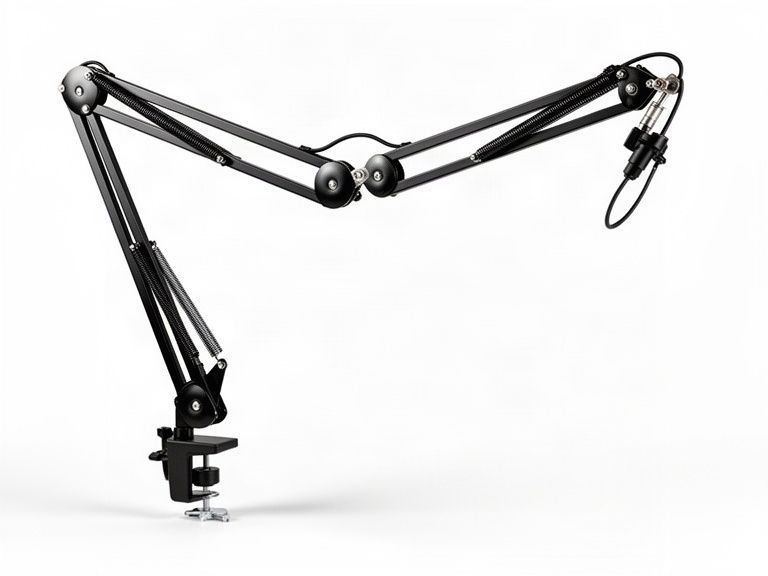
RØDE PSA1+ Professional Studio Arm
Podcasters and home studios with most microphone types
StyleTwo-section, spring-balancedDesk mountClamp or threaded desk insertRated loadAbout 0.2–2.7 lb -
2
 Illustration
Best low-profile
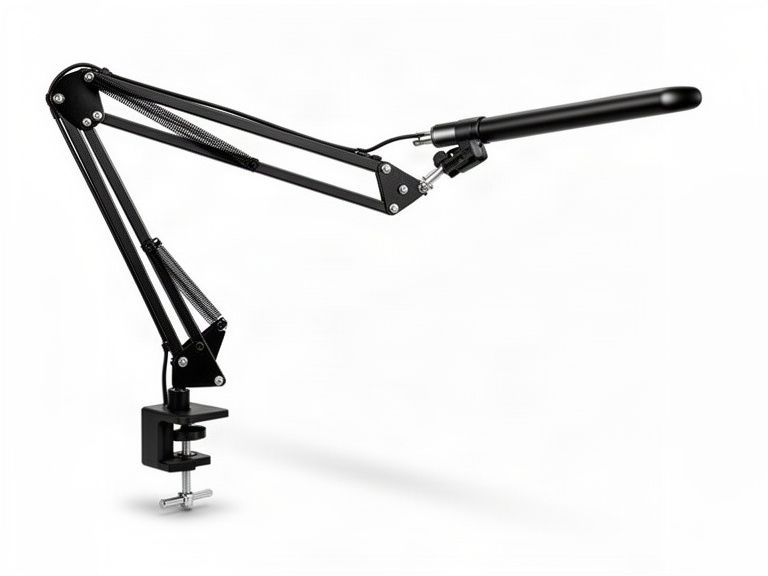
Elgato Wave Mic Arm LP
Streamers and video podcasters who appear on camera
StyleLow-profileDesk mountClamp, desks up to 2.4 in thickRated loadUp to 4.4 lb -
3
 Illustration
Best for broadcast mics
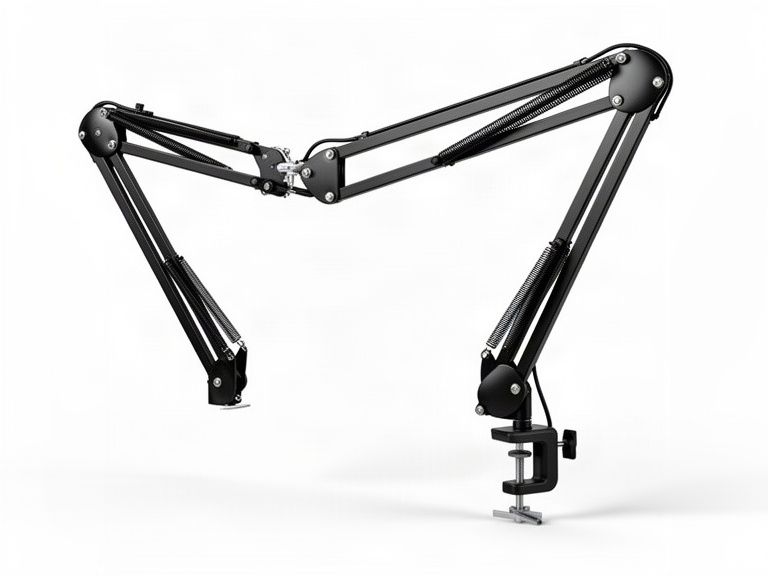
Heil Sound PL-2T Overhead Broadcast Boom
Heavy broadcast dynamics and radio-style setups
StyleTwo-section, internal springsDesk mountC-clamp, desks up to 1.5 in thickRated loadSuited to heavy broadcast mics -
4
 Illustration
Best for tidy cables
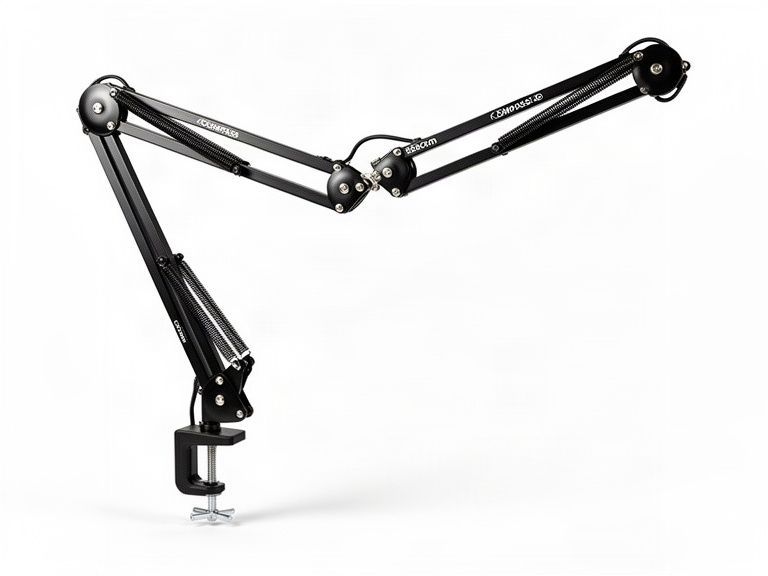
Logitech G Compass Boom Arm
Streamers and gamers with mid-weight mics
StyleTwo-section, internal springsDesk mountC-clampRated loadAbout 2.4 lb -
5
 Illustration
Best budget
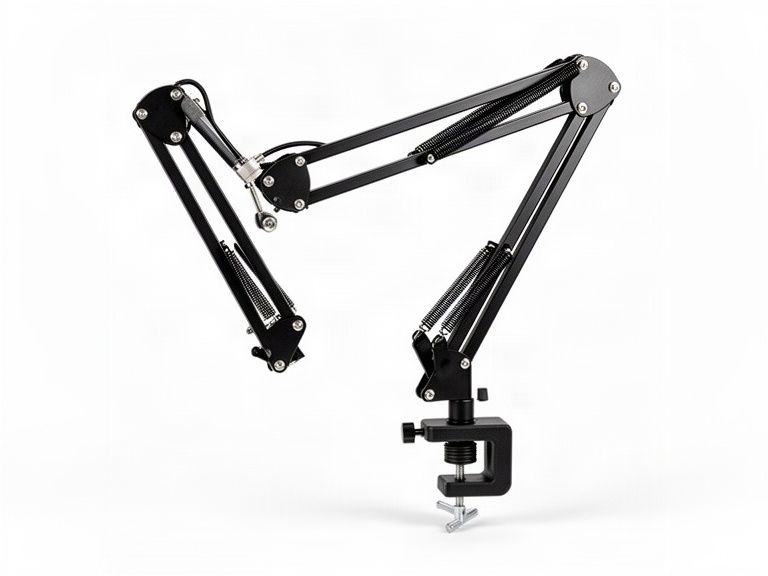
InnoGear Microphone Arm Stand
Lightweight USB mics and first-time setups
StyleScissor arm, external springsDesk mountC-clampRated loadLight mics only
RØDE PSA1+ Professional Studio Arm
Illustration
An upgraded version of RØDE’s classic studio arm, with smooth, quiet movement and a wide supported weight range.
Best for: Podcasters and home studios with most microphone types- Style
- Two-section, spring-balanced
- Desk mount
- Clamp or threaded desk insert
- Rated load
- About 0.2–2.7 lb
- Reach
- About 37 in horizontal
What we like
- Smooth, quiet, balanced movement
- Supports a wide range of mic weights
- Includes both a desk clamp and a threaded insert
- Full 360-degree rotation
Keep in mind
- Premium-priced for a mic arm
- The arm crosses the camera frame on video shoots
RØDE’s original PSA1 became one of the most common podcast arms, and the PSA1+ refines it with smoother, quieter movement. RØDE redesigned it so the arm glides into position and stays put without the springy bounce of budget designs.
RØDE rates it for mics from about 0.2 to 2.7 pounds, which covers lightweight USB mics up to heavier broadcast dynamics and condensers with shock mounts. Reach is generous, at about 37 inches horizontally, and it rotates a full 360 degrees.
Mounting is flexible too: RØDE includes both a padded desk clamp and a threaded desk insert for a permanent installation through a hole in the desk. The trade-offs are cost and the classic above-the-mic shape, which crosses the frame if you film yourself. For most podcasters and home studios, it is the dependable choice.
Bottom line: A smooth, sturdy, widely compatible arm that suits most desk recording setups.
Elgato Wave Mic Arm LP
Illustration
A low-profile arm that sits beneath the mic and out of the camera shot, with magnetic cable covers.
Best for: Streamers and video podcasters who appear on camera- Style
- Low-profile
- Desk mount
- Clamp, desks up to 2.4 in thick
- Rated load
- Up to 4.4 lb
- Reach
- About 29 in horizontal
- Cable management
- Channel with magnetic covers
What we like
- Stays below the mic and out of your camera frame
- Cable channel with magnetic covers hides the cable
- High rated load for heavy mics
- Clean, modern look on stream
Keep in mind
- Shorter reach than tall broadcast arms
- Cannot position a mic high above you
For streamers and video podcasters, a traditional boom arm has one big drawback: it crosses the camera frame. The Elgato Wave Mic Arm LP solves that by staying low. The arm runs along the desk and up to the mic from below, so the shot shows your face and the microphone, not a metal beam.
Elgato rates it for up to 4.4 pounds, which is a high ceiling for an arm this size, and the clamp fits desks up to about 2.4 inches thick. A cable channel with magnetic covers hides the XLR or USB cable for a tidy look on camera.
The low-profile design limits flexibility. Horizontal reach is about 29 inches, and it is not built to suspend a mic high overhead, so it suits a mic in front of your face rather than above it. If you are on camera, it is the most polished option here.
Bottom line: The best way to keep a mic arm out of your stream or video shot.
Heil Sound PL-2T Overhead Broadcast Boom
Illustration
A long-running broadcast boom with internal springs and a covered cable channel, built for heavier mics.
Best for: Heavy broadcast dynamics and radio-style setups- Style
- Two-section, internal springs
- Desk mount
- C-clamp, desks up to 1.5 in thick
- Rated load
- Suited to heavy broadcast mics
- Cable management
- Channel with removable covers
What we like
- Internal springs move quietly and look clean
- Cable channel with snap-in covers hides the wire
- Long broadcast track record
- Uses standard 5/8-inch mic threads
Keep in mind
- Clamp only fits desks up to about 1.5 inches thick
- Flush or flange mounts are sold separately
Heil Sound’s PL-2T has been a fixture in radio and broadcast studios for years, and it is built with heavy dynamic microphones in mind. Its internal springs sit inside the arm sections rather than on the outside, which keeps movement quieter and the look cleaner than a typical scissor arm.
The arm has a channel for the mic cable, with covers that snap back in place to hide the wire for a tidy setup. It uses standard 5/8-inch threads, so it accepts common mic clips and shock mounts.
The included C-clamp is the main limitation: it fits desks up to about 1.5 inches thick, which rules out some thick tabletops, and the flush and flange mounts that offer more permanent installation are sold separately. Retailer figures for its maximum load vary, so check Heil’s current specifications against your mic. For a heavy broadcast mic on a standard desk, it is a proven, durable choice.
Bottom line: A durable broadcast-style boom that suits heavy dynamic microphones.
Logitech G Compass Boom Arm
Illustration
A broadcast-style arm with internal springs and a hidden cable channel, formerly sold under the Blue name.
Best for: Streamers and gamers with mid-weight mics- Style
- Two-section, internal springs
- Desk mount
- C-clamp
- Rated load
- About 2.4 lb
- Reach
- About 32 in horizontal
- Cable management
- Hidden cable channel
What we like
- Hidden channel keeps the cable out of sight
- Internal springs for smooth, quiet movement
- Thread adapter included for 3/8-inch and 5/8-inch mounts
- Clean, minimal styling
Keep in mind
- Lower rated load than some broadcast arms
- Arm crosses the camera frame
The Compass began life as the Blue Compass, designed to pair with Blue’s Yeti microphones, and now carries the Logitech G name. It is a broadcast-style arm with internal springs and a hidden cable channel, so the cable disappears into the arm for a clean look.
Logitech rates it for about 2.4 pounds and lists a horizontal reach of about 32 inches, which covers most USB mics and mid-weight XLR setups. It includes a C-clamp and a thread adapter, so mics with 3/8-inch or 5/8-inch mounts both fit.
Its rated load is lower than some broadcast arms, so a heavy dynamic in a large shock mount may push its limits, and like other overhead-style arms, it crosses the camera frame if you are on video. For a tidy, quiet desk setup with a typical streaming mic, it is a polished choice.
Bottom line: A tidy, quiet arm for typical streaming and gaming mics.
InnoGear Microphone Arm Stand
Illustration
An affordable external-spring scissor arm that suits light USB microphones.
Best for: Lightweight USB mics and first-time setups- Style
- Scissor arm, external springs
- Desk mount
- C-clamp
- Rated load
- Light mics only
What we like
- Very affordable
- Easy to install with a simple clamp
- Fine for lightweight USB microphones
- Gets the mic off the desk and away from keyboard noise
Keep in mind
- Exposed springs can be noisy and may sag with heavy mics
- Cable runs outside the arm
- Less smooth to reposition than premium arms
InnoGear’s scissor-style microphone arm is one of the most common budget options, and it does the basic job: it clamps to a desk and holds a lightweight microphone off the surface and closer to your mouth, away from keyboard thumps and desk vibration.
Its external springs and simple joints are the trade-off for the low cost. Exposed springs can make noise when you move the arm, and heavier microphones, such as broadcast dynamics or condensers in shock mounts, can make it sag or drift. The cable also runs outside the arm, usually held with ties or clips.
For a light USB microphone, a first podcast setup or a backup arm, it is a sensible starting point. If you record often or use a heavy mic, one of the internal-spring arms above will be quieter and more stable.
Bottom line: An affordable first boom arm for lightweight USB microphones.
Side-by-side comparison
| Product | Style | Desk mount | Rated load | Reach | Score |
|---|---|---|---|---|---|
| RØDE PSA1+ Professional Studio ArmBest overall | Two-section, spring-balanced | Clamp or threaded desk insert | About 0.2–2.7 lb | About 37 in horizontal | 9.1 |
| Elgato Wave Mic Arm LPBest low-profile | Low-profile | Clamp, desks up to 2.4 in thick | Up to 4.4 lb | About 29 in horizontal | 8.8 |
| Heil Sound PL-2T Overhead Broadcast BoomBest for broadcast mics | Two-section, internal springs | C-clamp, desks up to 1.5 in thick | Suited to heavy broadcast mics | — | 8.7 |
| Logitech G Compass Boom ArmBest for tidy cables | Two-section, internal springs | C-clamp | About 2.4 lb | About 32 in horizontal | 8.4 |
| InnoGear Microphone Arm StandBest budget | Scissor arm, external springs | C-clamp | Light mics only | — | 7.6 |
Specifications are from manufacturer listings at the time of writing and can change between production runs.
Match the arm to your mic’s weight
Every arm is designed for a weight range, usually including the mic, shock mount and pop filter together. Too heavy, and the arm sags or drifts down; too light, and it springs back up. Broadcast-style dynamic mics and large-diaphragm condensers with shock mounts can be surprisingly heavy, so check the manufacturer’s rated load against your full setup before buying.
Internal springs, external springs or low profile?
- External-spring scissor arms are the budget option. They work, but exposed springs can twang and pick up noise.
- Internal-spring broadcast arms hide the springs in a solid tube or channel, which is quieter and looks cleaner on camera.
- Low-profile arms sit below the mic and out of the camera frame, which streamers and video podcasters often prefer.
Check your desk
Most arms use a C-clamp, which needs a desk edge with clearance underneath and a top within the clamp’s maximum thickness. Desks with a lip, drawer or crossbar right at the edge may block the clamp. Some arms include a threaded insert or grommet mount for a hole drilled through the desk, which is the most stable option. Measure from the clamp position to where you sit, too, so the arm can actually reach your mouth without being fully stretched out.
Features worth paying for
- Smooth, silent movement so you can adjust position mid-recording without noise.
- Cable management that routes the XLR or USB cable inside or along the arm.
- 360-degree rotation to swing the mic out of the way or share it with a guest.
What to skip
Arms with built-in lights or decorative extras add weight without improving stability. Very long reach is only useful if the clamp has to sit far from where you speak.
Setup and safety tips
Follow the manufacturer’s instructions for tightening the clamp and adjusting spring tension, and do not exceed the rated load. Keep fingers clear of hinges and springs while adjusting. Use the included thread adapter if your mic needs a 3/8-inch or 5/8-inch mount, and fit a shock mount if desk bumps come through on recordings.
Frequently asked questions
Will a boom arm hold a heavy microphone like a broadcast dynamic?
Many will, but check the arm’s rated load against the combined weight of your mic, shock mount and pop filter. Heavier mics need sturdier internal-spring or broadcast-style arms.
Why does my boom arm keep drooping?
Usually the mic setup is outside the arm’s rated weight range, or the joints and tension need tightening. Some arms let you adjust spring tension; otherwise, a lighter setup or a sturdier arm is the fix.
Do boom arms work on any desk?
Most clamp-mounted arms need a desk edge with clearance underneath and a top thinner than the clamp’s maximum opening. Glass desks and desks with drawers or crossbars at the edge can be a problem, so check before buying.
What thread size do microphones use?
Most mics and mounts use 5/8-inch or 3/8-inch threads. Many boom arms include an adapter so you can use either.
Is a low-profile arm better for streaming?
Often, yes. A low-profile arm sits below the mic and out of your camera frame, so your face is not blocked by an arm crossing the shot.
How we picked
We compared manufacturer specifications for rated load, reach, clamp size, spring design and cable management for the most popular desk-mounted microphone boom arms consistently available in the US, and weighed how each suits different microphones and desks. Our picks and scores are based on this research — we have not tested these products hands-on. Brands cannot pay to be included. Read our full method.