






















The best electronic cutting machines for vinyl, paper and fabric
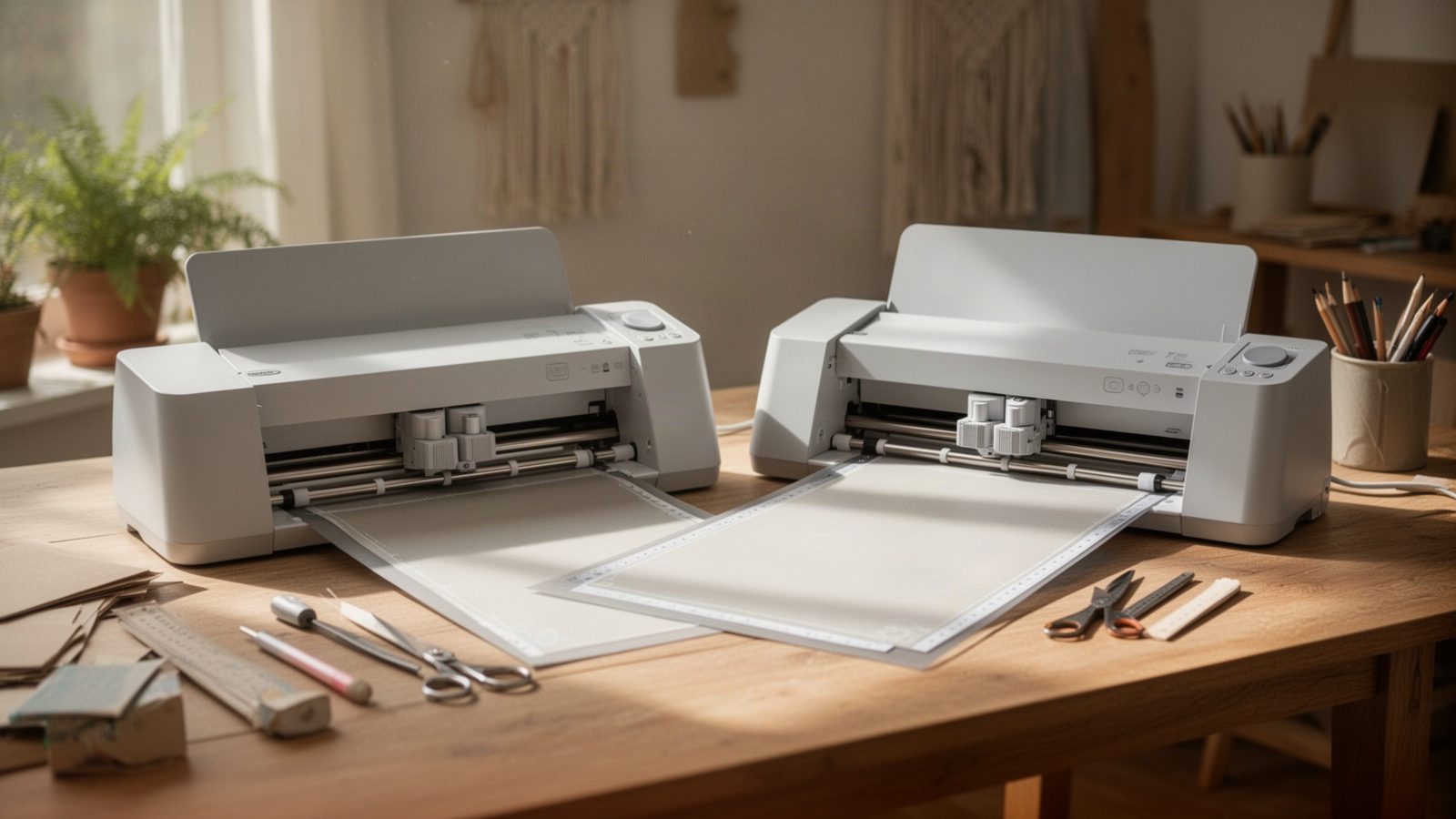
Five craft cutting machines compared — Cricut Maker 4 and Explore 4, the compact Joy Xtra, Silhouette Cameo 5 and Brother's scanning ScanNCut.
As an Amazon Associate I earn from qualifying purchases. When you buy through links on this page, we may earn a commission at no extra cost to you. Learn more
An electronic cutting machine works like a printer with a blade instead of ink. You design or upload a shape in the maker's software, load your material, and the machine cuts it precisely — vinyl decals, iron-on shirt designs, layered cardstock cards, stickers, stencils and, on some models, fabric and thin wood.
Choosing one is less about raw cutting power than about fit. The width you can cut decides whether you can do a full 12 x 12 scrapbook page or only cards and labels. Tool support decides whether fabric and chipboard are on the menu. Software matters more than most people expect, because you will spend more time designing than cutting, and each brand locks you into its own app. We compared five long-running machines from Cricut, Silhouette and Brother on cut width, materials, tools, software and workflow, then matched each to the kind of crafter it suits best.
Our top picks
-
1
 Illustration
Best overall
Cricut Maker 4 Smart Cutting Machine
Crafters who want to cut everything, including fabric and thicker materials
Cut width12 in mats; up to 13 in with Smart MaterialsSoftwareCricut Design SpaceComputer neededComputer, phone or tablet -
2
 Illustration
Best value
Cricut Explore 4 Smart Cutting Machine
Vinyl decals, iron-on and cardstock projects
Cut width12 in mats; up to 13 in with Smart MaterialsSoftwareCricut Design SpaceComputer neededComputer, phone or tablet -
3
 Illustration
Best Cricut alternative
Silhouette Cameo 5 Cutting Machine (12 in)
Detailed design work and Print & Cut stickers
Cut widthUp to 12 inSoftwareSilhouette Studio (free basic edition)Computer neededYes, mainly desktop -
4
 Illustration
Best compact
Cricut Joy Xtra Smart Cutting Machine
Cards, labels, small decals and stickers in small spaces
Cut widthUp to 8.5 inSoftwareCricut Design SpaceComputer neededComputer, phone or tablet -
5
 Illustration
Best for quilters
Brother ScanNCut DX SDX125
Quilters, sewists and anyone who wants to cut without a computer
Cut widthAbout 11.7 in on 12 in matsSoftwareBuilt-in touchscreen; optional CanvasWorkspaceComputer neededNo
Cricut Maker 4 Smart Cutting Machine
Illustration
Cricut's most versatile mainstream cutter, with a toolset that covers fabric, chipboard and basswood as well as vinyl and paper.
Best for: Crafters who want to cut everything, including fabric and thicker materials- Cut width
- 12 in mats; up to 13 in with Smart Materials
- Software
- Cricut Design Space
- Computer needed
- Computer, phone or tablet
- Materials
- 300+ with optional tools
What we like
- Rotary blade cuts fabric without backing
- Knife Blade handles chipboard and basswood
- Cuts vinyl and iron-on without a mat when using Smart Materials
- Faster than earlier Maker models on mat cuts
Keep in mind
- Specialty tools are sold separately
- Larger and louder than compact machines
- Overkill if you only cut vinyl and cardstock
The Cricut Maker line is designed for crafters who do not want to outgrow their machine, and the Maker 4 keeps that formula. Its adaptive tool system accepts a rotary blade that cuts fabric without backing — useful for quilting and sewing patterns — and a Knife Blade that handles thicker materials such as chipboard and basswood.
For everyday projects it behaves like other Cricut machines: vinyl decals, iron-on, cardstock layers and Print Then Cut stickers. With Cricut's Smart Materials you can skip the mat and cut long pieces up to 12 feet. Cricut says the fourth generation cuts up to twice as fast as earlier models on machine-mat cuts.
The main questions are need and space. If you will never cut fabric or thick materials, the Explore 4 does the rest for less. Cricut launched the Maker 5 in September 2026 through its own store and Michaels, so check which generation you are buying.
Bottom line: The most capable all-round choice if you want one machine for paper, vinyl, fabric and thicker craft materials.
Cricut Explore 4 Smart Cutting Machine
Illustration
A 12-inch-class Cricut that covers the most common hobby materials, plus drawing, scoring and foiling.
Best for: Vinyl decals, iron-on and cardstock projects- Cut width
- 12 in mats; up to 13 in with Smart Materials
- Software
- Cricut Design Space
- Computer needed
- Computer, phone or tablet
- Materials
- 100+
What we like
- Handles vinyl, iron-on, cardstock and more
- Matless cutting with Smart Materials
- Draws, scores and foils with optional tools
- Same software and mats as the Maker
Keep in mind
- No rotary blade for loose fabric
- No Knife Blade for chipboard or wood
- Specialty tools cost extra
Most people buying a cutting machine want to make vinyl decals, T-shirts, cards and party decor, and the Explore 4 handles all of that. It cuts more than a hundred materials, from vinyl and iron-on to cardstock and faux leather, and accepts tools for drawing, scoring and foil transfer.
It shares the Maker's 12-inch-class footprint and Design Space software, and it can cut Cricut Smart Materials without a mat for long decals and banners. Like the Maker 4, it is part of Cricut's fourth generation, which Cricut says cuts up to twice as fast as previous models on mat cuts.
What you give up is the Maker's adaptive tools. There is no rotary blade for loose fabric and no Knife Blade for chipboard or basswood. If those materials are not on your list, the Explore 4 is the more sensible buy. Cricut introduced a more compact Explore 5 in early 2026, so check which generation a listing offers.
Bottom line: The best fit for most hobby crafters focused on vinyl, iron-on and paper.
Silhouette Cameo 5 Cutting Machine (12 in)
Illustration
A 12-inch cutter with a dual tool carriage and the powerful desktop Silhouette Studio software.
Best for: Detailed design work and Print & Cut stickers- Cut width
- Up to 12 in
- Software
- Silhouette Studio (free basic edition)
- Computer needed
- Yes, mainly desktop
- Tool carriages
- 2
What we like
- Silhouette Studio offers deep design control
- Dual carriage can cut and draw or score in one pass
- Automatic blade adjustment
- Optional electrostatic mat for thin materials
Keep in mind
- Software has a steeper learning curve
- Useful upgrades such as SVG import are paid editions
- No built-in fabric rotary cutting out of the box
Silhouette is Cricut's main rival, and the Cameo 5 appeals to crafters who want more control over their designs. Its desktop software, Silhouette Studio, has a free basic edition and paid upgrades, and many sticker and small-business crafters prefer it for detailed layouts and Print & Cut work.
The machine itself has a 12-inch cutting width, an AutoBlade that adjusts depth automatically, and a dual carriage that can hold two tools at once — cut and sketch, or cut and score, in a single job. An optional electrostatic mat holds thin materials without adhesive.
The trade-off is the learning curve. Studio is more complex than Cricut Design Space, and features like SVG import require a paid edition. Silhouette now also sells an updated Cameo 5α with four-point Print & Cut registration, so compare both versions when you shop.
Bottom line: A strong alternative to Cricut for crafters who want powerful design software and plenty of Print & Cut work.
Cricut Joy Xtra Smart Cutting Machine
Illustration
A compact, quiet cutter with an 8.5-inch cut width and Print Then Cut support.
Best for: Cards, labels, small decals and stickers in small spaces- Cut width
- Up to 8.5 in
- Software
- Cricut Design Space
- Computer needed
- Computer, phone or tablet
- Max length
- Up to 4 ft with Smart Materials
What we like
- Small enough to store in a cupboard
- Wide enough for letter-size Print Then Cut sheets
- Cuts vinyl, iron-on and cardstock
- Works from a phone or tablet
Keep in mind
- Cannot do full 12 x 12 scrapbook pages
- Fewer tools than larger Cricut machines
- Shorter maximum cut length
The Joy Xtra fills the gap between Cricut's tiny original Joy and its full-size machines. Its 8.5-inch cut width handles cards, labels, small decals, iron-on for kids' clothing and Print Then Cut stickers from letter-size printer paper, while the machine is small enough to put away in a cupboard.
Cricut lists maximum cut sizes of about 8.2 by 11.7 inches on a mat and up to 4 feet long with Smart Materials, so a narrow banner or a long label strip is possible. It connects by Bluetooth and runs from Design Space on a phone, tablet or computer.
You do give up some flexibility. Full scrapbook pages, larger shirt designs and wide wall decals need a 12-inch machine, and the Joy Xtra supports fewer specialty tools than the Explore or Maker. For card makers and occasional crafters, those limits rarely matter. Cricut also added the Joy 2 in early 2026, a compact model with Print Then Cut, which is worth comparing if you mainly want stickers.
Bottom line: The best small-space cutting machine for cards, labels and stickers.
Brother ScanNCut DX SDX125
Illustration
A cutting machine with a built-in 600 dpi scanner, touchscreen and automatic material-thickness sensing.
Best for: Quilters, sewists and anyone who wants to cut without a computer- Cut width
- About 11.7 in on 12 in mats
- Software
- Built-in touchscreen; optional CanvasWorkspace
- Computer needed
- No
- Built-in designs
- 682, including 100 quilt patterns
What we like
- Built-in scanner turns drawings and stamped images into cut files
- Works without a computer
- Auto blade senses material thickness up to about 3 mm
- Strong fabric and appliqué features
Keep in mind
- Touchscreen design tools are basic compared with desktop software
- Smaller community and project library than Cricut
- Larger footprint than compact cutters
Brother's ScanNCut takes a different approach from Cricut and Silhouette. The SDX125 has a built-in 600 dpi scanner, so you can scan a hand drawing, a stamped image or a fabric motif and cut around it directly from the 5-inch touchscreen — no computer required.
That standalone workflow and Brother's sewing background make it popular with quilters. The machine includes 682 built-in designs, among them 100 quilt patterns, and it cuts fabric for appliqué and piecing with the right mat or stabilizer. Its auto blade detects material thickness, so you do not need to pick a material setting, and it handles materials up to about 3 mm.
The on-screen editing is functional rather than powerful, and you will find fewer online projects than for Cricut. Brother's free CanvasWorkspace software adds more design options when you want them.
Bottom line: The best choice for quilters and anyone who wants to scan and cut without a computer.
Side-by-side comparison
| Product | Cut width | Software | Computer needed | Materials | Score |
|---|---|---|---|---|---|
| Cricut Maker 4 Smart Cutting MachineBest overall | 12 in mats; up to 13 in with Smart Materials | Cricut Design Space | Computer, phone or tablet | 300+ with optional tools | 9.3 |
| Cricut Explore 4 Smart Cutting MachineBest value | 12 in mats; up to 13 in with Smart Materials | Cricut Design Space | Computer, phone or tablet | 100+ | 9.0 |
| Silhouette Cameo 5 Cutting Machine (12 in)Best Cricut alternative | Up to 12 in | Silhouette Studio (free basic edition) | Yes, mainly desktop | — | 8.8 |
| Cricut Joy Xtra Smart Cutting MachineBest compact | Up to 8.5 in | Cricut Design Space | Computer, phone or tablet | — | 8.7 |
| Brother ScanNCut DX SDX125Best for quilters | About 11.7 in on 12 in mats | Built-in touchscreen; optional CanvasWorkspace | No | — | 8.6 |
Specifications are from manufacturer listings at the time of writing and can change between production runs.
Decide what you will cut most
- Vinyl, iron-on and cardstock cover most hobby projects: decals, mugs, T-shirts, cards and party decor. Every machine here handles them.
- Fabric needs a rotary blade or a scanning machine with fabric support. Quilters and sewists should look at Cricut Maker or Brother ScanNCut.
- Thick materials such as chipboard, basswood and craft foam need extra cutting force or a specialty blade, available on the Maker line and as optional blades on Silhouette.
- Stickers and printables need Print Then Cut (Cricut) or Print & Cut (Silhouette), where the machine reads registration marks printed by your inkjet printer.
Cut width and length
A 12-inch-class machine handles full scrapbook pages, larger shirt designs and wall decals. A compact 8.5-inch machine like the Joy Xtra covers cards, labels and most decals and takes up far less space. Some machines can also cut long runs without a mat using compatible materials, which matters for signs and banners.
Software is part of the purchase
Cricut machines use Cricut Design Space on a computer, phone or tablet; it is free to use, with an optional subscription for a larger library of images and fonts. Silhouette uses Silhouette Studio, a desktop program with a free basic edition and paid upgrades that add features such as SVG import. Brother ScanNCut can work entirely from its touchscreen, with optional CanvasWorkspace software. Try the free software before you buy if you can — it shapes your daily experience more than the hardware.
Budget for consumables
Plan for mats, which lose stickiness over time, replacement blades, transfer tape and materials. Specialty blades and tools are usually sold separately. Using the brand's recommended mats and blades makes settings more predictable.
Cricut's Smart Materials let compatible machines cut without a mat, but they are made for Cricut machines, so standard vinyl on a mat is often the more flexible everyday option. A starter bundle with a mat, a weeding tool and a few sample materials is usually worth more than a pile of extra blades.
Care tips
Keep mats covered with their protective sheets, clean them with a lint roller or gentle wipe, and replace them once material no longer stays put. Store blades in their housings, keep the cutting strip clear of debris, and update software and firmware when prompted.
Frequently asked questions
Cricut or Silhouette — which is better?
Both cut vinyl, iron-on and cardstock well. Cricut Design Space is simpler and works on phones and tablets, while Silhouette Studio is a full desktop program that many experienced crafters prefer for detailed design work. Pick the software you find easier.
Do I need a computer to use a cutting machine?
Cricut machines can run from a phone or tablet with the Design Space app. Silhouette machines are designed mainly around the desktop Studio software. Brother ScanNCut machines can work entirely from their built-in touchscreen.
Can a cutting machine cut fabric?
Some can. Cricut Maker cuts fabric with its rotary blade, and Brother ScanNCut cuts fabric with the right mat or stabilizer. Explore and Joy models can cut bonded or stabilized fabric with specific blades but are not designed for loose fabric.
What is Print Then Cut?
You print a design with registration marks on an inkjet printer, and the cutter reads the marks and cuts around the image. It is how most crafters make stickers and printed labels.
How long do cutting mats last?
It depends on use and care. Mats lose stickiness gradually; keeping them covered and clean extends their life. Replace a mat when material slips during cutting.
How we picked
We compared cut width and length, supported materials and tools, Print Then Cut capability, software requirements, connectivity and standalone features for current and recent cutting machines from Cricut, Silhouette and Brother, using manufacturer specifications and documentation. Our picks and scores are based on this research — we have not tested these products hands-on. Brands cannot pay to be included. Read our full method.