






















The best desktop phone stands
Five desk phone stands compared, from simple aluminum cradles to an articulating arm, a stick-on MagSafe stand and a Qi2 charging stand, and how to pick the right height and angle.
As an Amazon Associate I earn from qualifying purchases. When you buy through links on this page, we may earn a commission at no extra cost to you. Learn more
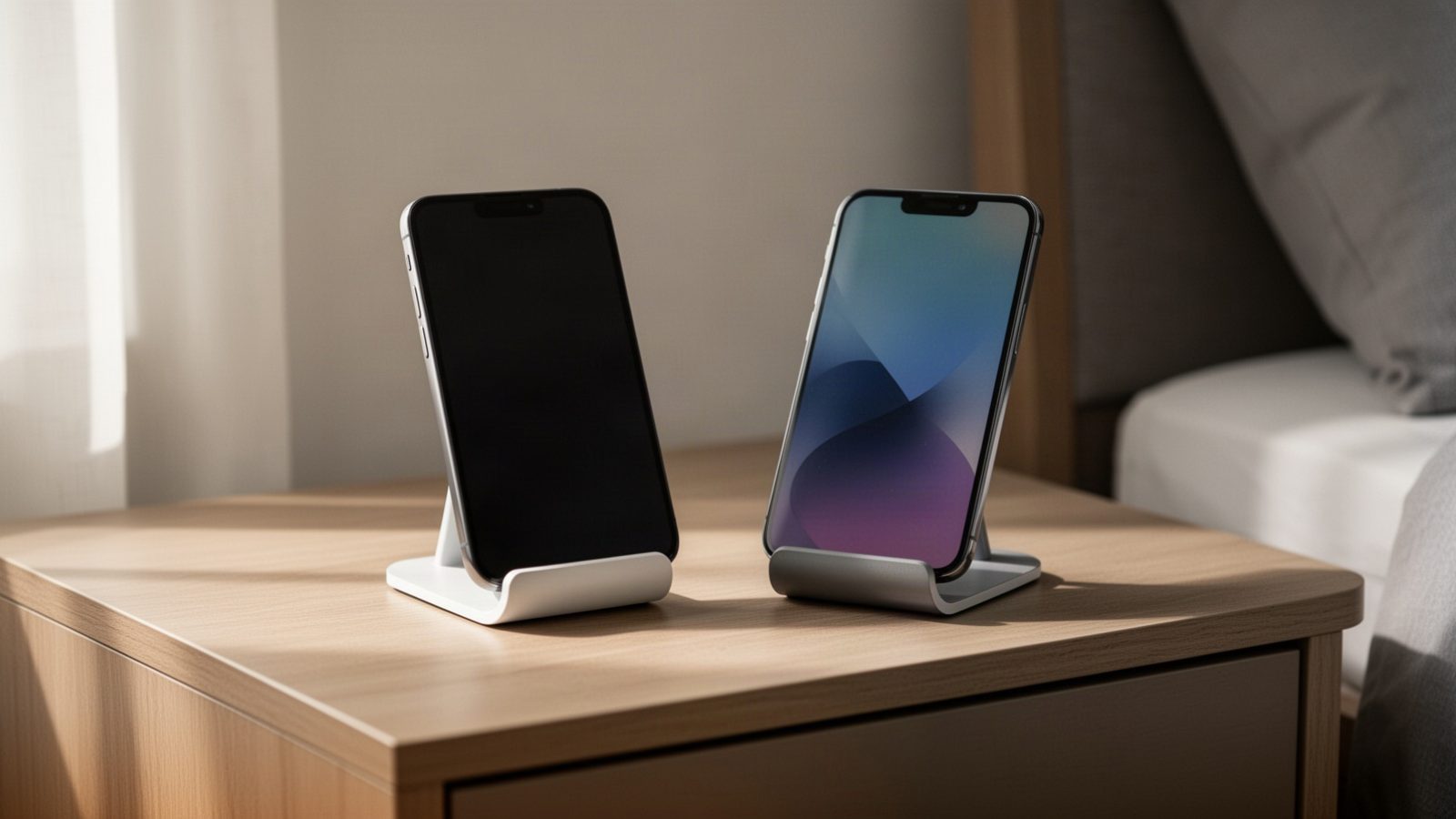
A phone stand is one of the most budget-friendly upgrades for a desk. Propping the phone up at eye level makes video calls more flattering, keeps notifications visible while you work, and frees your hands for following a recipe or a workout video. It also stops you hunching over a phone lying flat on the table.
Stands range from simple folding cradles that hold any phone to magnetic designs for MagSafe iPhones and stands that charge as well. The main differences are stability, how far they adjust, whether they block the charging port and whether they suit a desk, a kitchen counter or a nightstand. We compared stands from Lamicall, OMOTON, Twelve South, MOFT and Peak Design on adjustability, phone and case fit, stability, materials and charging access, and picked the best for different setups.
Our top picks
-
1
 Illustration
Best overall
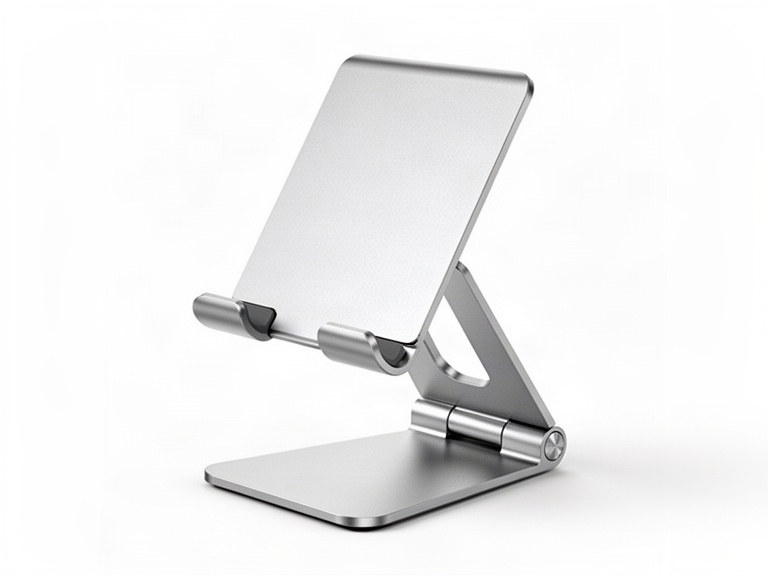
Lamicall Adjustable Phone Stand
Most desks, for any phone and case
TypeFolding cradle standPhone attachmentLip cradle, fits most phones and casesAdjustmentTilt angle -
2
 Illustration
Best budget
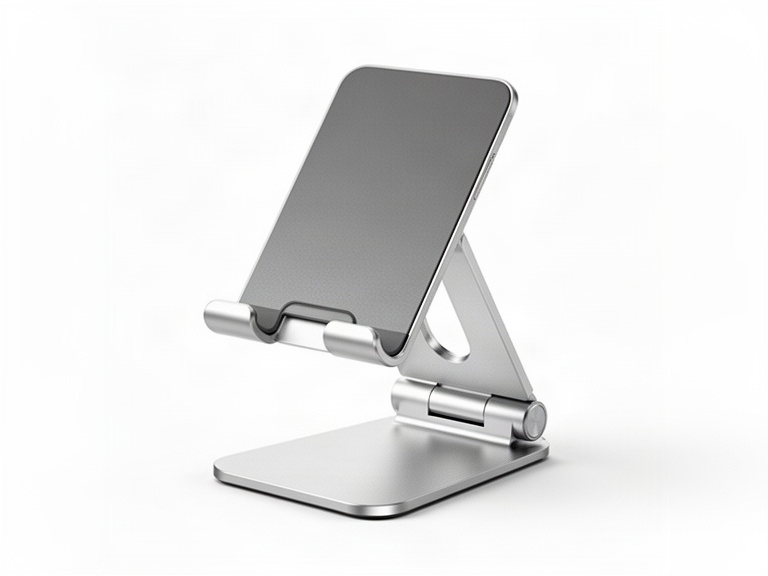
OMOTON Adjustable Cell Phone Stand
A second stand for the kitchen or nightstand
TypeDesk standPhone attachmentLip cradle, fits most phones and casesAdjustmentTilt angle on adjustable models -
3
 Illustration
Best adjustable arm
Twelve South HoverBar Duo
Video calls, filming your hands and holding a phone beside a monitor
TypeArticulating armPhone attachmentSpring-loaded holder for phones and iPadsAdjustmentHeight, reach and angle -
4
 Illustration
Best charging stand
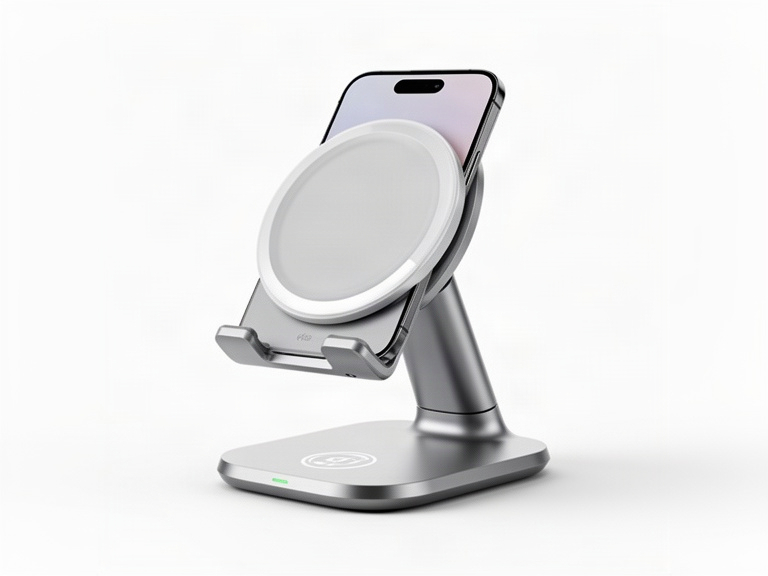
Peak Design Wireless Charging Stand
MagSafe iPhone users who want a stand that charges
TypeWireless charging standPhone attachmentMagSafe magnetsAdjustmentFriction hinge, portrait or landscape -
5
 Illustration
Best for travel
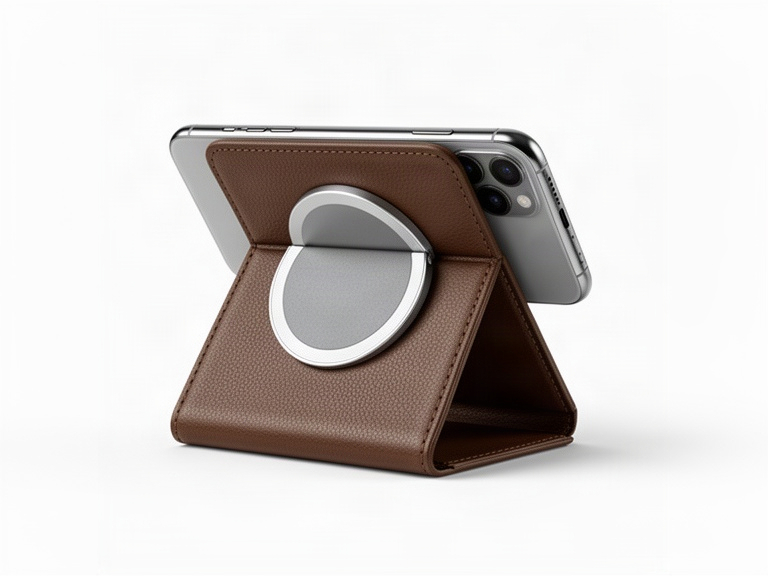
MOFT Snap Invisible Phone Stand
Commuters and travelers with MagSafe iPhones
TypeMagnetic fold-out standPhone attachmentMagSafe magnetsAdjustmentPreset viewing angles
Lamicall Adjustable Phone Stand
Illustration
A sturdy, budget-friendly folding cradle stand that holds any phone and leaves room for a charging cable.
Best for: Most desks, for any phone and case- Type
- Folding cradle stand
- Phone attachment
- Lip cradle, fits most phones and cases
- Adjustment
- Tilt angle
- Material
- Aluminum alloy
What we like
- Holds any phone, with or without a case
- Aluminum build feels solid on a desk
- Cable cutout for charging while propped up
- Folds flat to carry
Keep in mind
- Tilt-only models don't raise the phone to eye level
- Larger phones in heavy cases can tip if you tap hard
Lamicall's adjustable phone stands are among the best-known budget stands for good reason: they are simple, sturdy and inexpensive. The folding aluminum frame holds the phone on a padded lip, a hinge sets the viewing angle, and a gap in the cradle lets you plug in a charging cable while the phone is upright.
Because it cradles the phone rather than relying on magnets, it works with any phone and nearly any case, Android or iPhone. Rubber pads keep it from sliding around.
Lamicall sells several variants, including taller height-adjustable versions. If you take a lot of video calls, consider one of those; for notifications, reading and recipes, the standard folding stand is all you need.
Bottom line: An inexpensive, solid stand that suits almost everyone.
OMOTON Adjustable Cell Phone Stand
Illustration
A minimal aluminum stand with a fixed or adjustable angle, sized for phones and small tablets.
Best for: A second stand for the kitchen or nightstand- Type
- Desk stand
- Phone attachment
- Lip cradle, fits most phones and cases
- Adjustment
- Tilt angle on adjustable models
- Material
- Aluminum
What we like
- Budget-friendly
- Clean, minimal design
- Works with phones and many small tablets
- Rubber pads protect the phone and desk
Keep in mind
- Limited height and angle range
- Check lip depth for very thick cases
OMOTON makes some of the most widely sold budget phone stands, and they suit people who want something tidy and inexpensive. The aluminum frame holds a phone upright on a padded lip, and adjustable models add a hinge for the angle.
It is a good pick for a kitchen counter, where you want to see a recipe without the phone getting in the way, or for a nightstand. Many models are sized to take small tablets too.
What you don't get is much height adjustment, so for video calls the camera still sits below eye level. Check the listing for the lip depth if your phone lives in a rugged case.
Bottom line: An inexpensive, tidy stand for counters, desks and nightstands.
Twelve South HoverBar Duo
Illustration
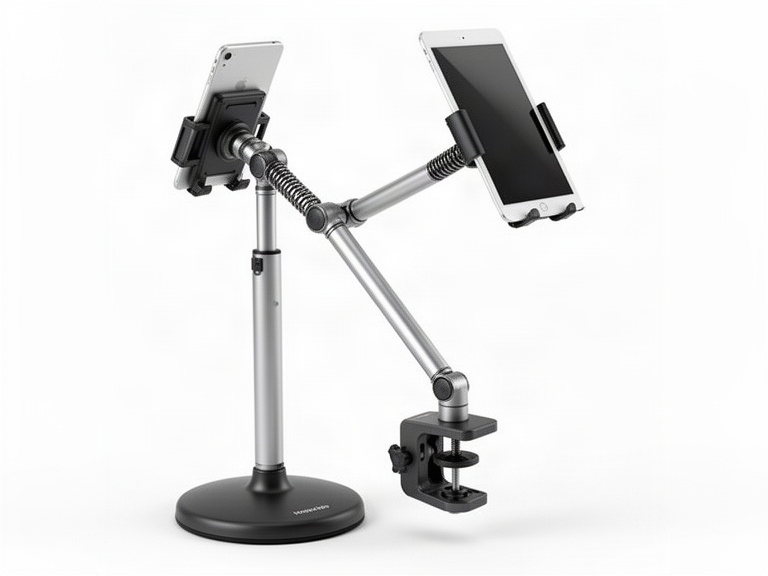
An articulating arm with a weighted desk base and a clamp option that positions a phone or iPad almost anywhere.
Best for: Video calls, filming your hands and holding a phone beside a monitor- Type
- Articulating arm
- Phone attachment
- Spring-loaded holder for phones and iPads
- Adjustment
- Height, reach and angle
- Mounting
- Weighted base or clamp
What we like
- Raises the phone to eye level for calls
- Reaches over a keyboard or beside a monitor
- Weighted base or clamp mounting
- Also holds an iPad
Keep in mind
- Premium-priced for a stand
- Takes more space than a folding stand
- Arm can bounce slightly when you tap the screen
Twelve South's HoverBar Duo is the most flexible stand here. An articulating arm sits on a weighted base on the desk, or swaps onto a clamp for a desk edge or shelf, and its holder takes a phone or an iPad.
That reach makes it ideal for things simple stands can't do: positioning the camera at eye level for video calls, holding the phone beside a monitor as a second screen, or filming your hands from above for crafts, cooking or unboxing videos.
It costs more and takes up more space than a folding cradle, and a long arm can bounce a little when you tap the screen. If you just want a phone propped up, a simpler stand is better value.
Bottom line: The stand to get when you need the phone in an exact spot, not just upright.
Peak Design Wireless Charging Stand
Illustration
An aluminum magnetic stand with Qi2 charging and a friction hinge that holds the phone in portrait or landscape.
Best for: MagSafe iPhone users who want a stand that charges- Type
- Wireless charging stand
- Phone attachment
- MagSafe magnets
- Adjustment
- Friction hinge, portrait or landscape
- Charging
- Qi2
- Material
- Anodized aluminum
What we like
- Charges and holds the phone in one
- Smooth friction hinge for any angle
- Portrait or landscape
- Premium machined aluminum build
Keep in mind
- Wall adapter sold separately or in a bundle
- Needs a MagSafe phone or compatible case
Peak Design's Wireless Charging Stand combines a desk stand and a Qi2 charger in one well-made object. The phone snaps on magnetically, and a smooth friction hinge lets you set any viewing angle, in portrait for notifications or landscape for video.
The anodized aluminum build is a step up from budget stands, and Qi2 charging is much faster than older Qi chargers, so the phone stays topped up through the workday.
The wall adapter is sold separately or in a bundle, and the stand needs a MagSafe phone or a compatible magnetic case to hold securely. If you use wireless charging anyway, it is a tidy way to combine the two jobs.
Bottom line: A premium desk stand that charges your MagSafe iPhone while you work.
MOFT Snap Invisible Phone Stand
Illustration
A thin magnetic stand that rides on the back of the phone and folds out to prop it up anywhere.
Best for: Commuters and travelers with MagSafe iPhones- Type
- Magnetic fold-out stand
- Phone attachment
- MagSafe magnets
- Adjustment
- Preset viewing angles
- Material
- Vegan leather
What we like
- Always with you on the back of the phone
- Thin enough to stay on all day
- Portrait and landscape positions
- Adds very little weight
Keep in mind
- Less stable than a desk stand
- Remove it before wireless charging
The best stand is the one you have with you. MOFT's Snap Invisible Phone Stand attaches magnetically to the back of a MagSafe iPhone and folds out into a stand on a train tray, a cafe table or an airplane seatback.
It is thin enough to leave on all day, and folds into preset angles for portrait or landscape viewing, so a video call or a show on a flight no longer means holding the phone.
The trade-offs are stability and charging. It won't hold the phone as firmly as a weighted desk stand, and you need to pop it off before using a wireless charger. For travel and commuting, it is hard to beat for convenience.
Bottom line: A clever stand that lives on your phone, ideal for travel.
Side-by-side comparison
| Product | Type | Phone attachment | Adjustment | Material | Score |
|---|---|---|---|---|---|
| Lamicall Adjustable Phone StandBest overall | Folding cradle stand | Lip cradle, fits most phones and cases | Tilt angle | Aluminum alloy | 9.0 |
| OMOTON Adjustable Cell Phone StandBest budget | Desk stand | Lip cradle, fits most phones and cases | Tilt angle on adjustable models | Aluminum | 8.6 |
| Twelve South HoverBar DuoBest adjustable arm | Articulating arm | Spring-loaded holder for phones and iPads | Height, reach and angle | — | 8.8 |
| Peak Design Wireless Charging StandBest charging stand | Wireless charging stand | MagSafe magnets | Friction hinge, portrait or landscape | Anodized aluminum | 8.5 |
| MOFT Snap Invisible Phone StandBest for travel | Magnetic fold-out stand | MagSafe magnets | Preset viewing angles | Vegan leather | 8.3 |
Specifications are from manufacturer listings at the time of writing and can change between production runs.
Types of phone stands
- Folding cradle stands have a lip that holds the bottom of the phone and a hinge for the angle. They fit almost any phone and case and fold flat for a bag.
- Height-adjustable stands add a telescoping or articulating stem, so the phone sits closer to eye level for video calls.
- Articulating arms reach over a keyboard or clamp to the desk edge, ideal for filming hands at work or holding a phone beside a monitor.
- Magnetic stands use MagSafe or Qi2 magnets, so the phone snaps on and off in one motion. Some stick to the back of the phone instead of sitting on the desk.
- Charging stands add wireless charging, which keeps the phone topped up during the workday.
Height and angle matter most
For video calls, the camera should be close to eye level; a stand that only tilts leaves the camera looking up your nose. If you mainly glance at notifications, a low, tilted stand is fine. Check that the stand holds the phone in both portrait and landscape if you watch video.
As a rule of thumb, a stand that raises the phone 6 inches or more off the desk is worth it for regular video calls, while a low stand is better on a crowded desk where you want the phone out of the way. On a nightstand, a low angle keeps the screen readable from bed without lighting up the room.
Fit, cases and charging access
Measure the stand's lip depth if you use a thick case, and make sure the cradle leaves the charging port clear so you can plug in a cable. A cutout or open bottom is worth having. For magnetic stands, use a MagSafe- or Qi2-compatible case; thick or non-magnetic cases weaken the hold.
Stability
A heavier base or a wider footprint keeps the phone from tipping when you tap the screen. Rubber pads stop the stand sliding and protect the phone and desk. Lightweight folding stands are great for travel but tip more easily with large phones.
What to skip
Skip ultra-cheap plastic stands with thin hinges that lose their angle over time, and stands that cover the charging port. Don't pay extra for a charging stand if you never use wireless charging.
Care tips
Wipe aluminum stands with a soft, damp cloth, and occasionally tighten adjustment screws or hinges as the manufacturer recommends. Keep magnetic stands away from cards with magnetic strips.
Frequently asked questions
What angle is best for a phone stand?
For reading and notifications, around 60 to 70 degrees from the desk works for most people. For video calls, height matters more than angle: raise the phone so the camera is close to eye level.
Can I charge my phone while it is on a stand?
Most good stands leave a gap or cutout for the charging cable. Charging stands with Qi2 or MagSafe charging skip the cable altogether.
Do phone stands work with thick cases?
Cradle stands work with most cases if the lip is deep enough. Check the maximum thickness listed for the stand. Magnetic stands need a MagSafe- or Qi2-compatible case.
Is a phone stand worth it for video calls?
Yes. Holding the phone steady at eye level improves framing and frees your hands. A height-adjustable stand or an arm helps most.
Can a phone stand hold a tablet?
Some sturdier stands and arms are designed for both phones and small tablets. Check the stand's supported size and weight before using it with an iPad.
How we picked
We compared stand types, height and angle adjustment, phone and case fit, charging access, stability, materials and magnetic or charging features for desktop phone stands from Lamicall, OMOTON, Twelve South, MOFT and Peak Design, using manufacturer specifications. Our picks and scores are based on this research — we have not tested these products hands-on. Brands cannot pay to be included. Read our full method.